Illustrated product appendix
RoarSoar brings a personal website, visual information organisation and community participation into one place. Members can collect what matters, arrange it on cards and boards, and choose how other people engage with it. This appendix explains the principal tools and shows their current presentation.
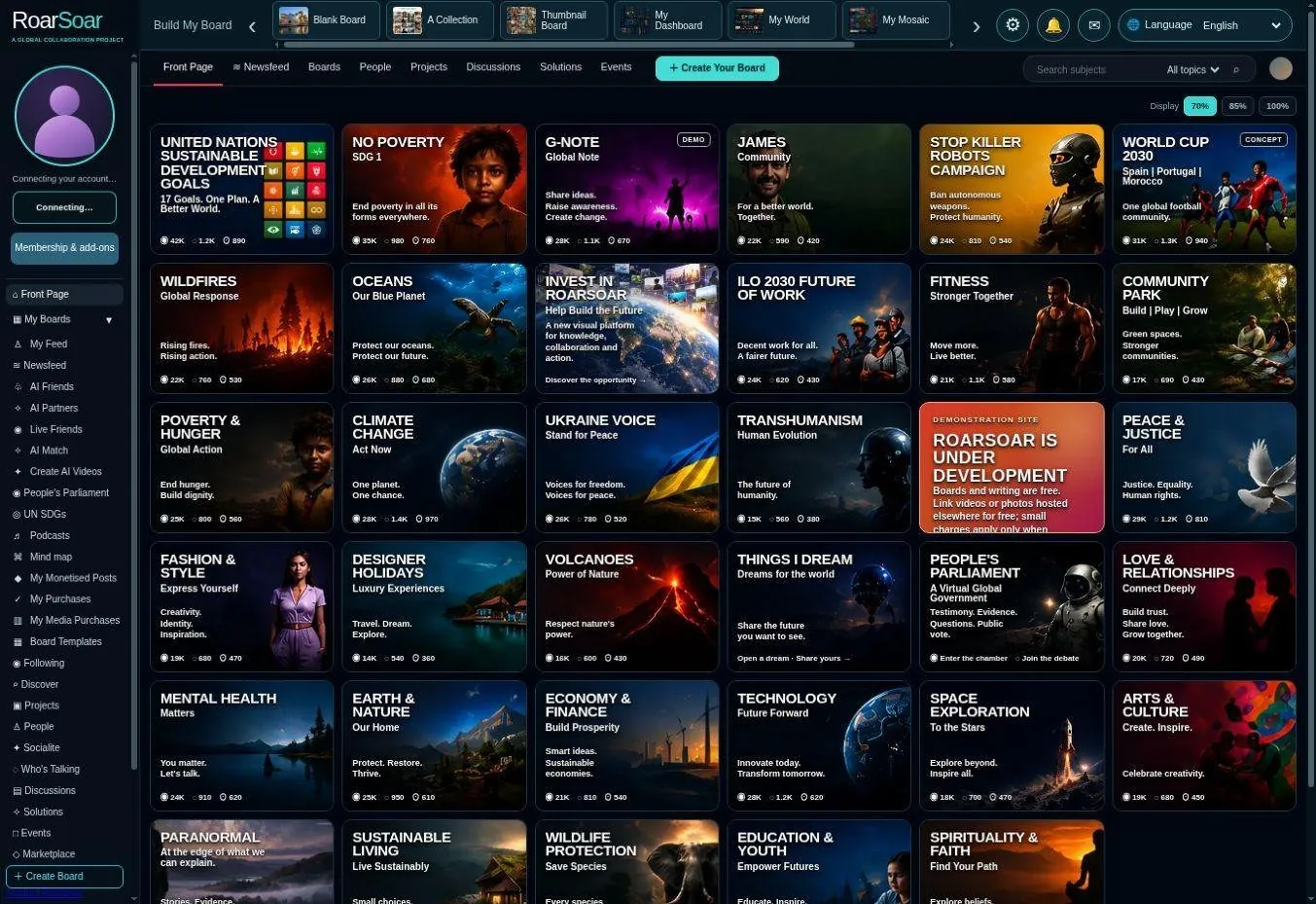
Figure A01 The front page introduces a visual world of subjects and participation
The product is designed to help people download their thoughts, organise their lives, preserve research, collaborate with others and present a distinctive online identity. A collection can be private working material, a public personal page or a hub for a shared subject, cause or project. The front page is a gateway to participation. Each visual subject card directs people towards a place where they can explore an issue, subject or cause and contribute relevant material, rather than simply read a fixed website page.
Members can publish photographs, video, articles, documents, ideas and discussion through the relevant contribution tools. Related posts can build a shared body of knowledge, introduce different perspectives and connect people working on the same subject. Publishing remains subject to the selected permissions and moderation. The catalogue is open-ended: RoarSoar can keep creating subject boards and more specific subtopics instead of being limited to a fixed list. Ocean can lead to coral reefs, reef recovery and individual projects; the same pattern can expand across local issues, science, culture, interests and causes. The aim is an enduring place for people to return, post and participate. Over time, our goal is to build a comprehensive visual repository of information: subject by subject, with detailed profiles and current listings that help people find what they need, wherever they are.
Open this part of RoarSoar ↗Back to the guide ↑Publish and collaborate around any subject
RoarSoar offers a growing range of subjects where people can publish posts and collaborate. Each contribution adds photographs, videos, articles, research or discussion, building a shared collection of information around the subject. The Ocean board below is one example.
Live beta subject board with illustrative content
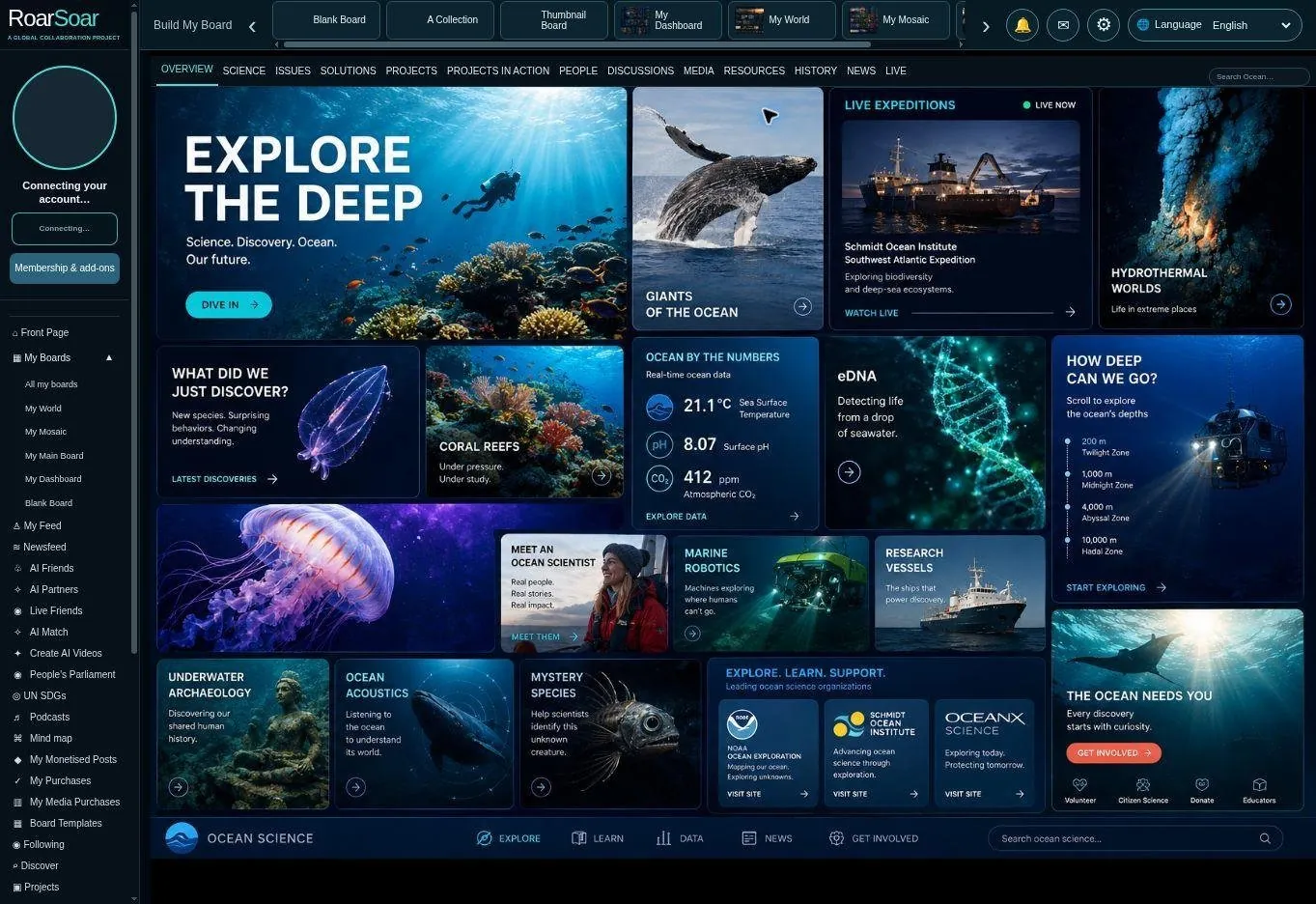
Figure A02 Publish and collaborate around any subject
The Ocean board demonstrates how a broad subject can become a designed community space. Discoveries, issues, science and participation can be organised visually rather than presented as one undifferentiated stream.
A visitor can explore a topic and then move into a focused discussion, project or contribution area. Follow and connection controls are intended to help people return to subjects and communities they care about, subject to account permissions.
The same approach can bring people together around many causes and interests, giving each subject a recognisable place to grow.
Open this part of RoarSoar ↗The Build My Board tools give members multiple ways to organise all of their information online.
Back to the guide ↑Each subject’s headlines open collaboration boards
Each subject’s headlines click through to collaboration boards, inviting members to publish posts and upload relevant photographs, videos, articles, documents and other information. These contributions bring knowledge and different perspectives together around a focused topic.
Live subject page
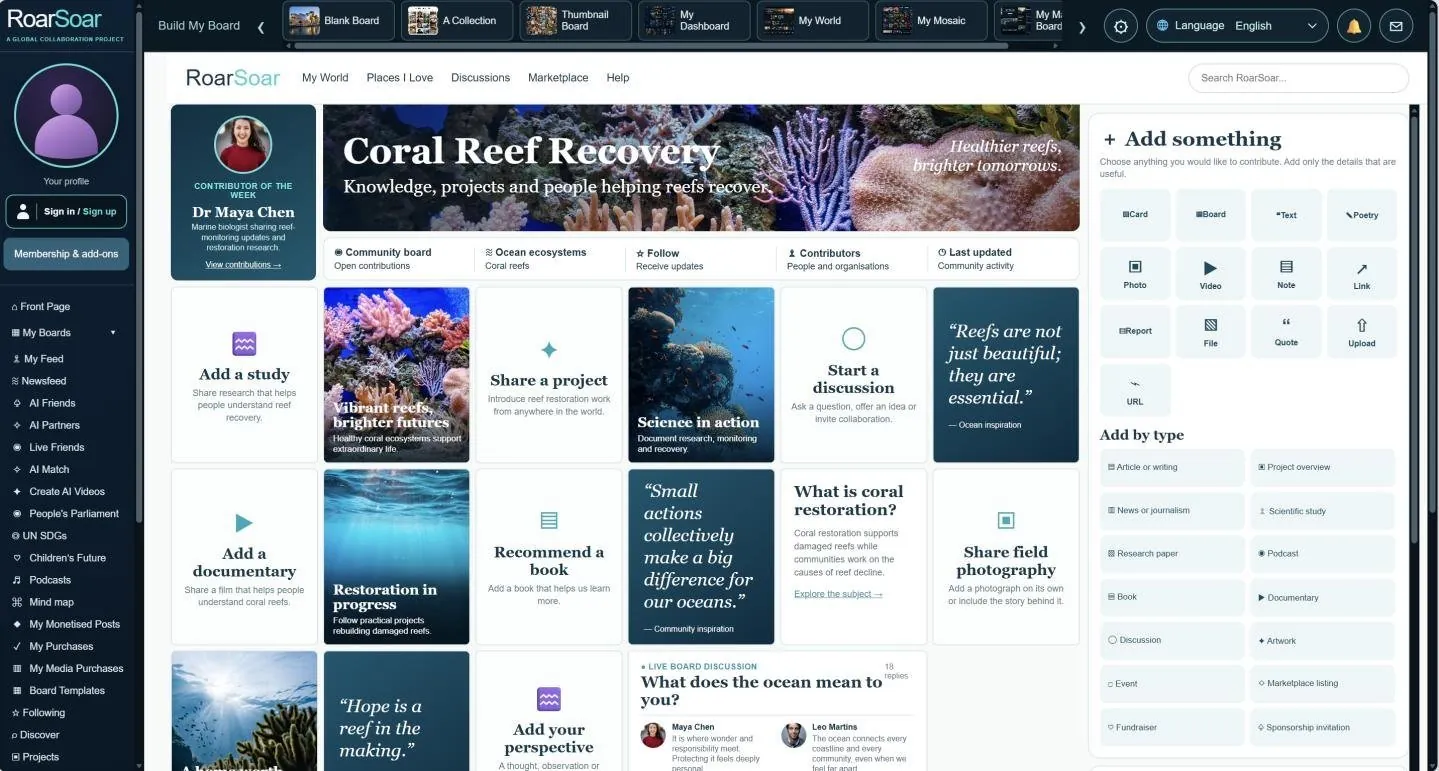
Figure A03 Coral Reef Recovery subject board
The Coral reefs card on the Ocean board opens Coral Reef Recovery. This is a focused contribution page within the broader ocean subject, showing how a large area of interest can lead to a specific issue or cause.
The page invites people to add a study, share a project, start a discussion, add a documentary or recommend a book. It combines an introduction, visual posts and supporting resources so that research, practical work and conversation can develop around the same topic.
This illustrates the front-page participation model at a smaller scale: discover a broad subject, open a focused board and add relevant knowledge or activity. Further subject boards can be created as the catalogue grows. The screen shows the Coral Reef Recovery board within the wider Ocean community.
Open this part of RoarSoar ↗The Build My Board tools give members multiple ways to organise all of their information online.
Back to the guide ↑Contribution Page
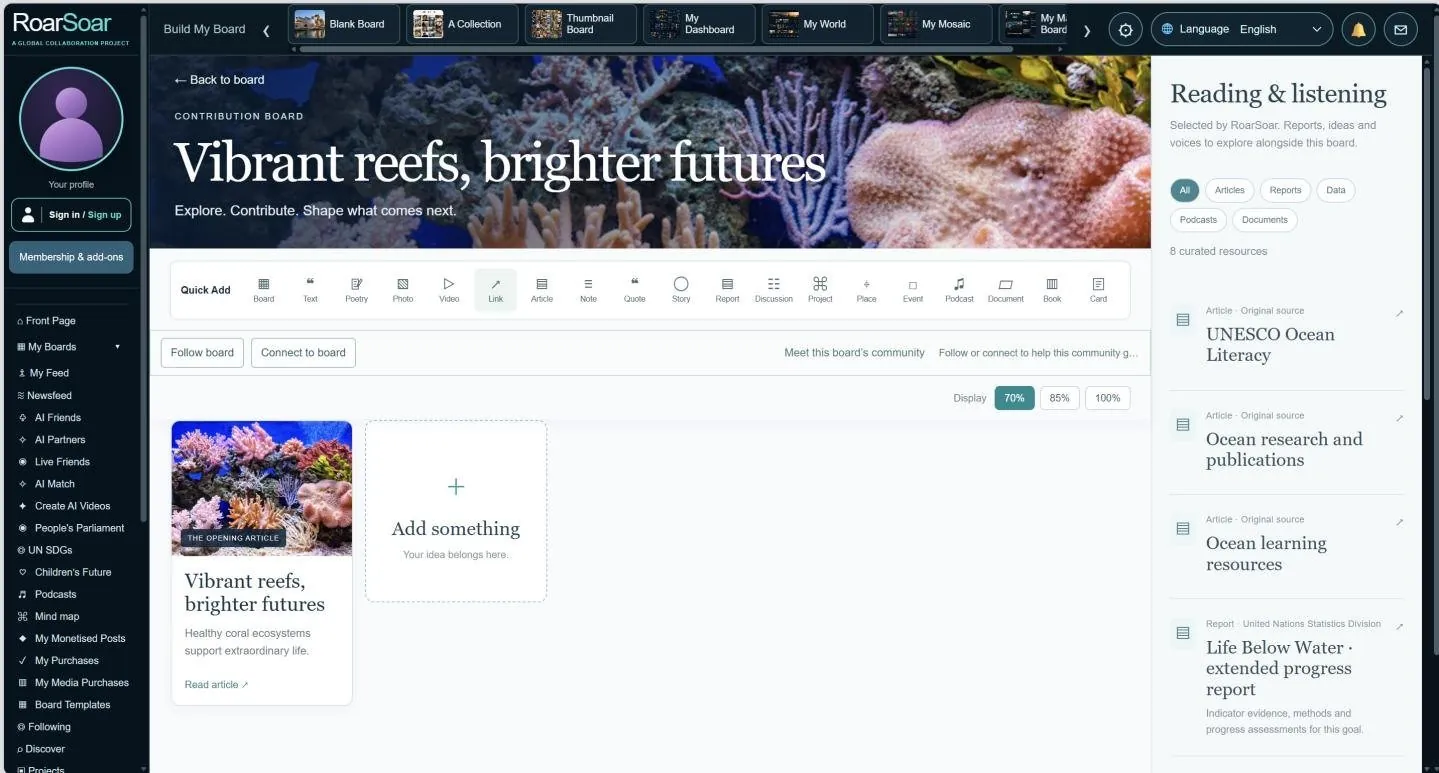
Figure A04 A coral reef contribution page
A contribution page turns a focused subject into a place where people can add knowledge and take part. In this coral reef example, a clear subject header, a compact Quick Add menu and a shared card area give the community a recognisable home.
Members can contribute photographs, videos, articles, studies, documents and discussion relevant to the subject. The reading and listening column provides supporting material, while Follow board and Connect to board help people return to a topic and develop ongoing relationships around it.
This structure can be repeated for an issue, cause, place or research question. A broad Ocean board can lead to a reef community, and that community can grow through more specific contributions, with publishing permissions and moderation applied to the relevant route.
Open this part of RoarSoar ↗The Build My Board tools give members multiple ways to organise all of their information online.
Back to the guide ↑Example of a user profile
Illustrative profile example
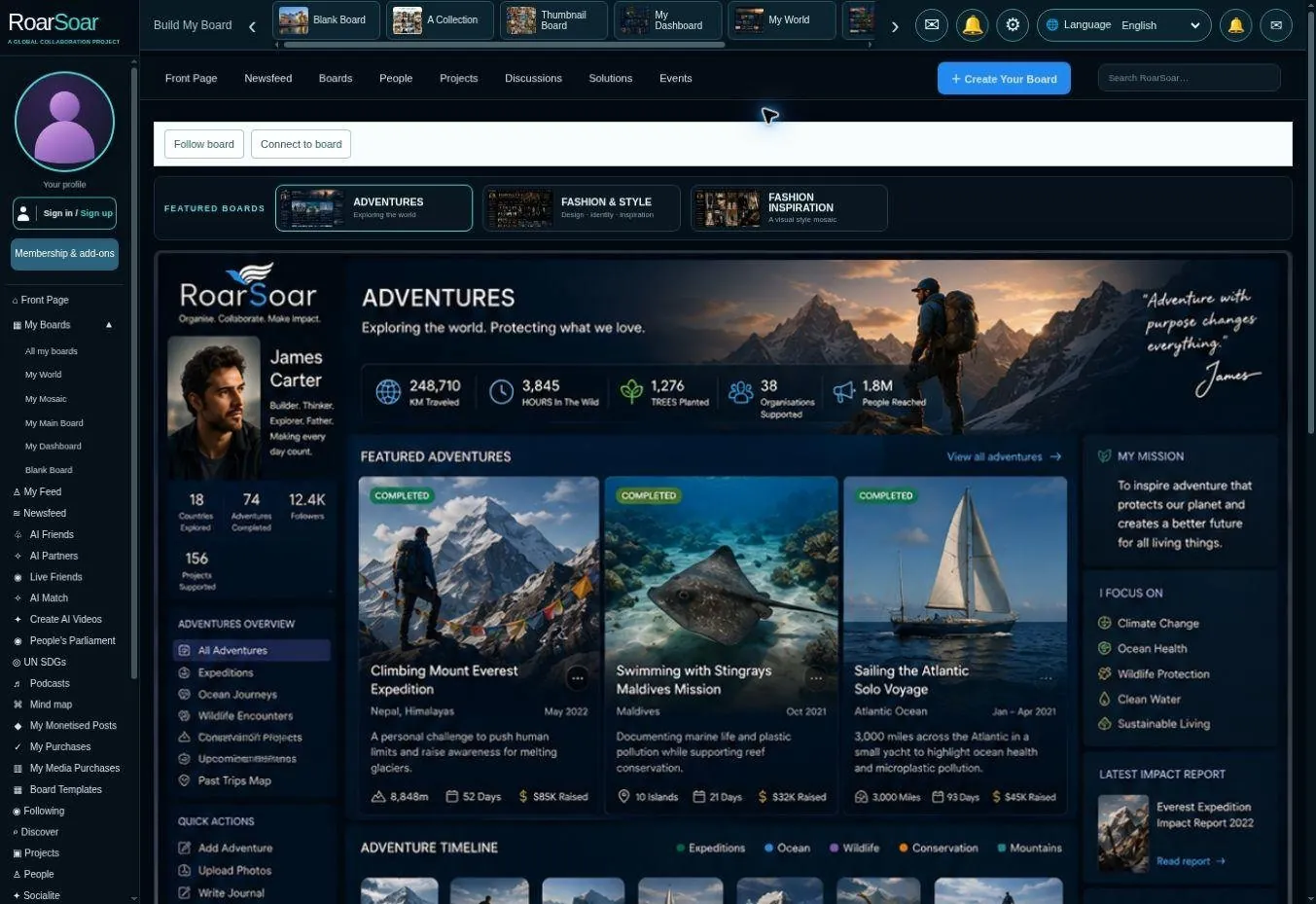
Figure A05 Example of a user profile
This example shows the kinds of interactive webpage boards members can design to profile their own content. The adventure page brings together travel, exploration and personal purpose. Its header, introductory profile, featured adventures and supporting sections work together as one visual identity.
A member could use this kind of page to introduce their story, document journeys, collect destinations and connect related projects or causes. The image shows the upper portion of the reference page; the live page contains the wider composition.
The adventure design is an example of a complete personal profile and a direction for a reusable board template. Members can start from the Adventure option in the board library, replace its material and build their own profile, or commission professional design and programming.
Open this part of RoarSoar ↗The Build My Board tools give members multiple ways to organise all of their information online.
Back to the guide ↑A professionally designed style profile
Illustrative profile example
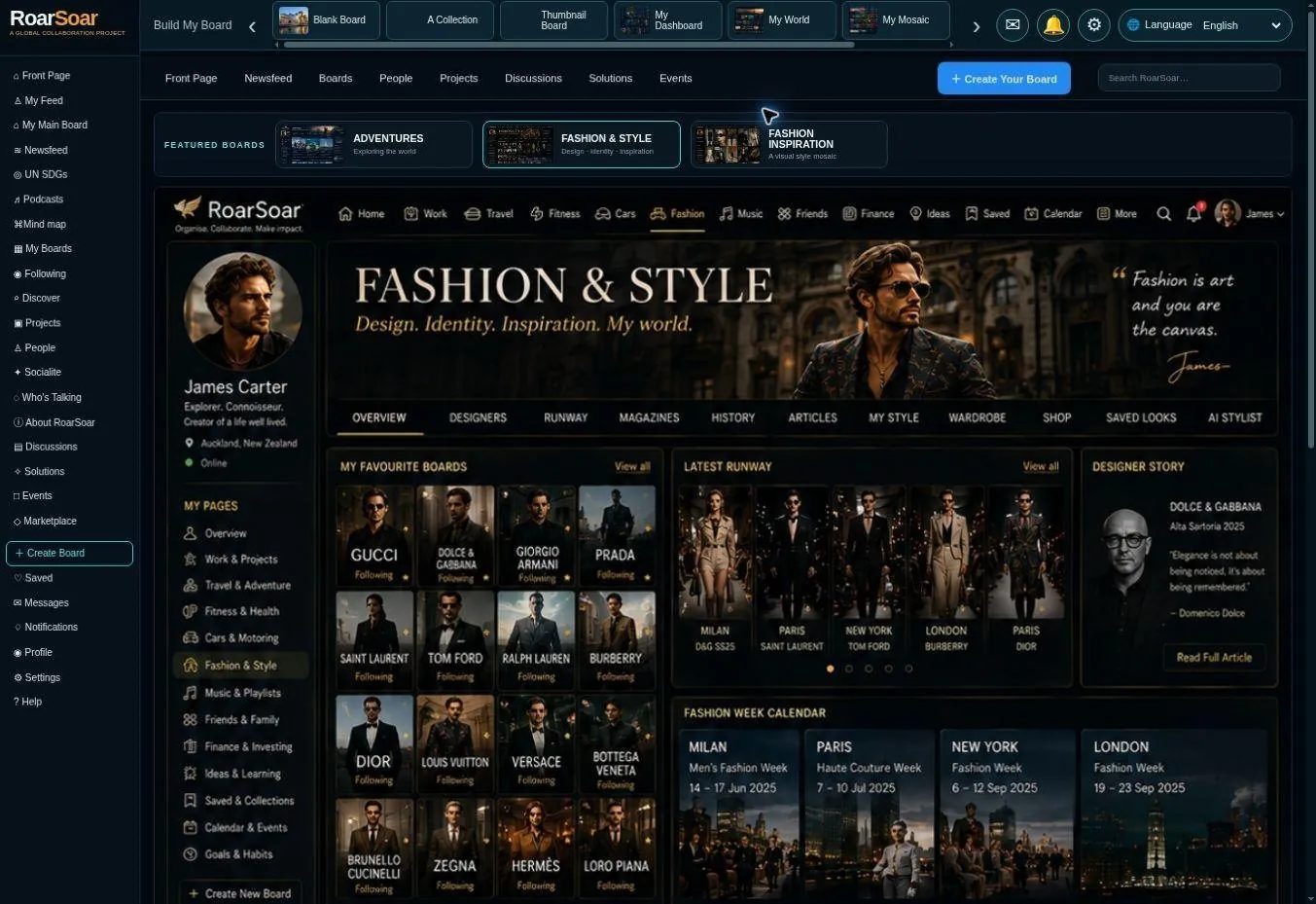
Figure A06 A professionally designed style profile
The Fashion and Style example shows how a specialist interest can become a complete personal website. A consistent palette and visual hierarchy bring together favourite designers, runway references, editorial material and personal collections.
The same structure could support a stylist, designer, retailer or enthusiast. Cards can introduce selected work and link to fuller material, with the intended popup or contribution-board destination configured for the relevant publishing route.
Members can build a page themselves or commission professional design and programming to create a distinctive visual identity, with content and interactions shaped around their needs.
Open this part of RoarSoar ↗Future development: resources for your subjects
As RoarSoar develops, we plan to build subject-specific collections of resources that members can explore and add to their own boards. For fashion, our ambition is to create a worldwide directory of designers and their styles, alongside fashion history, upcoming fashion events, new collections and emerging style trends.
A second example is dogs for adoption. Our goal is to develop a worldwide directory of every dog shelter, with a profile for each shelter and listings of the dogs it currently has available for adoption. People could search by location, discover shelters near them and find a dog wherever they live. Shelters would be able to keep their profiles and adoption listings current as dogs become available or find homes.
These resources will help you discover ideas, learn more about a subject and build a personal collection around your interests. You will be able to draw relevant references into your boards, bringing your own content together with a growing world of subject knowledge.
This resource-library expansion is a future development.
The Build My Board tools give members multiple ways to organise all of their information online.
Back to the guide ↑A visual fashion inspiration profile
Illustrative profile example
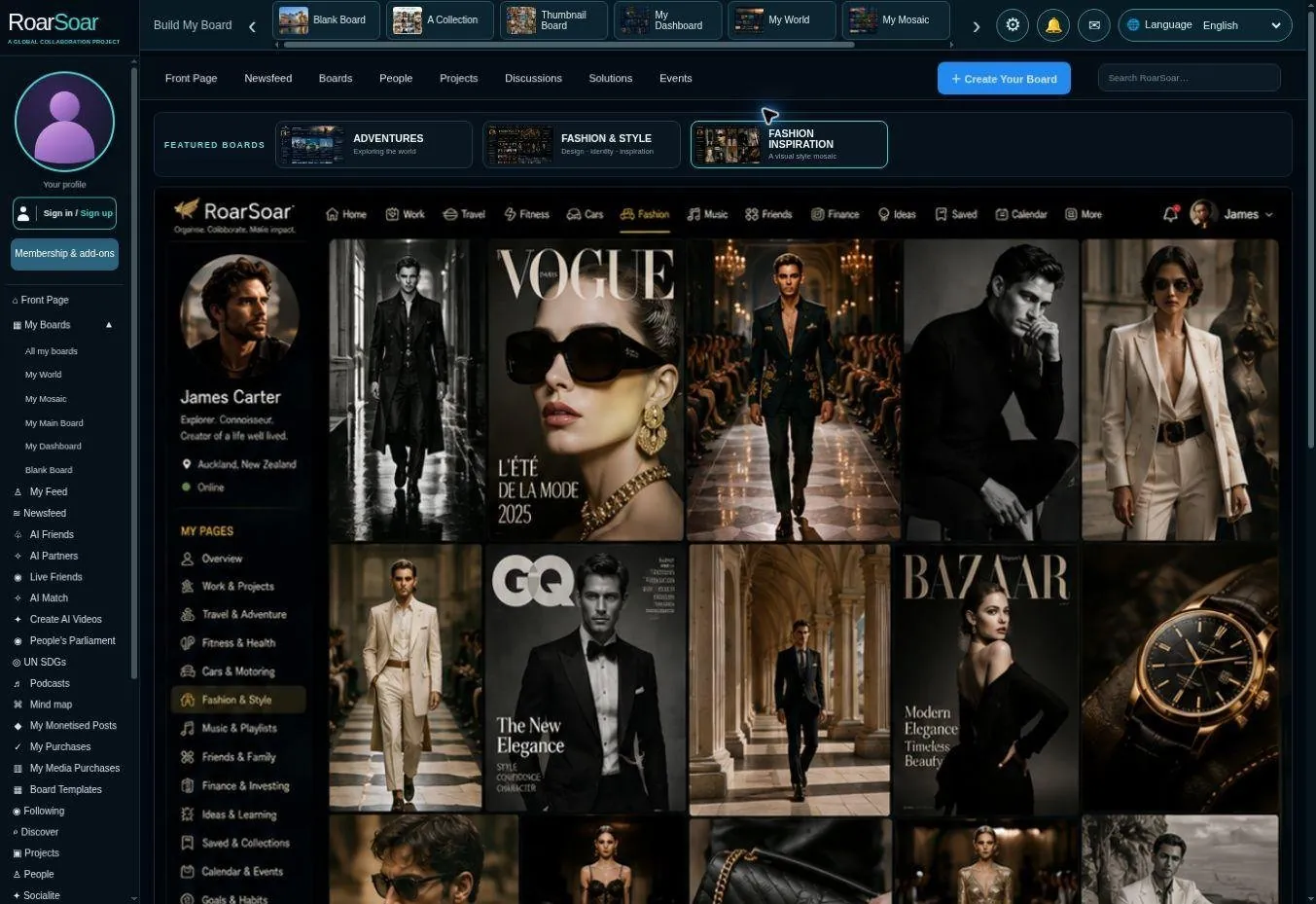
Figure A07 A visual fashion inspiration profile
The third profile example presents a more photographic inspiration mosaic. Close image placement and a consistent editorial treatment communicate the person’s visual world with less reliance on long descriptions.
A similar approach could be used for photography, interiors, art, product research or a creative portfolio. The visible collection can act as a starting point for larger views, source links and related subject pages.
Together, the three user-profile examples show that a RoarSoar profile can be a collection of designed pages rather than one uniform social profile. Members can create those pages themselves or engage professional design and programming services.
Open this part of RoarSoar ↗The Build My Board tools give members multiple ways to organise all of their information online.
Back to the guide ↑Board templates
Build a personal, self-branded page within a community
Members can use a pre-designed board template to create their own personal, self-branded page: an interactive webpage that sits within RoarSoar’s wider community. The user-profile examples show what a finished profile can look like; the blank template provides the layout to make it your own.
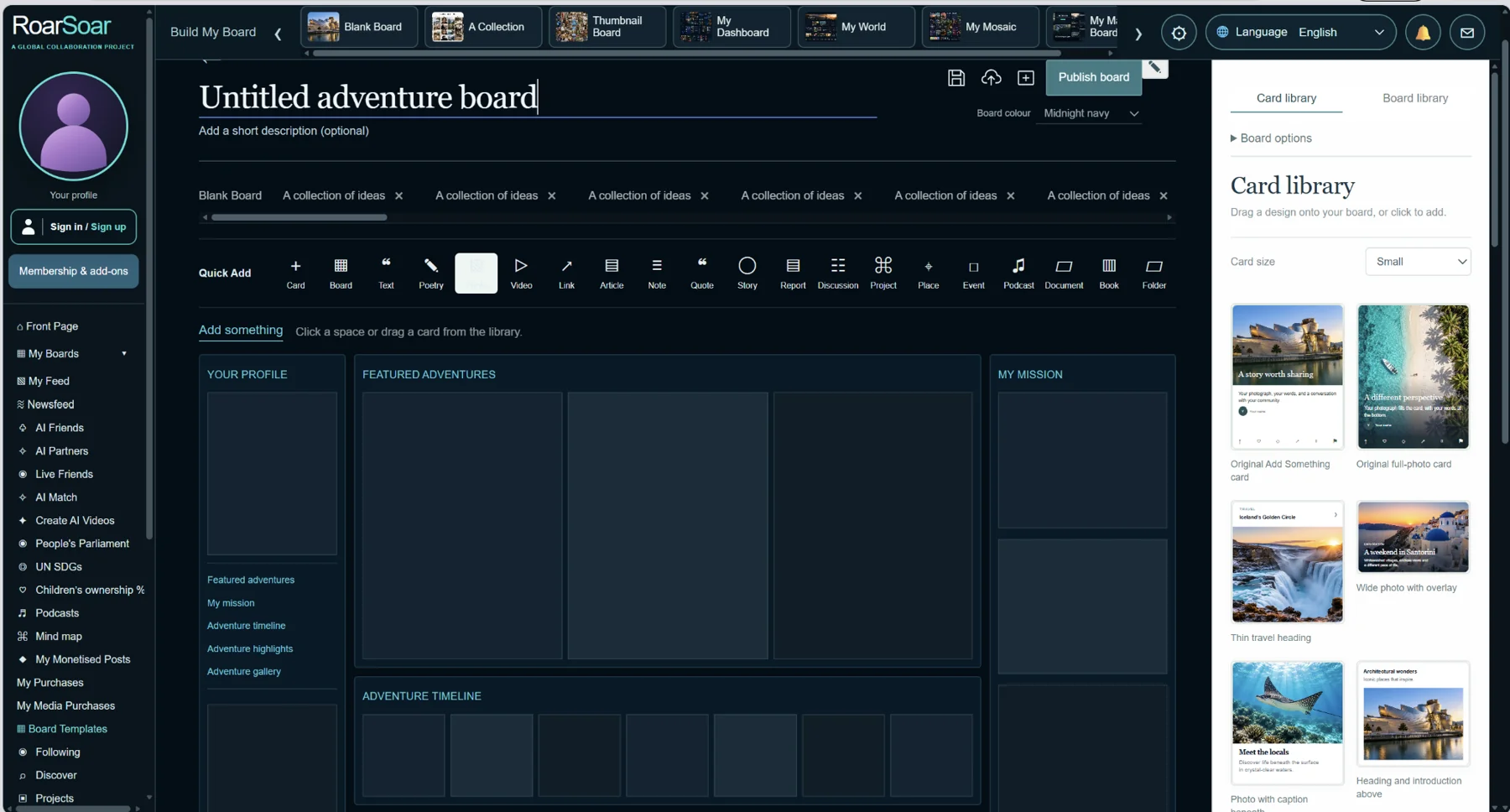
Choose a board layout, then fill its spaces with your own content and card designs.
Choose a style from the Board library, add your title and colours, and arrange photographs, videos, writing, links, audio and documents into the page. Templates give your content a designed structure while letting you express your own identity, interests, work or cause.
Cards can open into a subject-specific popup containing more information and files, or lead to a contribution board where members can participate. Your page can become a personal profile, portfolio, research hub or home for a community, with the available publishing and visibility choices controlling who can see it.
Build it yourself using the board and card libraries, or commission professional design and programming for a more individual presentation.
Explore board templates ↗The Build My Board tools give members multiple ways to organise all of their information online.
Back to the guide ↑Investigation boards: connect evidence to action
See the people around a board: collaborators and participants, connections and watchers can appear as a compact row of profile pictures. View the community layout preview → or explore different working board examples
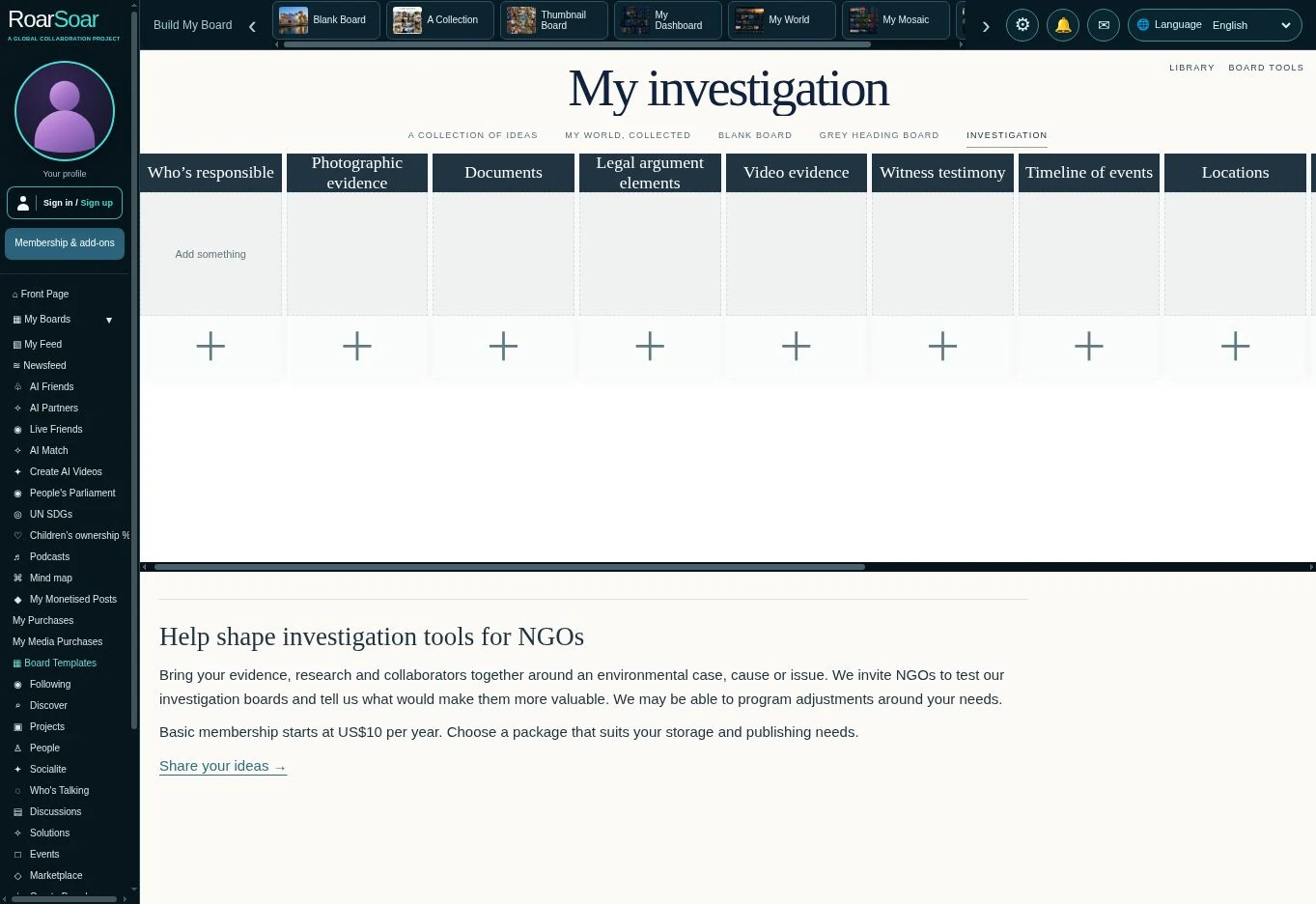
The original idea for RoarSoar grew from a desire to coordinate a wide range of information for investigations into environmental-defence legal cases, bringing together evidence and expertise from NGO participants across many organisations.
Our investigation boards help people compile evidence and research around an issue, then connect it with people who can help move it forward and make a difference. Organise photographs, video, documents, notes, audio and location markers into subject folders, with thumbnails showing a visual overview of their contents.
The Collection board also offers an Investigation view: columns for who’s responsible, photographic evidence, documents, legal argument elements, video evidence, witness testimony, timelines, locations, scientific evidence, sources and verification, organisations and contacts, and actions and remedies. Add your own headings and build the evidence beneath each one.
We are committed to developing these tools with the people who use them. If you have ideas that would better serve your investigation, cause or issue, let us know. We may be able to program adjustments that improve the experience for you and other members.
We invite NGOs to test our range of investigation, cause and issue boards. Basic membership starts at US$10 per year; choose a package that suits your publishing and storage needs.
Try the Investigation Collection →Explore investigation folders →Back to the guide ↑
Organise human knowledge
RoarSoar brings personal organisation, community testimony, expert evidence and collaboration together in one visual platform—helping people connect information, explore ideas and turn shared knowledge into action.
Our long-term ambition is to build a comprehensive visual repository of the world’s information—like the breadth of Google, organised into subjects you can explore visually. We want to develop each subject in depth, bringing together detailed profiles, useful resources and current listings, so people can find what they are looking for wherever they are.
Dogs for adoption, wherever you are
For a subject such as dogs for adoption, our goal is to list every dog shelter in the world, with a profile for each shelter and the dogs it currently has available for adoption. Someone could come to the page, choose their location, explore nearby shelters and meet the dogs looking for a home. As shelters update their listings, the page would help people find current adoption opportunities.
Every fashion designer, in one visual directory
On the Fashion page, we aim to build a worldwide directory of every fashion designer, from independent local makers to established fashion houses. Each would have a profile introducing their work, style and collections, so someone could discover any kind of designer and explore the people behind the fashion.
Developing the whole picture, subject by subject
These are examples of a wider vision: to develop increasingly complete profiles and collections across every subject. Rather than offering only a small selection, we want each page to grow into a rich, useful and up-to-date place to discover the people, organisations, work and opportunities connected with it.
This is our long-term development goal. Today’s example boards and listings are starting points; worldwide coverage and continuously updated profiles are not yet available.
As people contribute, each subject can develop into a living body of knowledge. New findings, local experience and expert contributions can update the picture over time, while links to sources let readers explore the detail and join the conversation.
Back to the guide ↑The Add Something popup
Live beta card editor
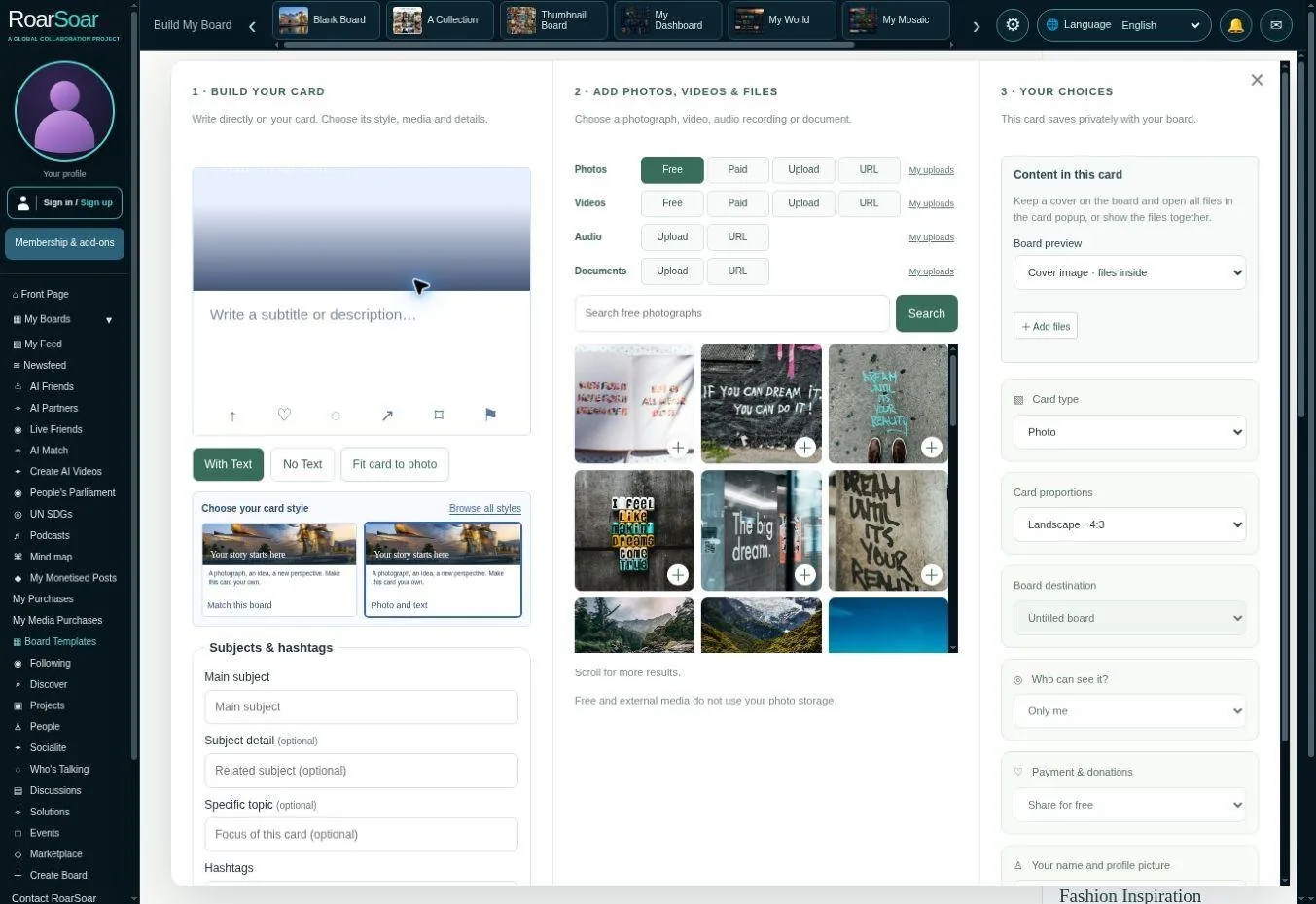
Figure A08 The Add Something popup
A card is a visual entry point, and the intended destination is an important design choice. One route opens a subject-specific popup containing a larger view, text and associated files. Another route leads to a contribution board where the subject can develop through participation.
The standard Add Something popup brings three stages together in one window. Column one is the editable card preview and choice of design. Column two provides photographs, video, audio and documents, including search, uploads and links. Column three contains the available destination, visibility, identity and payment or donation choices. The options depend on the selected publishing route.
A member can write directly on the preview, select media and save the card in the relevant style. One cover can represent several files held inside the card. A subject-specific popup suits a focused item or file collection; a contribution board suits a subject, issue, cause or project that invites further work. Some private workspace flows have fewer publishing options.
Open this part of RoarSoar ↗Back to the guide ↑Monetise your posts
Sell your work, offer products or invite donations
Sales and donation commissions
| Type | RoarSoar commission | Payment processing |
|---|---|---|
| Sales of published content and products | 20% of the sale price | Applicable processing fees apply separately |
| Donations to content, projects and causes | 10% of the donation amount | Applicable processing fees apply separately |
These commissions help run and maintain RoarSoar. Payment-processing fees are separate and vary by country, card and payment method. For illustration, a standard US domestic-card processing rate is 2.9% + US$0.30 per transaction.
RoarSoar brings publishing and commerce together, so a post can do more than share information. Members can offer photographs, videos, audio, documents, digital and physical products, and event-related offers, or invite donations to support their content, project or cause.
On supported publishing routes, choose how your contribution is offered: share it for free, select the selling option and set a price, or request donations. This gives creators, organisations and businesses different ways to turn their work and ideas into income or community support.
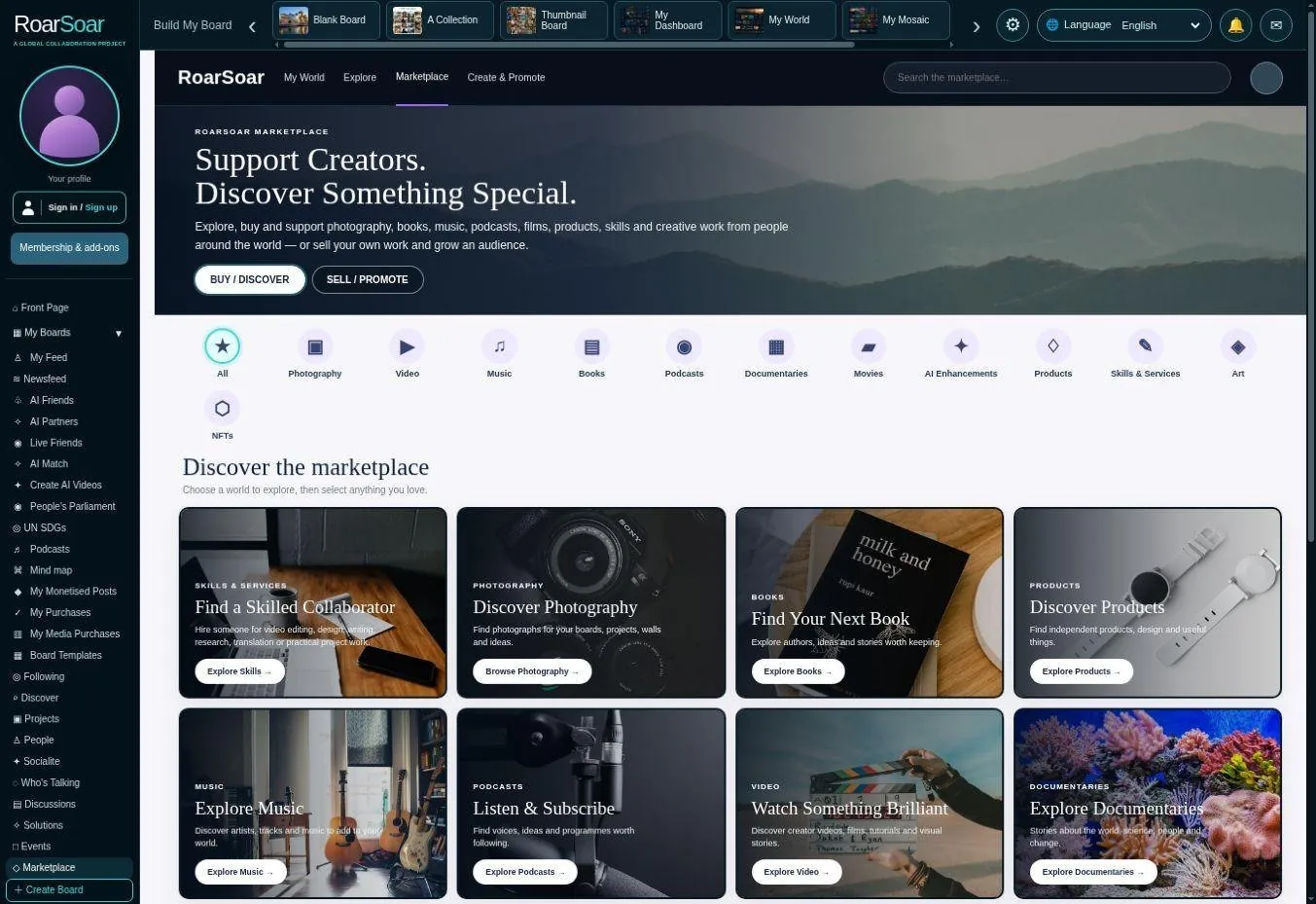
The marketplace connects discovery with creators, content, products and causes.
A marketplace within your community
A member’s board can present a collection, portfolio or shop, while the marketplace gives people another way to discover relevant offers across RoarSoar. Visitors can explore what is being offered, open its details and use the available purchase or donation option. A photograph, publication or product can sit alongside the story, subject or community that gives it meaning.
For example, a photographer could offer images for sale, an author could publish a paid document, a business could showcase products, or a community project could request donations. The creator chooses the content and presentation; the offer should clearly explain what a buyer or supporter receives.
Commerce is in beta. Availability varies by content type and publishing route; not every new board surface has checkout connected yet. Selling and receiving donations require the relevant payment setup. Physical products and events also need clear delivery or participation terms.
Explore the marketplace ↗Back to the guide ↑Membership benefits and allowances
Choose a package for how you create, publish and connect
RoarSoar packages combine publishing rights, tools and an allowance for running your account and reaching an audience. Higher packages provide more capacity and selected AI, media and collaboration benefits; you can also choose separate add-ons for a particular need.
Core benefits across the membership packages
- Publish on public and private boards
- Sell digital and physical products
- Request donations on posts
- Account usage and audience delivery allowance
- Build an interactive personal website
- Use life visualisation boards to organise your world
- Use the mind mapping tool to develop ideas and plans
- Connect a community to your cause, issue, subject or board
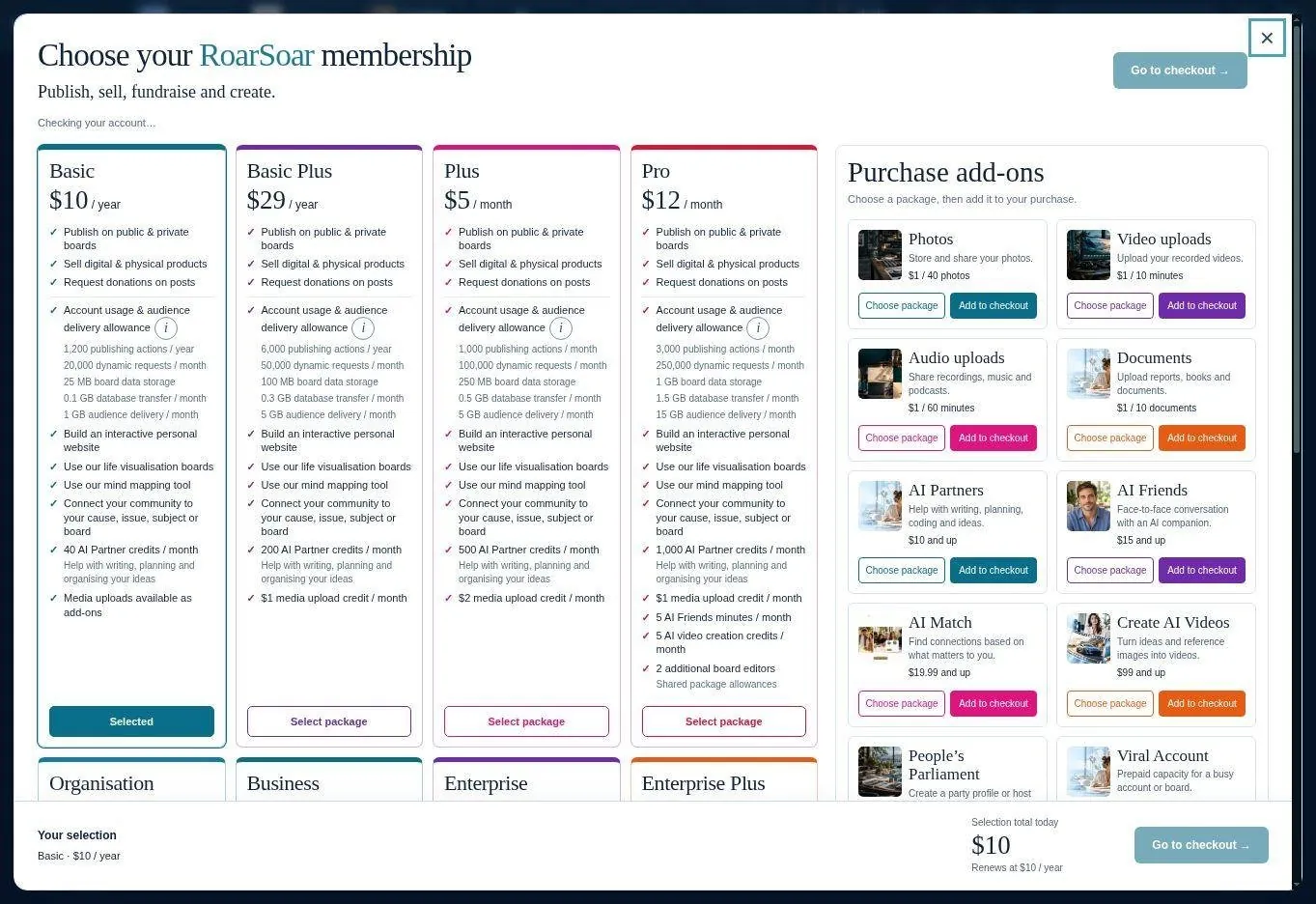
Compare all membership benefits
The ticks show the publishing rights and board tools included in each package. The quantities show the additional AI, media, collaboration and account allowances.
✓ Included · — Not included · Scroll sideways to compare all eight packages.
Monthly, yearly or ongoing?
- Membership price: Basic and Basic Plus are billed per year. The other packages are billed per month, as shown beside each price.
- Ticked benefits: publishing, selling, requesting donations, building webpages and using the board tools are included throughout your active membership.
- Monthly allowances: AI Partner credits, media upload credit, AI Video Chat minutes, AI video credits, Live Friends trial credit and any included hosted broadcast allowance are per month—even when membership is paid annually.
- Publishing actions: per year for Basic and Basic Plus; per month for the other packages. Each quantity shows its period.
- Account capacity: dynamic requests, database transfer and audience delivery are monthly. Board data storage is the total space available, and additional editors are the number of extra people who can edit; these are ongoing capacity limits rather than a new allocation each month.
| Benefit / allowance | Basic | Basic Plus | Plus | Pro | Organisation | Business | Enterprise | Enterprise Plus |
|---|---|---|---|---|---|---|---|---|
| Membership (USD) | $10/year | $29/year | $5/month | $12/month | $29/month | $69/month | $99/month | $149/month |
| Publish on public & private boards | ✓ | ✓ | ✓ | ✓ | ✓ | ✓ | ✓ | ✓ |
| Sell digital & physical products | ✓ | ✓ | ✓ | ✓ | ✓ | ✓ | ✓ | ✓ |
| Request donations & fundraise for projects or causes | ✓ | ✓ | ✓ | ✓ | ✓ | ✓ | ✓ | ✓ |
| Account usage & audience delivery allowance | ✓ | ✓ | ✓ | ✓ | ✓ | ✓ | ✓ | ✓ |
| Build interactive webpages & personal websites | ✓ | ✓ | ✓ | ✓ | ✓ | ✓ | ✓ | ✓ |
| Use information organisation boards | ✓ | ✓ | ✓ | ✓ | ✓ | ✓ | ✓ | ✓ |
| Use life visualisation boards | ✓ | ✓ | ✓ | ✓ | ✓ | ✓ | ✓ | ✓ |
| Use the mind mapping tool | ✓ | ✓ | ✓ | ✓ | ✓ | ✓ | ✓ | ✓ |
| Connect a community to your cause, issue, subject or board | ✓ | ✓ | ✓ | ✓ | ✓ | ✓ | ✓ | ✓ |
| AI Partner credits / month | 40 | 200 | 500 | 1,000 | 2,000 | 3,000 | 4,000 | 5,000 |
| Media upload credit / month | Add-on | $1 | $2 | $1 | $5 | $10 | $15 | $25 |
| AI Video Chat minutes / month | — | — | — | 5 | 10 | 30 | 35 | 40 |
| AI video credits / month | — | — | — | 5 | 20 | 35 | 35 | 40 |
| Additional board editors · active capacity | — | — | — | 2 | 5 | 10 | 20 | 30 |
| Live Friends trial credit / month | — | — | — | — | — | $3 | $5 | $10 |
| Hosted broadcast allowance / month | — | — | — | — | — | — | — | One 2-hour broadcast |
| Publishing actions | 1,200 / year | 6,000 / year | 1,000 / month | 3,000 / month | 10,000 / month | 25,000 / month | 40,000 / month | 60,000 / month |
| Dynamic requests | 20,000 / month | 50,000 / month | 100,000 / month | 250,000 / month | 750,000 / month | 2,000,000 / month | 4,000,000 / month | 6,000,000 / month |
| Board data storage · total capacity | 25 MB | 100 MB | 250 MB | 1,000 MB | 2,000 MB | 5,000 MB | 10,000 MB | 15,000 MB |
| Database transfer | 0.1 GB / month | 0.3 GB / month | 0.5 GB / month | 1.5 GB / month | 5 GB / month | 15 GB / month | 30 GB / month | 50 GB / month |
| Audience delivery | 1 GB / month | 5 GB / month | 5 GB / month | 15 GB / month | 50 GB / month | 100 GB / month | 200 GB / month | 300 GB / month |
| Co-editing a document — free tool | ✓ | ✓ | ✓ | ✓ | ✓ | ✓ | ✓ | ✓ |
AI Partner, media, AI Video Chat, AI video and Live Friends trial allowances are monthly, including for annual membership packages. Publishing actions follow the period shown in the chart. Live Friends session time depends on the selected session price. The Enterprise Plus hosted broadcast allowance covers one two-hour session per month; party profiles and audience capacity are separate.
Account usage and audience delivery
These allowances cover different kinds of use: publishing actions are counted changes to content; dynamic requests load or save information; board data stores text, links, layouts and records; database transfer moves data to and from the database; audience delivery sends content to visitors. Uploaded media, AI generation and live streaming have their own allowances.
The guide reflects the current package catalogue. Availability and activation of individual services remain subject to the relevant beta workflow. Review the membership page for the current price, entitlement and billing terms before purchasing.
Compare memberships and current allowances ↗Back to the guide ↑Membership add-ons — choose the tools you need
Add-ons let members select extra tools, media capacity or professional support for their particular work. Some are subscriptions, some are one-time credits or capacity packs, and others are services quoted to an agreed brief.
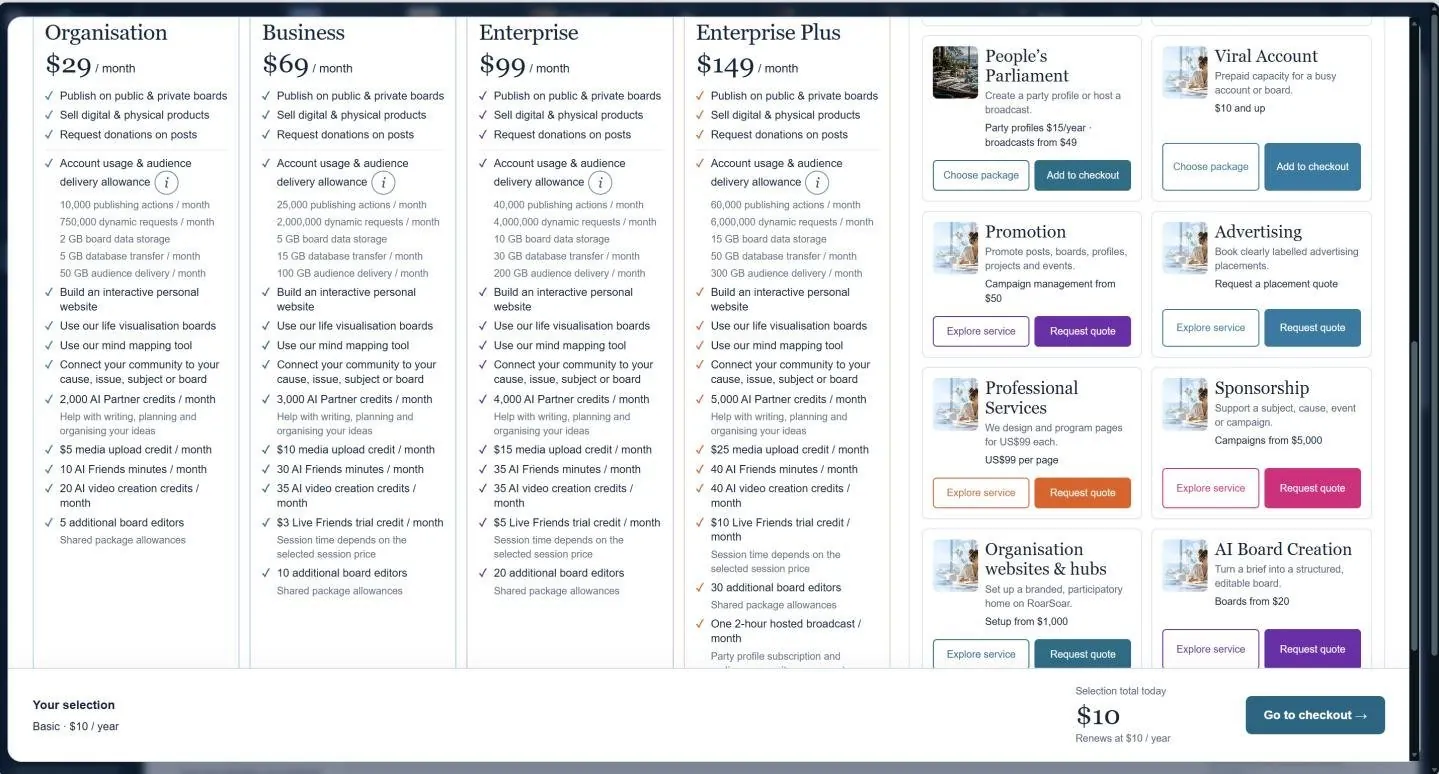
| Add-on | What it provides |
|---|---|
| Photos | Hosted storage for photographs: packs start at 40 photos for $1. The stated storage period is 12 months; larger files may need a separate allowance. |
| Video uploads | Upload and store recorded video: packs start at 10 minutes for $1. This is separate from generating an AI video and from broadcasting live. |
| Audio uploads | Upload recordings, music and podcasts: packs start at 60 minutes for $1, with 12 months of hosted storage. |
| Documents | Store books, reports and other documents: packs start at 10 documents for $1, with 12 months of hosted storage. |
| AI Partners | Extra conversation credits for writing, planning, coding and ideas. Monthly packages and a one-time credit top-up are offered. |
| AI Video Chat | Face-to-face conversation with an AI companion. Choose a monthly minute allowance; access requires activation and individual sessions have limits. |
| AI Match | A subscription for a selected connection type: friendship, love, jobs, business or project collaborators. Matches depend on suitable members joining. |
| Create AI Videos | Prepaid generation credit to turn ideas and reference images into AI videos. Generation access requires activation after payment. |
| People’s Parliament | A party profile is $15 per year. Hosting packs cover 2, 4, 8 or 12 hours; audience places are purchased separately at $3 per place per two hours. Event dates, capacity and activation must be confirmed. |
| Viral Account | A one-time activity boost for a busy account or board, adding the stated request and data allowances for 30 days after a capacity review. Media, AI and live streaming are separate. |
| Promotion | Campaign management to promote a post, board, profile, project or event. Proposals specify the work and service fee; external advertising spend is separate. |
| Advertising | Clearly labelled advertising placements with an agreed audience, placement, dates, budget and delivery basis. Request a quote; results are not guaranteed. |
| Professional Services | Professional page design and programming for US$99 per page. Bespoke programming, integrations and training can be quoted separately, with a written scope and total price agreed first. |
| Sponsorship | Support a subject, cause, event or campaign through an agreed sponsorship. The proposal defines acknowledgement, placement, period and deliverables; this is separate from a donation. |
| Organisation websites & hubs | A branded, participatory home for an organisation, including agreed branding, board setup and migration. Membership and custom-domain work are separate; overlapping setup work is not charged twice. |
| AI Board Creation | A service that turns a brief into a structured, editable board. Scope and delivery are confirmed before payment; it is separate from an AI Partner subscription. |
Media credits are also available as a flexible prepaid balance for eligible media uploads. Before selecting an add-on, check whether your package already includes an allowance, how long the extra allowance lasts, whether it renews, and whether personal activation is required. Add-ons do not automatically upgrade every account limit.
View add-on options and current terms ↗Back to the guide ↑Choosing how to build a page
The Build My Board banner offers seven starting concepts. Members can choose a structure that fits how they think and what they want to present, then develop their own content and visual identity.
| Starting point | Best suited to |
| Blank Board | A flexible designed workspace with card and board libraries |
| A Collection | Subject columns of photographs, ideas and references |
| Thumbnail Board | A compact visual index of links, media and interests |
| My Dashboard | A directory of life subjects and focused collections |
| My World | A narrative personal website and visual introduction |
| My Mosaic | A modular overview of goals, relationships and activity |
| My Main Board | A mixed personal hub for posts, projects and interests |
Members can build their own pages or commission professional design and programming. The three user-profile examples in this guide show different pages within an illustrative profile, demonstrating the possibilities for coherent self-branding.
A card can lead to a subject-specific popup containing a larger view and related material, or to a contribution board for a developing subject. A file collection inside a card does not have to become another board. The destination depends on the selected builder and publishing route.
Choose the starting point that suits you: a blank canvas, a designed template, a collection, a thumbnail grid or one of the life-organisation boards. You can develop your page over time and connect it to more detailed subjects and communities.
Back to the guide ↑Blank Board – design your personal webpage
Live beta builder
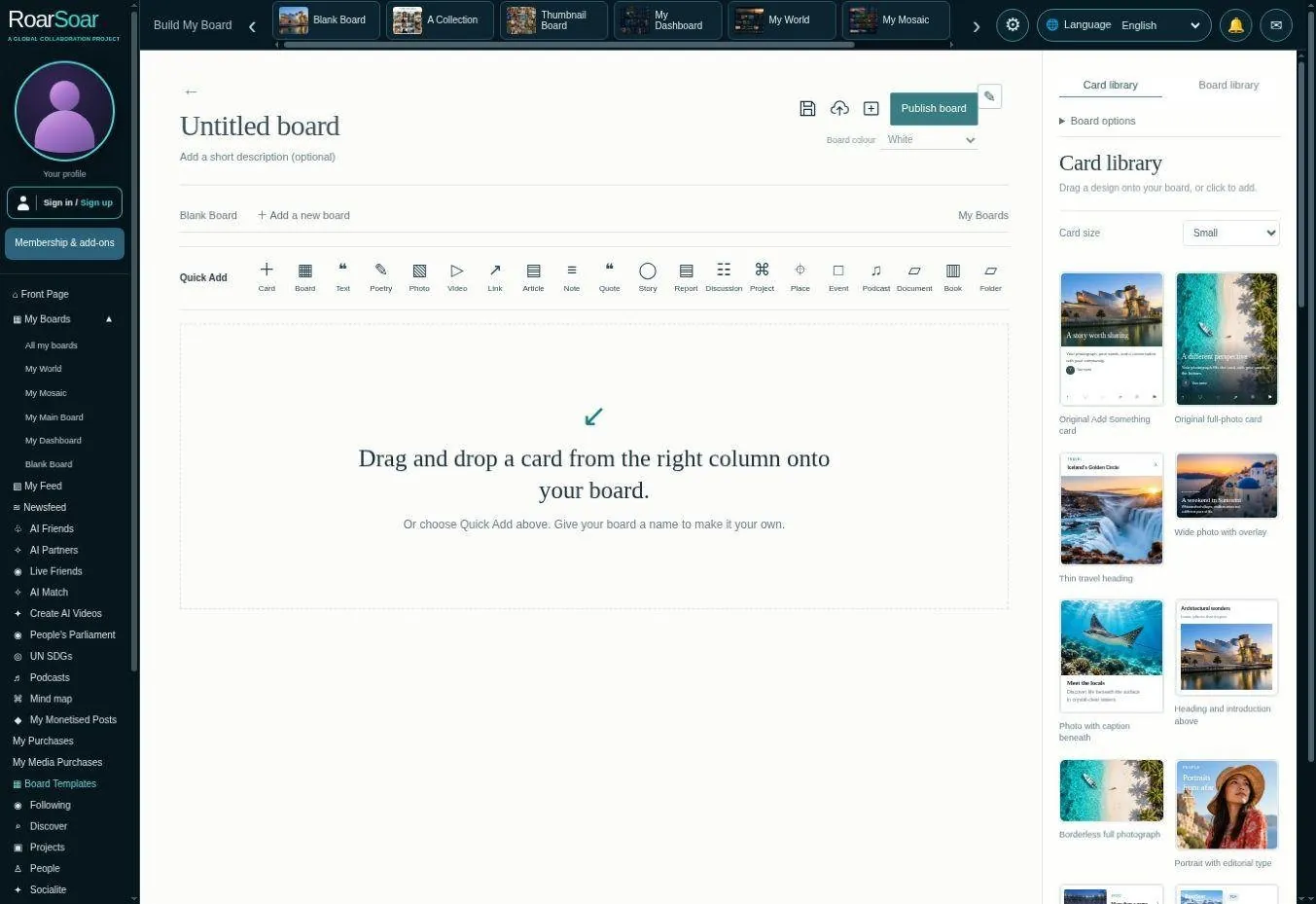
Figure A11 Blank Board
Blank Board is a flexible starting point for designing a page rather than accepting one fixed feed layout. Members can drag card designs onto the workspace, arrange material, choose a background and give the board its own identity.
The card library offers different visual treatments for photographs, text, discussion and other material. Cards can hold files internally, while folders can collect related photographs, video, audio and documents. Saving to an account is distinct from a device-only draft.
An investigation board can group evidence, source links and notes; a business can assemble a visual service page; a person can build an inspiration or planning space. A deliberately designed arrangement helps explain relationships at a glance.
Open this part of RoarSoar ↗The Build My Board tools give members multiple ways to organise all of their information online.
Back to the guide ↑Build your own interactive personal website
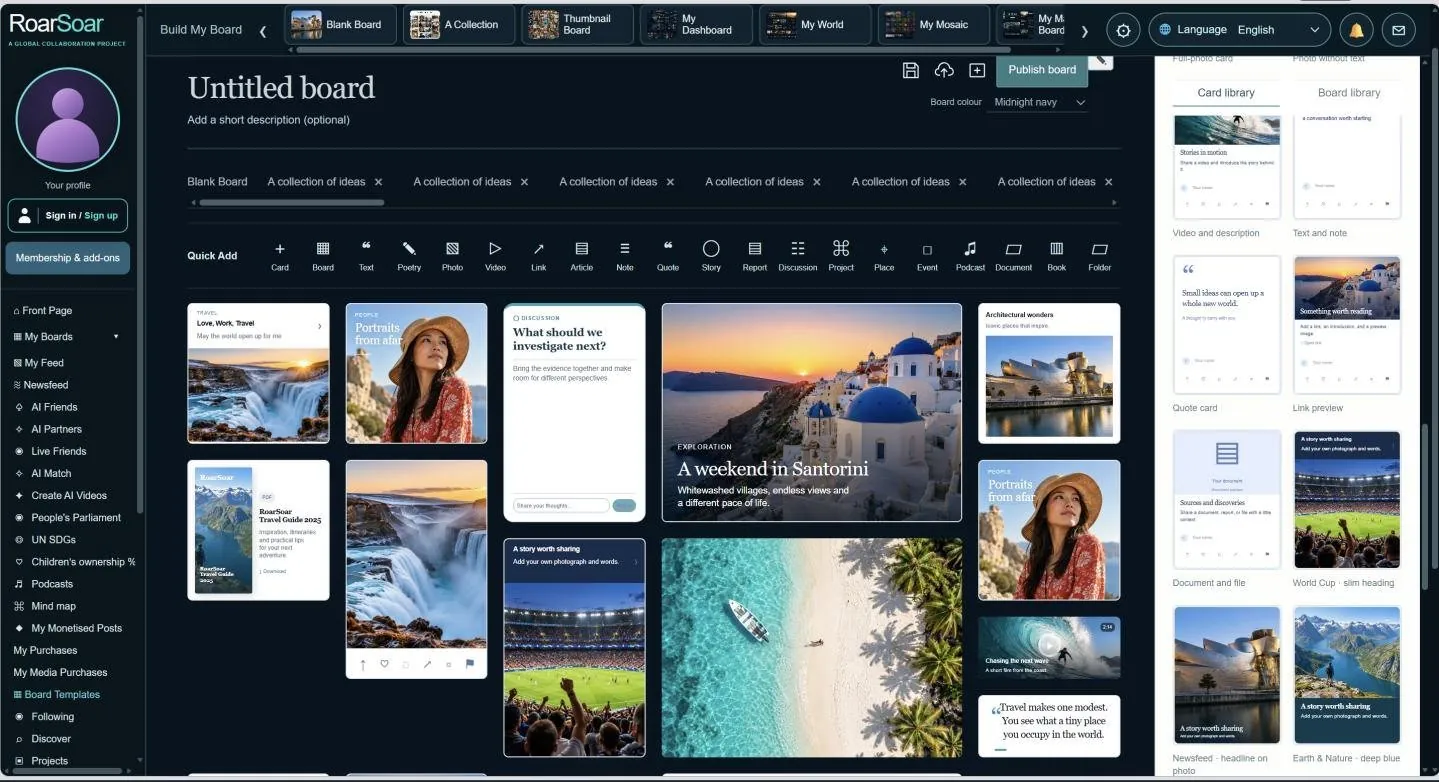
Figure A12 A personal page assembled from the card library
Members can build a personal interactive website from a blank board by choosing card designs from the library and arranging them into a page. The illustrated workspace brings photographs, text, discussion and document cards together without requiring every item to use the same visual format.
A card can introduce a subject, present a product, collect research or open a larger view containing related files. It may instead lead to a contribution board where other people can take part. This gives the creator control over both the page’s appearance and the depth of information behind each card.
The page can express a personal identity, a professional portfolio, an investigation or a community purpose. Members can develop it themselves using the available tools or commission professional design and programming, then continue changing the content as their needs evolve.
Open this part of RoarSoar ↗The Build My Board tools give members multiple ways to organise all of their information online.
Back to the guide ↑A Collection of Ideas
Live beta builder with illustrative content
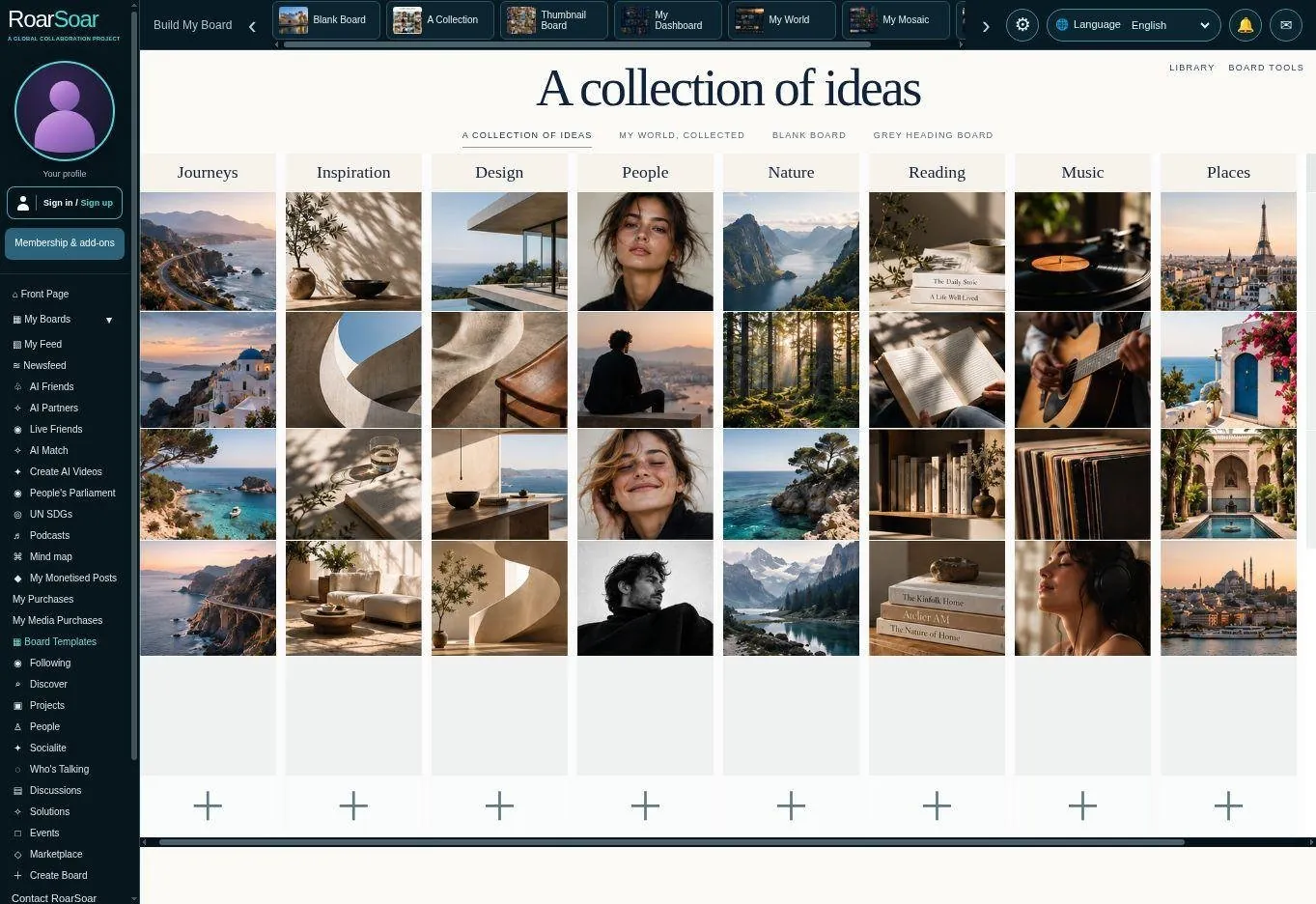
Figure A13 A Collection of Ideas
A Collection of Ideas organises visual material beneath subject headings. Its editorial layout provides an immediate overview of several interests while allowing each collection to grow down the page. The example photographs demonstrate the design rather than the member’s own content.
Members can replace example material, add cards beneath a heading and develop new subject columns. The composition suits collections that benefit from seeing many references together, such as design, travel, reading, music and creative research.
This can become a personal inspiration website, a mood board or an overview of a developing project. The value is the member’s ability to return to an organised collection instead of relying on scattered bookmarks and open browser tabs.
Open this part of RoarSoar ↗The Build My Board tools give members multiple ways to organise all of their information online.
Back to the guide ↑My World Collected
Live beta builder with illustrative content
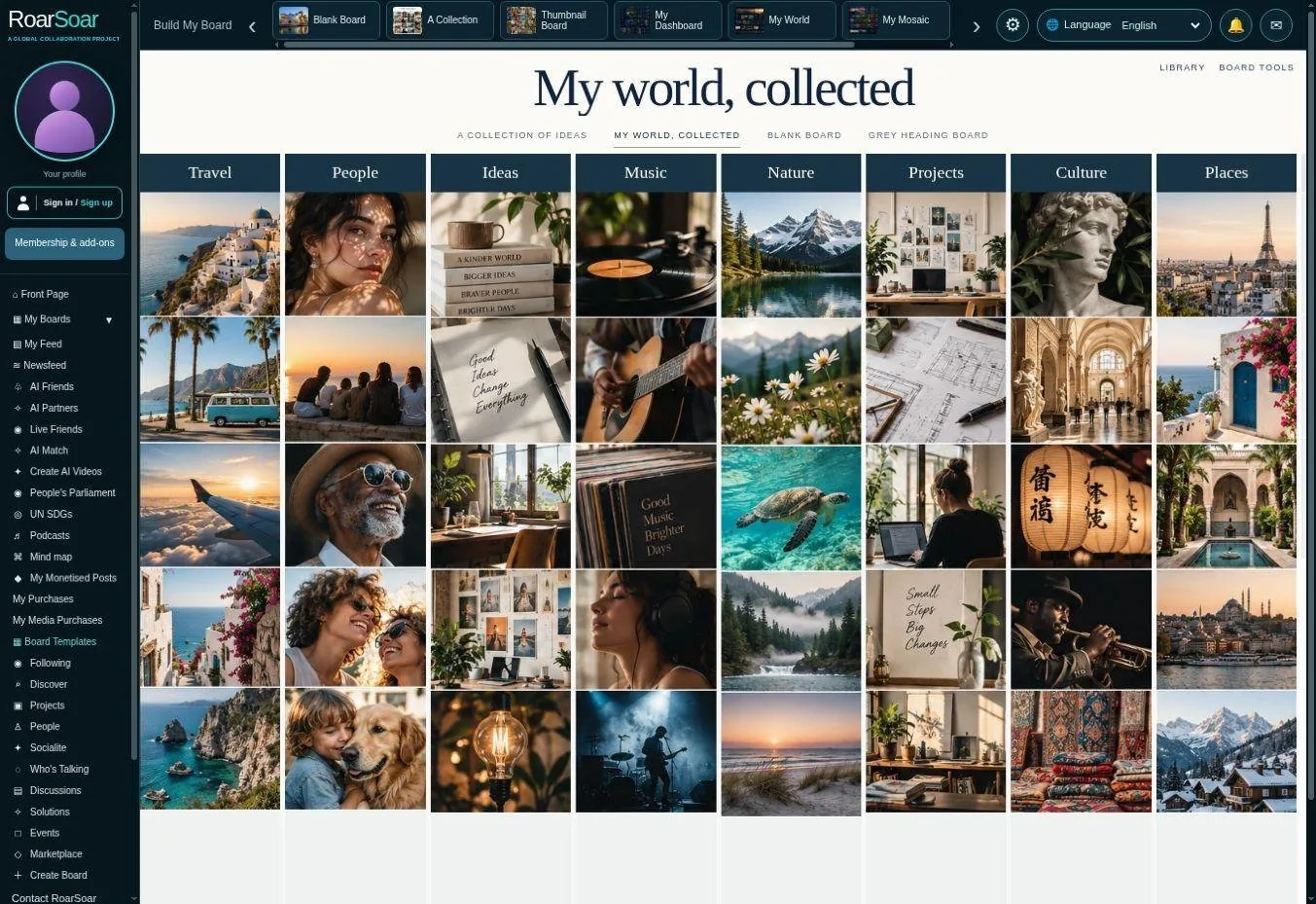
Figure A14 My World Collected
My World, Collected uses dark subject headings, square image corners and closely spaced photographs. It offers a more structured visual catalogue while retaining the ability to add material under each subject.
The example spans travel, people, ideas, music, nature, projects, culture and places. These are starting points for a member’s own subjects, photographs, links and notes, rather than restrictions on what the board can represent.
A member can use this view as a visual memory of their online world: things to revisit, people and places that matter, current projects and ideas worth keeping. Its purpose is organisation and personal expression, with publishing choices applied separately.
Open this part of RoarSoar ↗The Build My Board tools give members multiple ways to organise all of their information online.
Back to the guide ↑A blank collection to make your own
Live beta builder
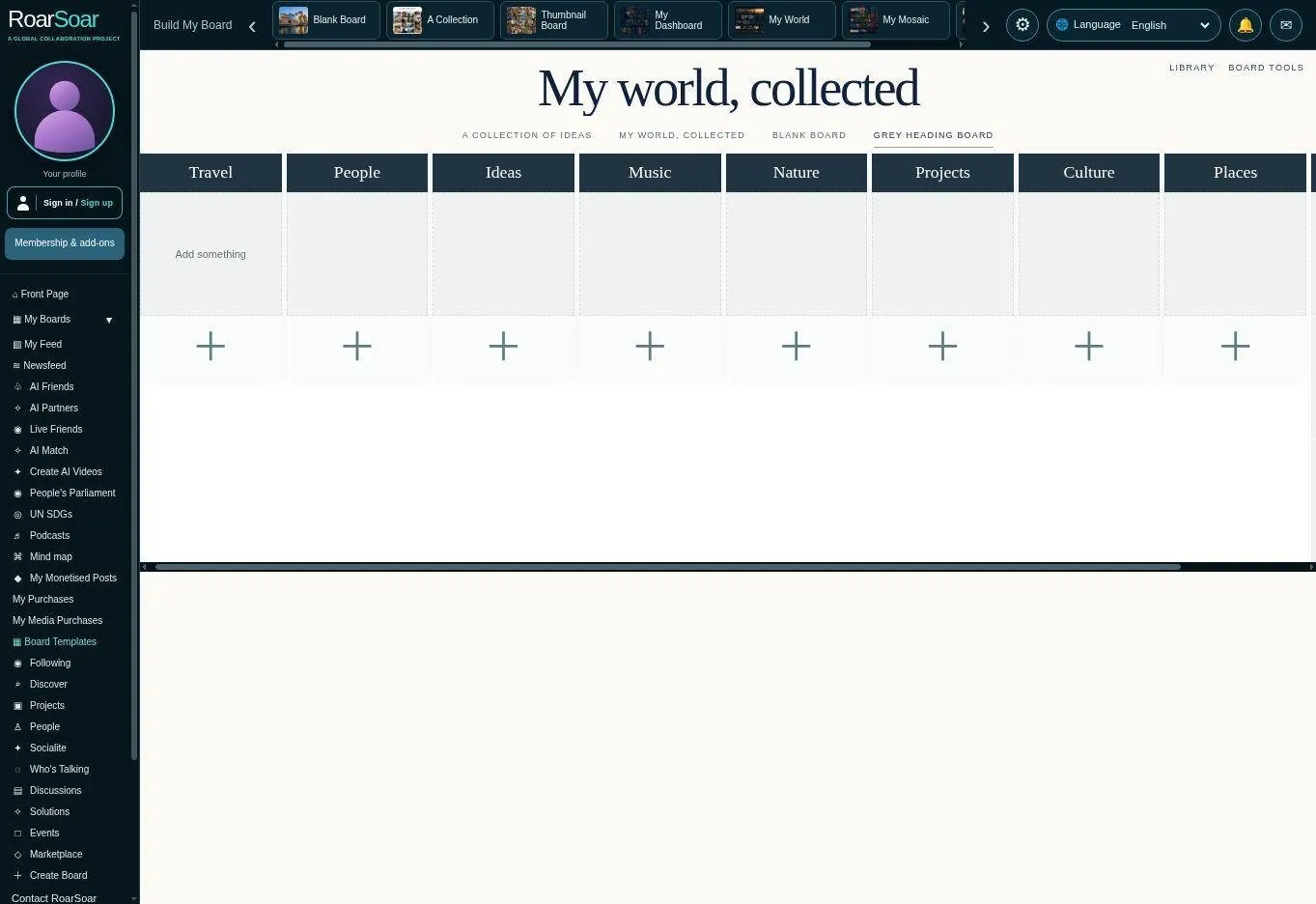
Figure A15 A blank collection to make your own
The grey-heading blank collection keeps the same clear visual structure while leaving space for the member’s own material. Empty card spaces and add controls explain where a collection can begin without requiring the member to design the whole page from scratch.
A member names the subjects and adds the relevant cards beneath them. New subjects can be developed as the collection expands, so the page can serve a changing life, project or business rather than a one-time presentation.
For example, a home project could have headings for rooms, suppliers, budgets, materials and decisions. The board becomes a practical working page that can later be shared with selected collaborators.
Open this part of RoarSoar ↗The Build My Board tools give members multiple ways to organise all of their information online.
Back to the guide ↑Thumbnail Board
Live beta builder with illustrative references
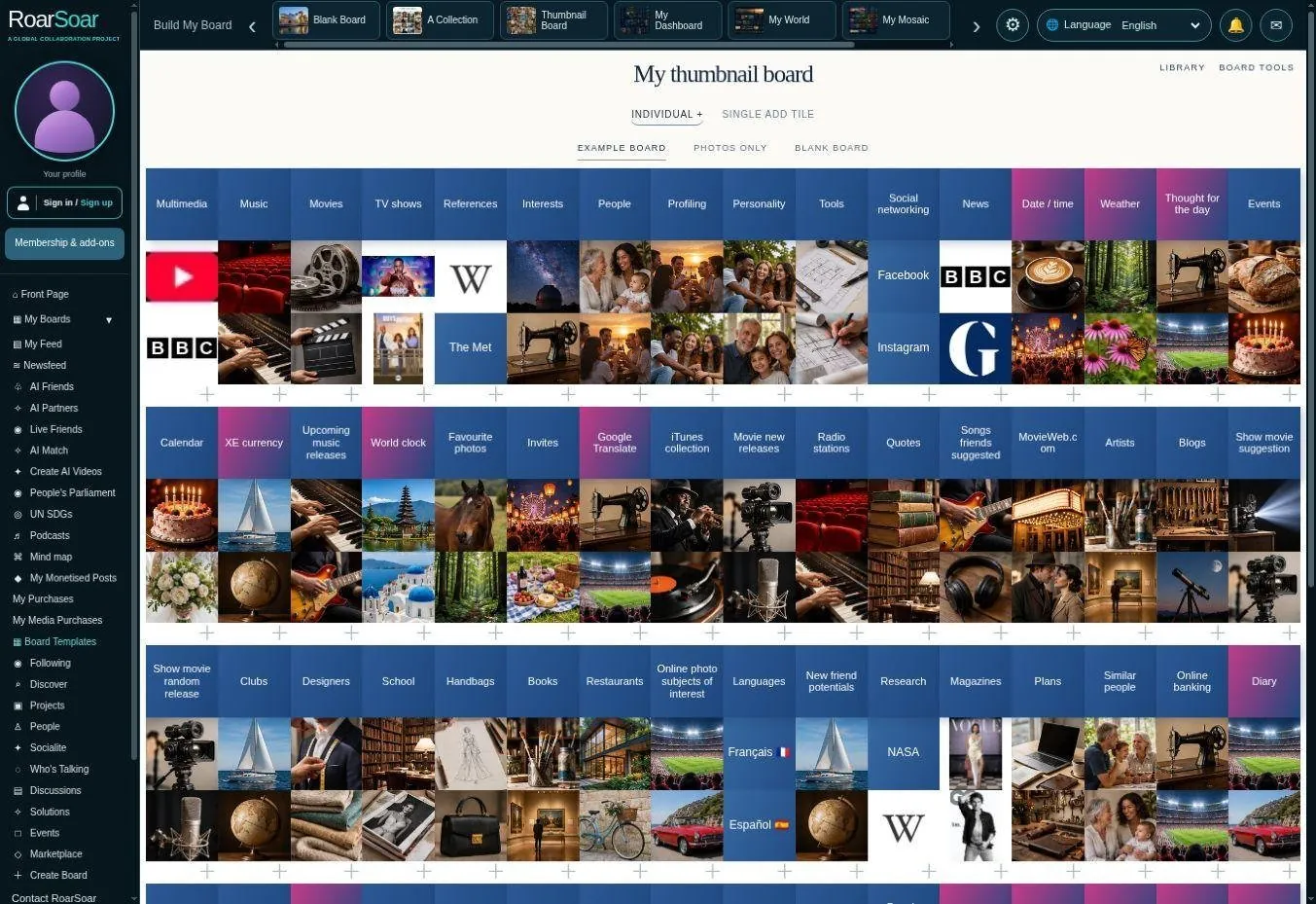
Figure A16 Thumbnail Board
Thumbnail Board presents a dense visual index of subjects, websites, media and interests. Small square tiles and word headings recall the way people mentally associate a picture, logo or cover with something they want to remember.
Use magazine covers, programme artwork, website references and photographs to recognise what you have collected at a glance. Individual tiles can open a larger view or source, while headings organise related items.
A member could keep research sources, publications, favourite media, work references and life interests in one recognisable visual place. Reordering a title group moves its associated material, while individual thumbnails can be rearranged.
Open this part of RoarSoar ↗The Build My Board tools give members multiple ways to organise all of their information online.
Back to the guide ↑Adding and grouping thumbnails
Live beta builder
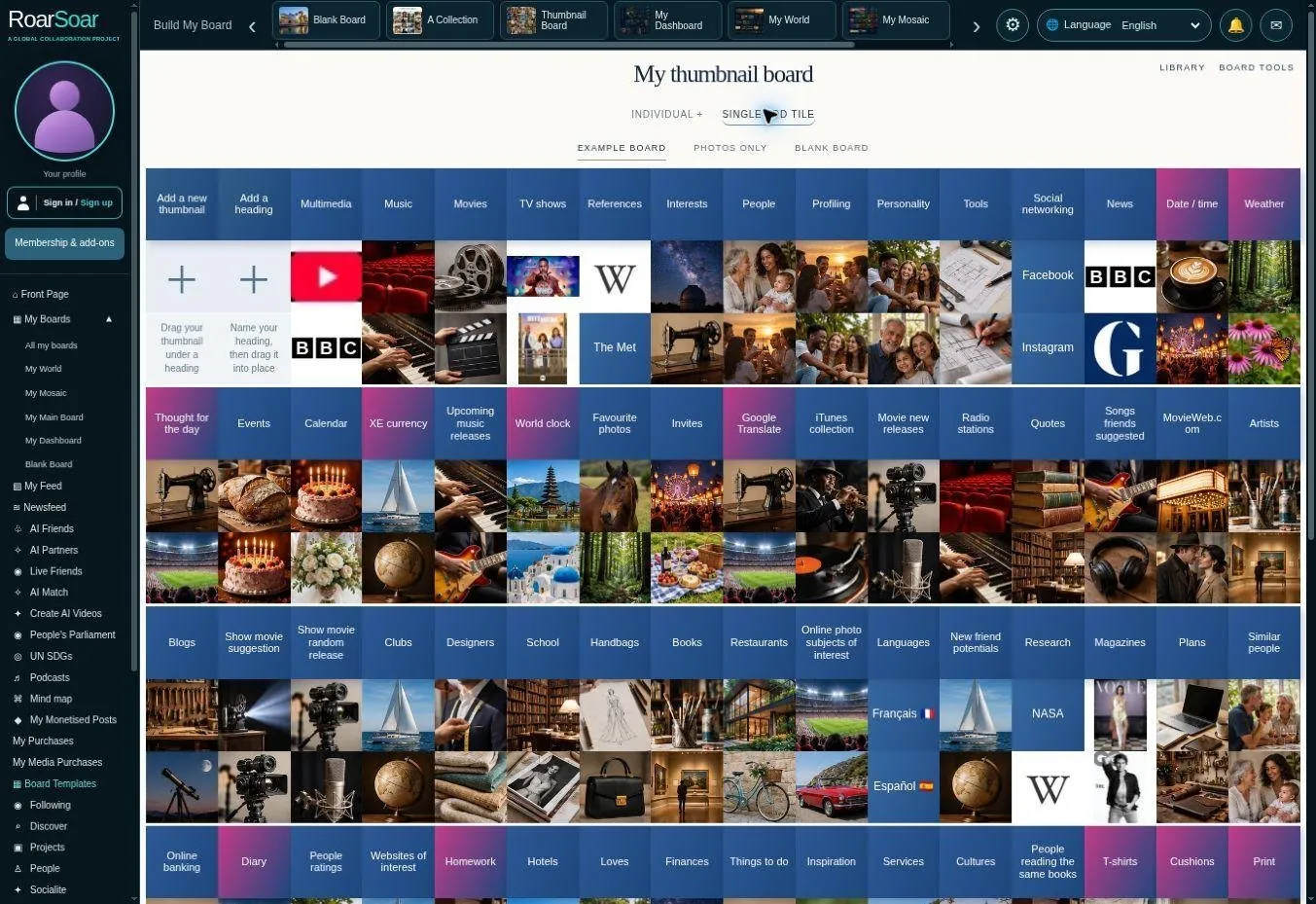
Figure A17 Adding and grouping thumbnails
The single-add version keeps the visual flow clean. Add a thumbnail and Add a heading controls sit at the top left; a new item can then be placed within the relevant group. The alternative Individual + view retains an add control beneath each group.
The Group control on a heading supports selecting thumbnails individually or by a selection area. Dragging a heading moves its group. Independent column stacking allows neighbouring sections to rise around an addition instead of reserving a blank row across the board.
This is suited to collecting research results as they are found. A member can add a source, write why it matters and move it under the relevant heading, then return to that organised set of references later.
Open this part of RoarSoar ↗The Build My Board tools give members multiple ways to organise all of their information online.
Back to the guide ↑A blank thumbnail board
Each thumbnail can open a popup for a single issue or subject, or open a participation board where members can contribute relevant posts, photographs, videos, documents and discussion.
Live beta builder
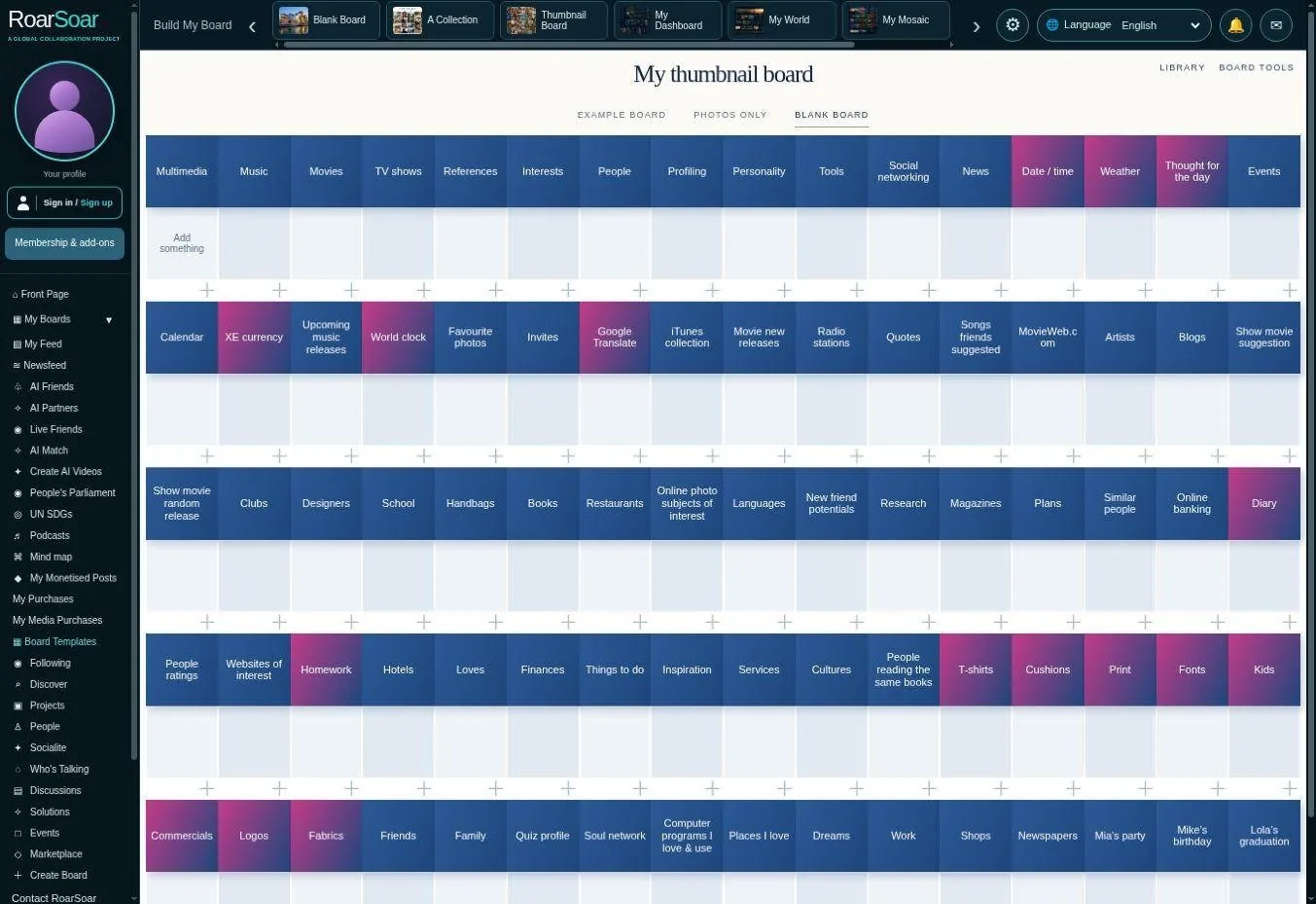
Figure A18 A blank thumbnail board
The blank thumbnail version begins with subject headings and empty squares. It gives a member a clear starting structure without copying the example’s photographs and reference content into their own finished page.
A heading can represent a research question, a part of life, a collection or a project stage. Clicking an empty thumbnail begins a card; additional material can be grouped and moved as the board develops.
The compact scale supports a large visual index. A thumbnail is an entry point to fuller material, so the member can retain a broad overview without putting every document or explanation directly on the board surface.
Open this part of RoarSoar ↗The Build My Board tools give members multiple ways to organise all of their information online.
Back to the guide ↑My Dashboard
Cards on this board can open a popup with more detail about a particular subject, or open a posting board where members can publish and contribute relevant photographs, videos, articles, documents and discussion. Choose the route that suits how you want people to explore and participate.
Live beta interface with illustrative subjects
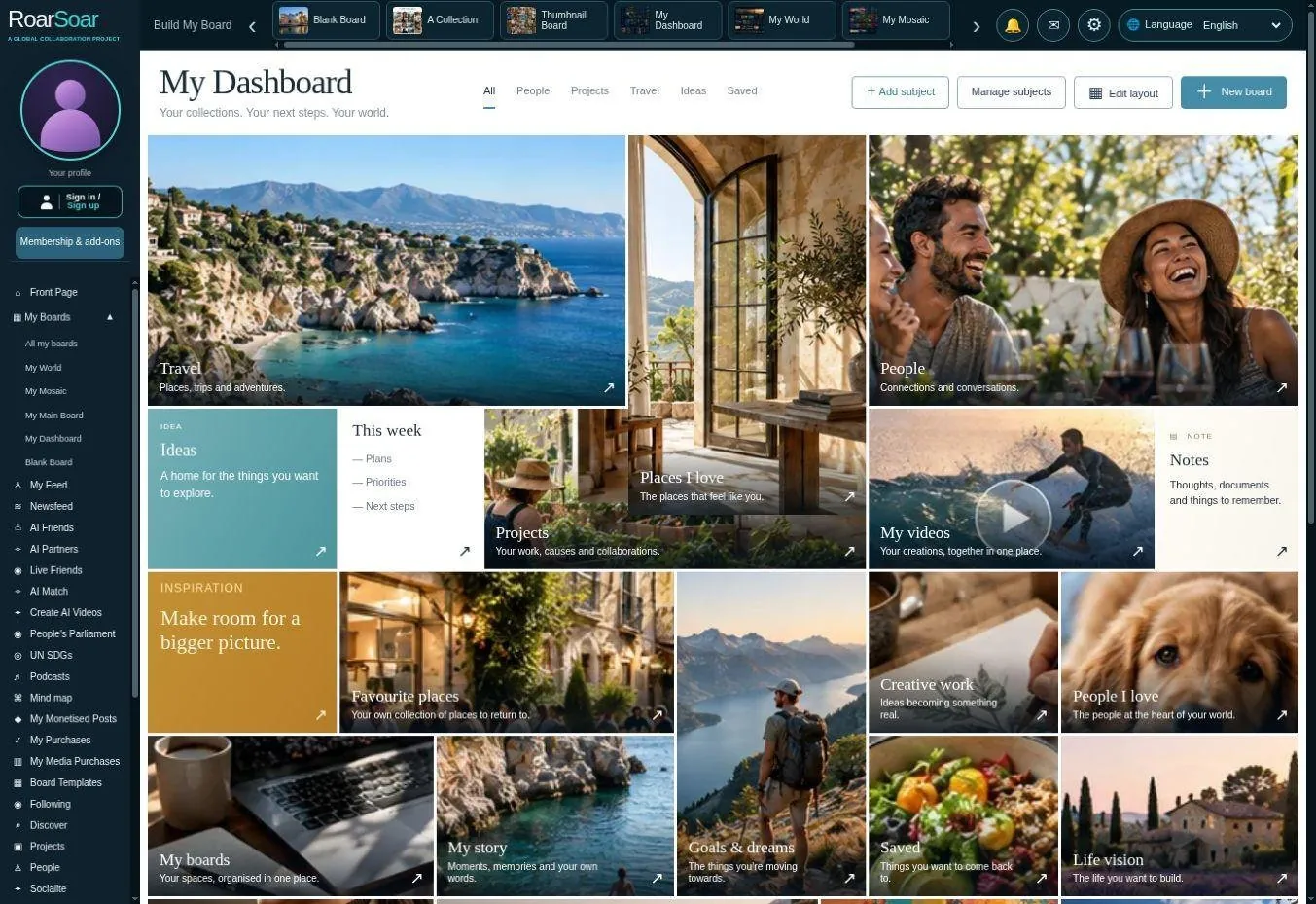
Figure A19 My Dashboard
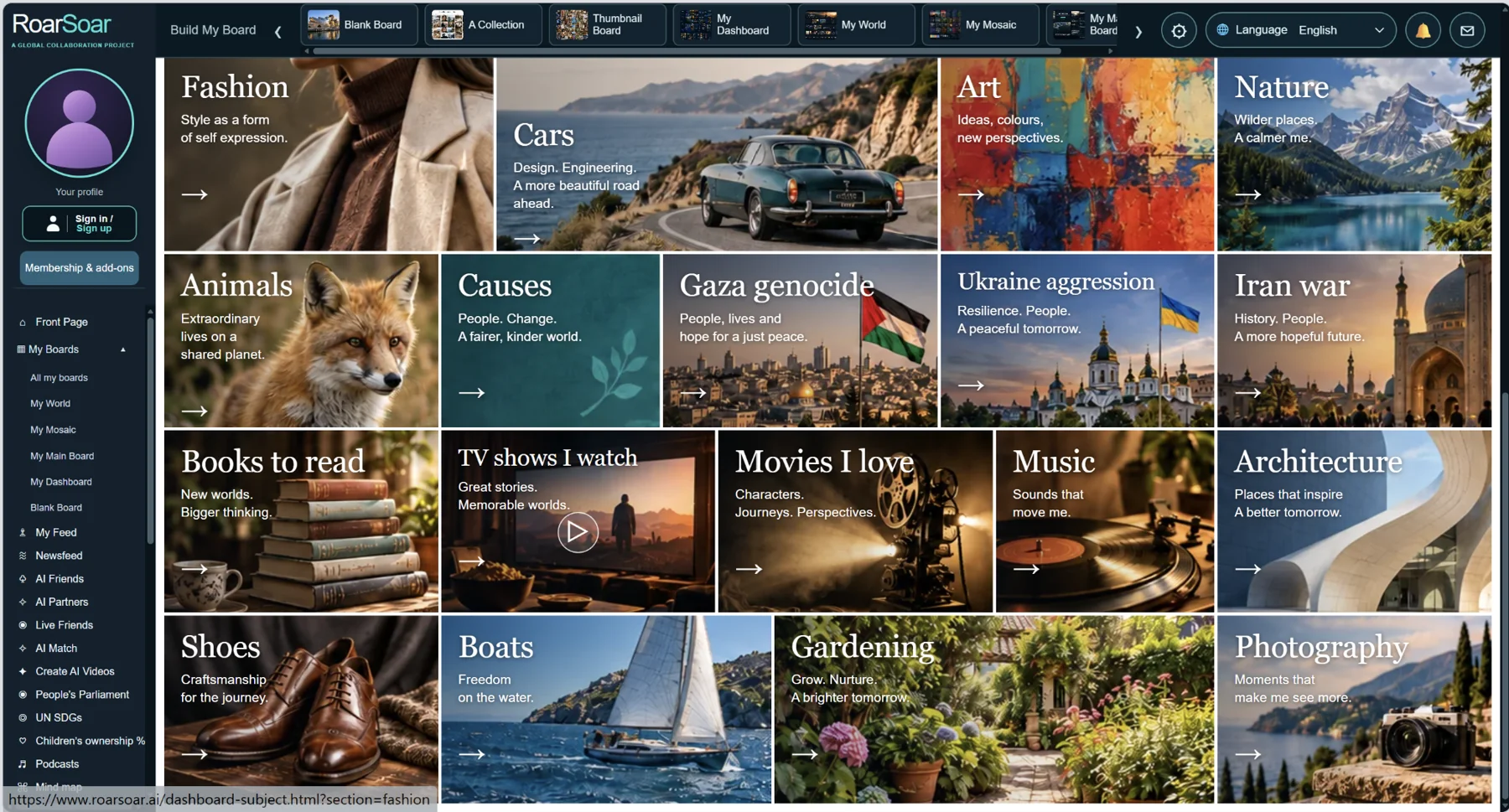
My Dashboard brings a wide range of personal interests, causes and activities together in one visual space.
My Dashboard is a visual directory of the subjects in a person’s life. Designed panels for people, places, goals, books and other interests make it possible to move from a broad overview into a focused collection.
Members can use subject pages to collect relevant photographs, notes, links and files. The dashboard approach is useful when someone wants an organised personal website but prefers a recognisable set of starting categories.
A subject such as Places I Love can become a collection of memories, future destinations and useful references. Other subjects can hold interests, causes or plans, creating a personal information structure that is easy to revisit.
Open this part of RoarSoar ↗The Build My Board tools give members multiple ways to organise all of their information online.
Back to the guide ↑My World
Cards on this board can open a popup with more detail about a particular subject, or open a posting board where members can publish and contribute relevant photographs, videos, articles, documents and discussion. Choose the route that suits how you want people to explore and participate.
Live beta interface with illustrative content
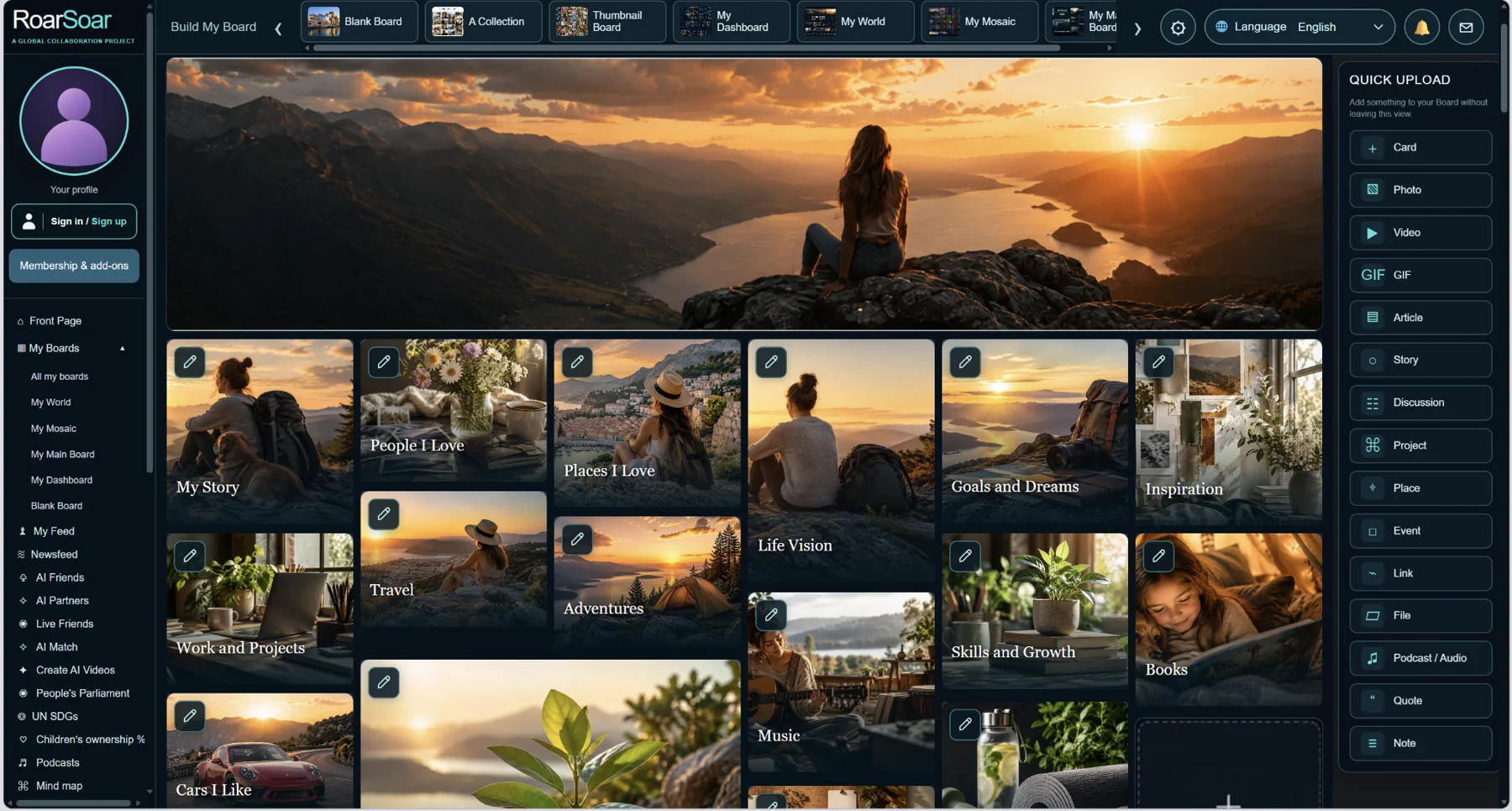
My World brings personal stories, people, travel, goals and inspiration together.
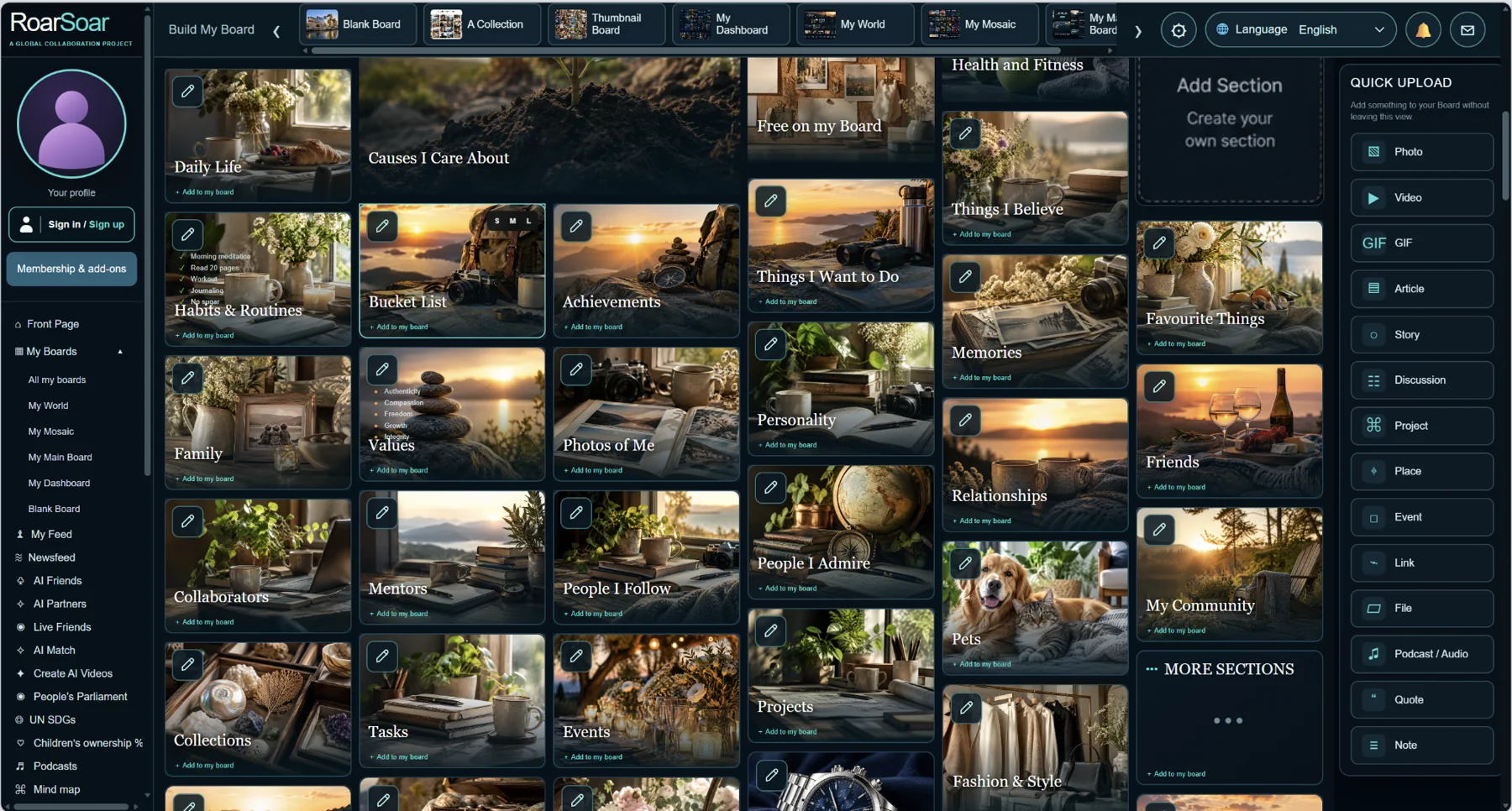
Organise everyday life, relationships, values, projects, collections and communities.
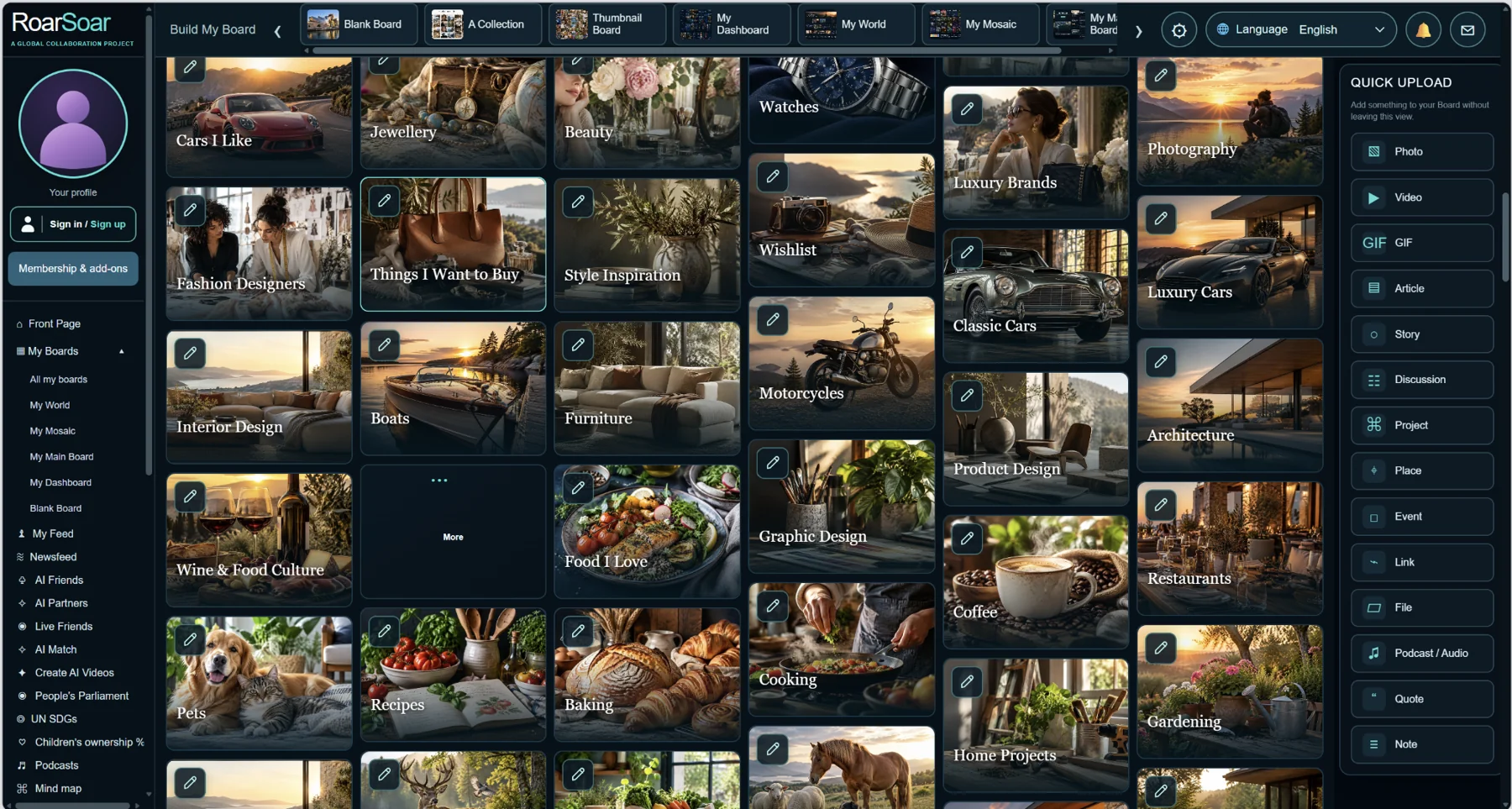
Extend your visual world into interests such as design, cars, food, gardening and photography.
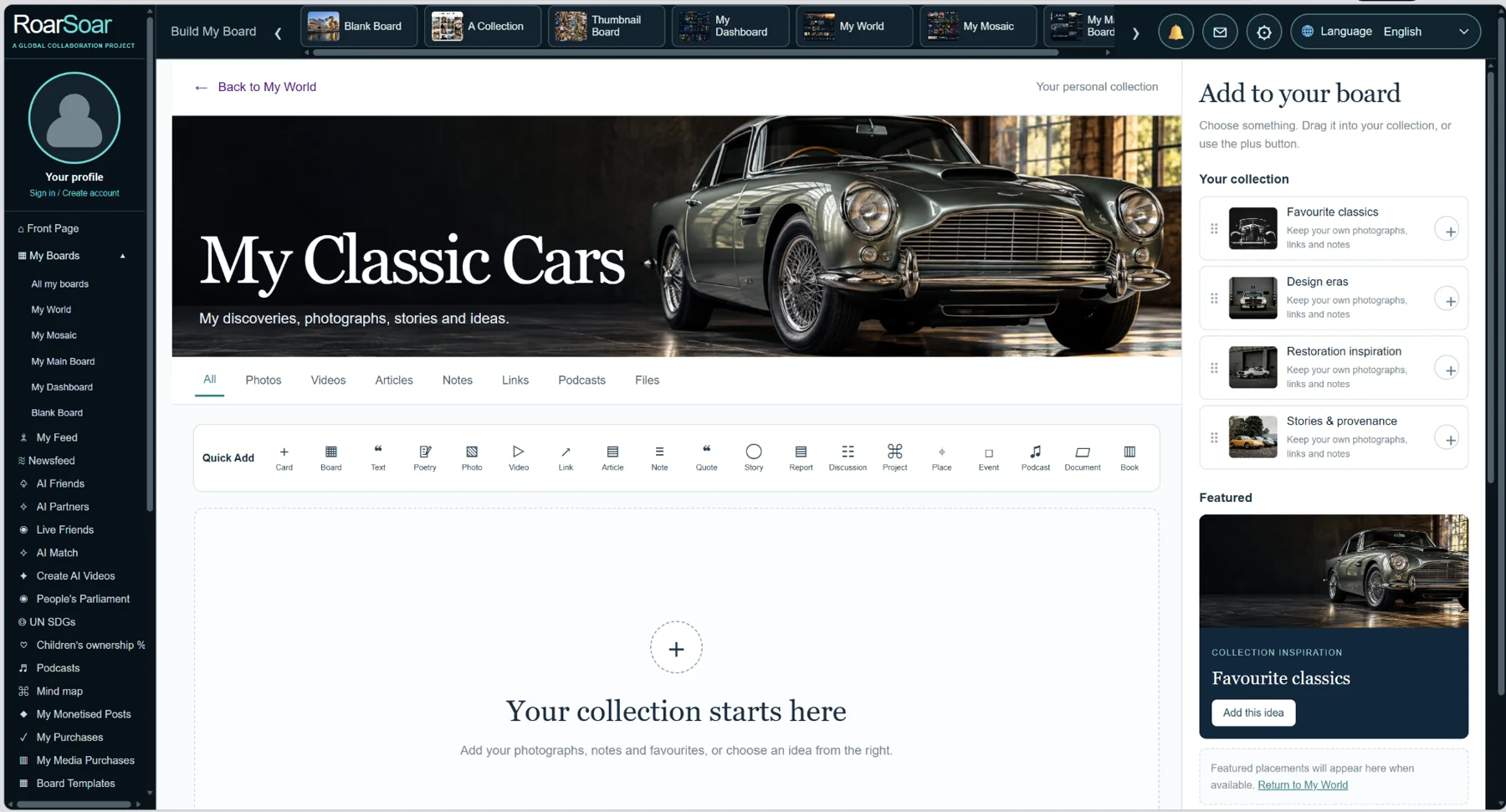
A subject card opens a focused posting board: Classic Cars is one example, ready for related posts and uploads.
My World is a narrative personal board. It brings together identity, story, travel, people, goals, inspiration and causes in a designed page with large visual entry points.
Members can personalise the imagery and text and organise the material that represents them. This gives self-branding a practical form: an evolving visual introduction to a person’s interests, work, priorities and direction.
The same approach can support a creative portfolio or a private life-planning space. The desired audience and access settings determine what is shared; a designed example does not mean every personal detail must be public.
Open this part of RoarSoar ↗The Build My Board tools give members multiple ways to organise all of their information online.
Back to the guide ↑My Mosaic
Cards on this board can open a popup with more detail about a particular subject, or open a posting board where members can publish and contribute relevant photographs, videos, articles, documents and discussion. Choose the route that suits how you want people to explore and participate.
Live beta interface with illustrative content
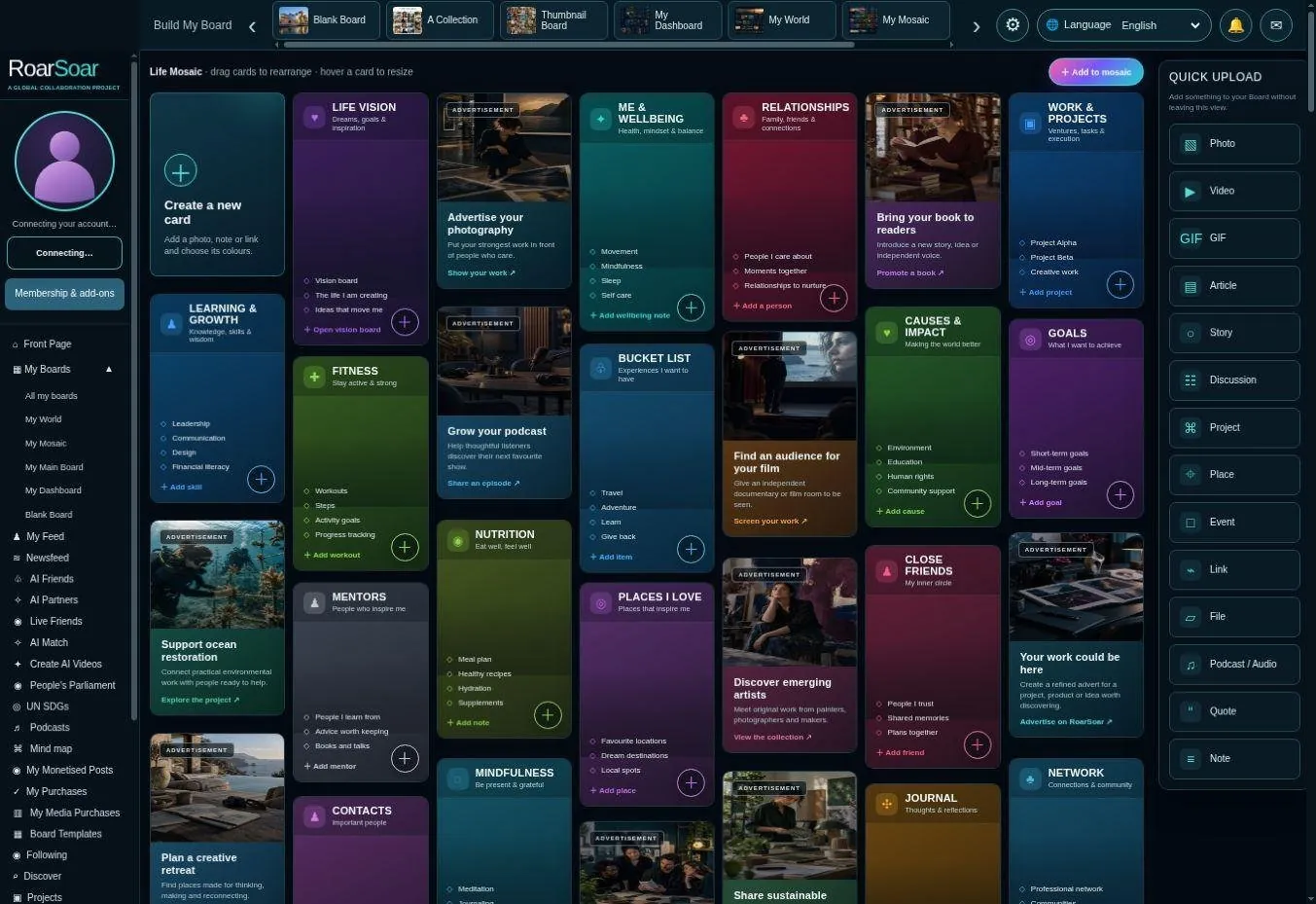
Figure A21 My Mosaic
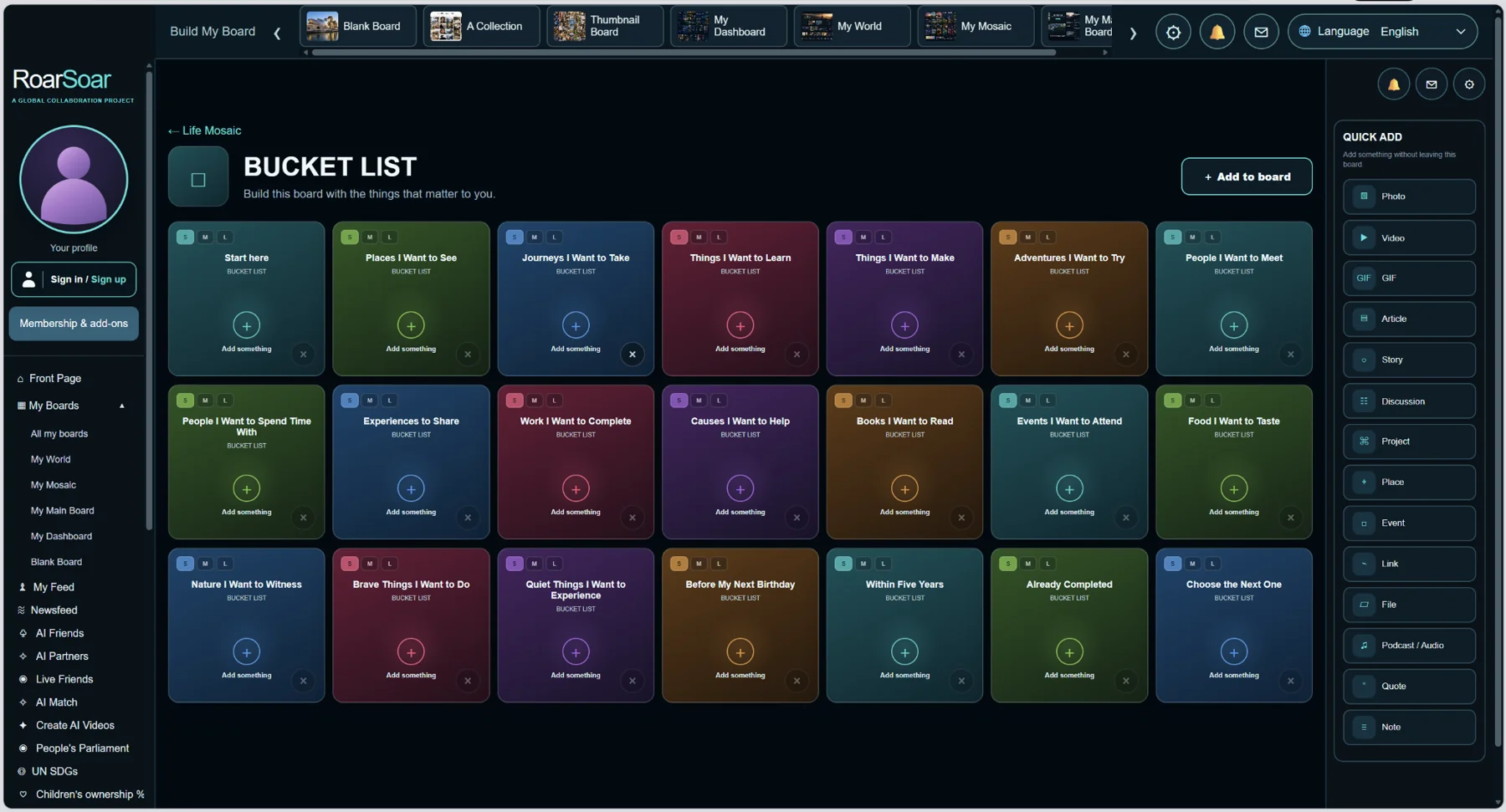
A Mosaic subject opens into a posting board with prompts to help you develop it.
The sections that open from My Mosaic are set up to prompt members to add detail to the subject. For example, the Bucket List board offers spaces for places to see, journeys to take, things to learn, people to meet, causes to help and experiences to share. These prompts give you a starting point for collecting ideas, making plans and recording progress.
Add photographs, videos, articles, notes, links, documents or other relevant contributions to each space. You can develop the subject gradually, turning a broad heading on your Mosaic into a more detailed, personal collection of information.
My Mosaic is a colourful modular view of life and activity. Different cards provide places for goals, wellbeing, relationships, work, learning, interests and causes, with material arranged as a visual mosaic.
Members can add and rearrange cards and develop the sections that matter to them. The visible add controls provide entry points for more detail, while the board retains an overview of the whole collection.
This can help a member download their thoughts into a structure they can see: what they are working towards, what they want to remember and what deserves attention next. It is a personal organisation tool as well as a publishing surface.
Open this part of RoarSoar ↗The Build My Board tools give members multiple ways to organise all of their information online.
Back to the guide ↑My Main Board
Live beta interface with illustrative content
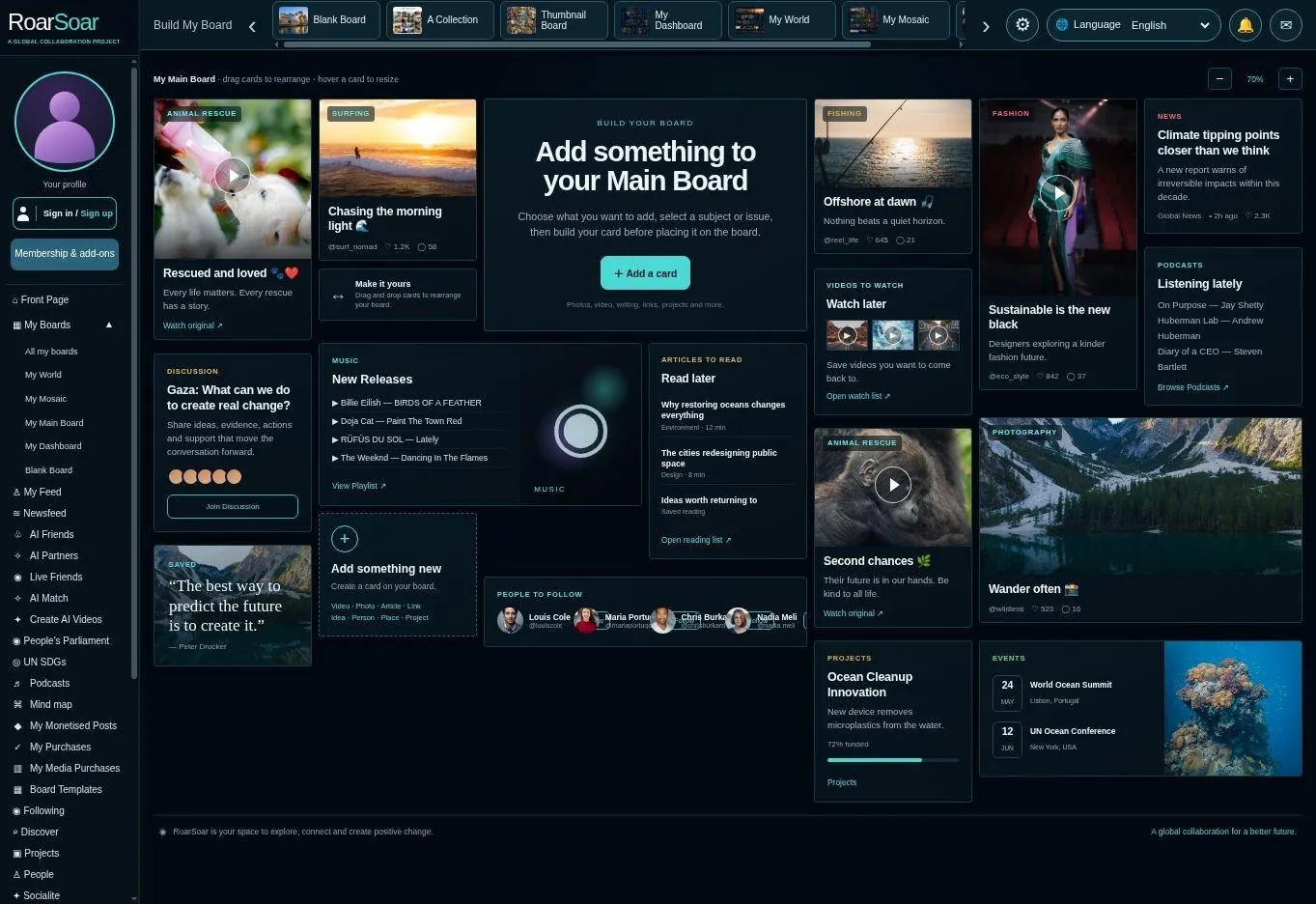
Figure A22 My Main Board
My Main Board provides a mixed visual overview of posts, interests, projects, discussion and other material. It suits members who want their main page to feel like an active personal hub.
Different card sizes and content formats allow a person to give more emphasis to selected work while keeping supporting material nearby. Members can move from a visual invitation into a post, a source or a linked board.
A creator could present recent work, current projects and event information together. An organisation could use a similarly structured hub to introduce its purpose and direct visitors towards deeper participation.
Open this part of RoarSoar ↗The Build My Board tools give members multiple ways to organise all of their information online.
Back to the guide ↑Card and board libraries
Members can create multiple boards and pages on different subjects, using the card and board libraries to build each part of their online world. These pages can connect together to form a dynamic, interactive website within RoarSoar’s community network.
For example, keep separate pages for your work, interests, research, products, projects or causes, while bringing them together through your profile and board links. Each page can have its own design and content, with cards opening into detailed popups or contribution boards. This lets you build a growing website that people can explore and participate in, rather than being limited to a single page.
Live beta builder
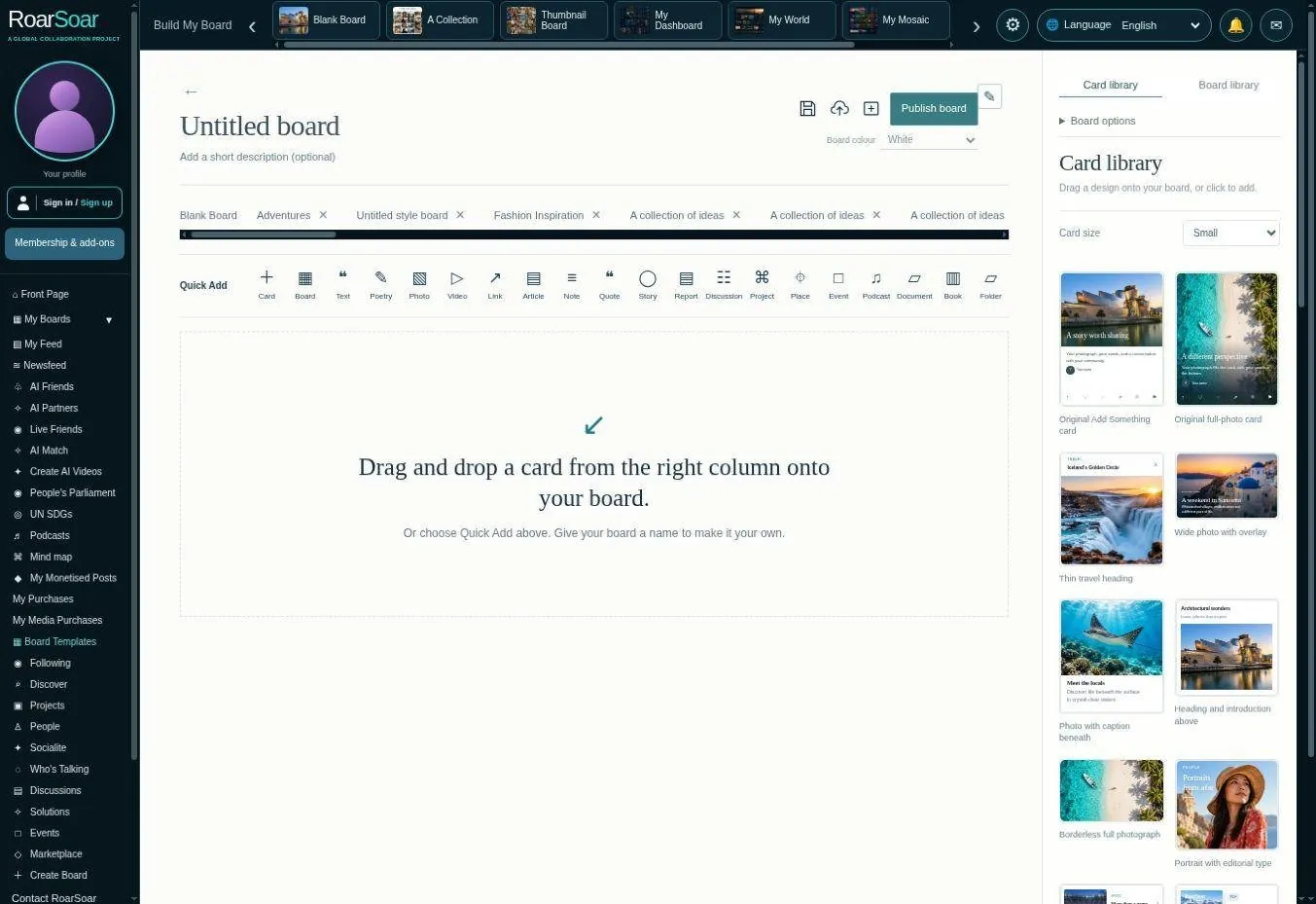
Figure A23 Card and board libraries
RoarSoar’s libraries provide reusable visual starting points. Card designs offer different ways to present media and text, while board designs suggest a complete page composition. The screenshot shows the builder and its design rail.
Members can begin with a blank layout or an editable example, then replace the material and refine the arrangement. The three user-profile pages shown earlier in this guide demonstrate the kind of coherent visual identity a designed collection can achieve.
Build your pages using the libraries, or commission professional design and programming for a more individual result. Agree the content, style and interactions you want, then continue developing your page as your needs grow.
Open this part of RoarSoar ↗The Build My Board tools give members multiple ways to organise all of their information online.
Back to the guide ↑Mind mapping and planning
Live beta planning interface
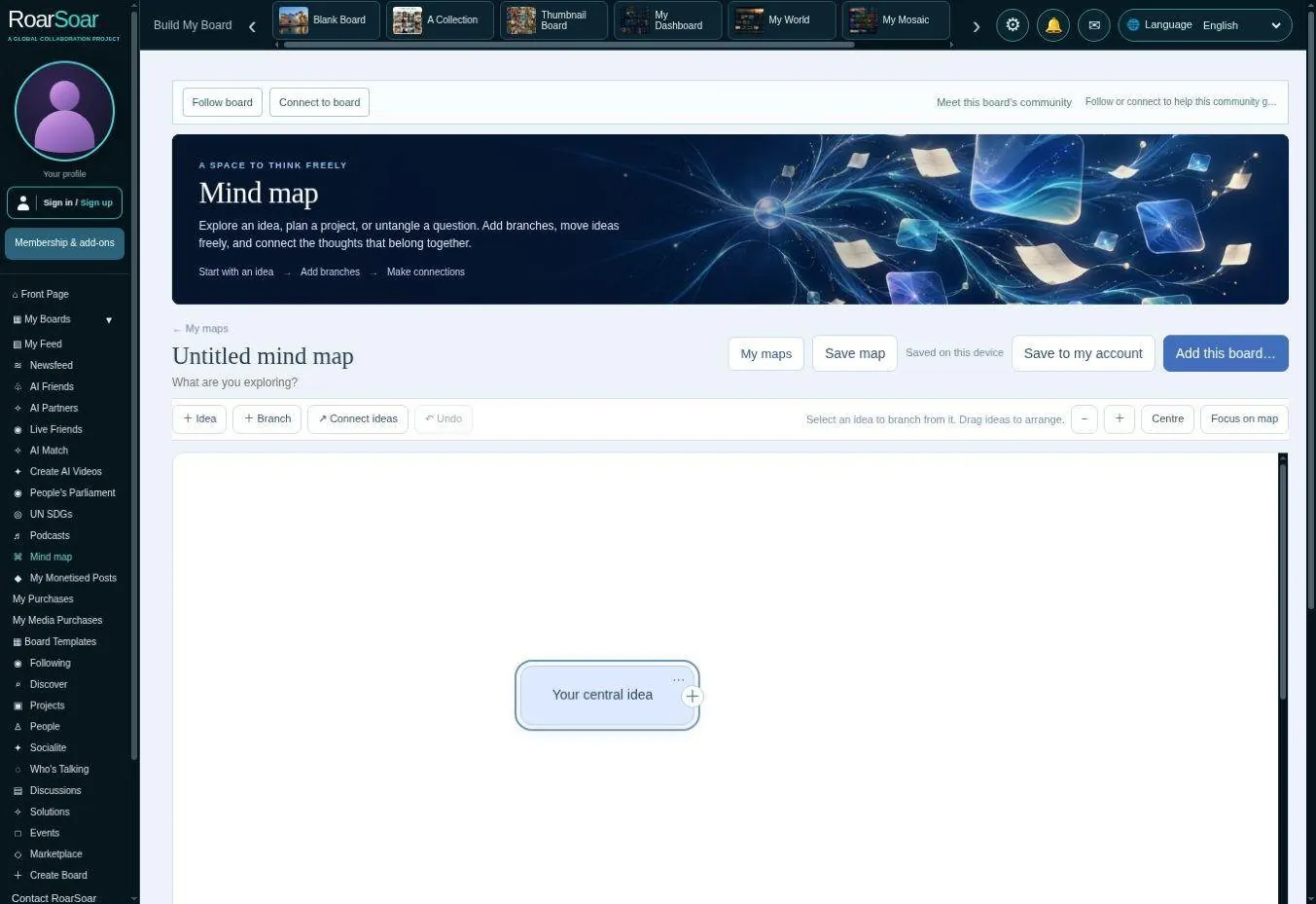
Figure A24 Mind mapping and planning
The mind-mapping tool offers another way to organise thought. A central idea can develop into branches, supporting topics and connections, making a plan or investigation easier to understand before it is turned into a finished page.
Members can use the map for a project outline, writing structure, decision or set of research questions. This complements the card boards: a map explains relationships, while a board can hold the underlying references and media.
Start with a central idea, add branches and connect the information that matters. Your maps can grow alongside your research, writing and plans.
Open this part of RoarSoar ↗Back to the guide ↑Co-editing a document — free tool
Write together on a shared document: develop a report, draft a proposal, prepare a community statement or work on a manuscript. Invite collaborators, save changes and return to earlier versions as the document develops.
Co-editing a document is a free tool included across all membership packages. Find it under Tools in the left navigation, alongside Mind Manager.
Open co-editing a document ↗Newsfeed and editorial discovery
Self-journalism, citizen journalism, community journalism and public commentary
Newsfeed encourages people to contribute their own articles and take part in shaping the stories we share. Through self-journalism, citizen journalism, community journalism and public commentary, members can document their experiences, report on their communities and bring attention to subjects that matter to them.
Publish an article, share a firsthand account, contribute photographs or video, or add research, local knowledge and commentary to a story. People can respond to articles with relevant information and different perspectives, helping develop a fuller picture of the subject.
By inviting public contribution from around the world, RoarSoar aims to build a more varied range of stories and voices, including those that receive little attention in mainstream coverage.
Live beta interface with selected editorial content
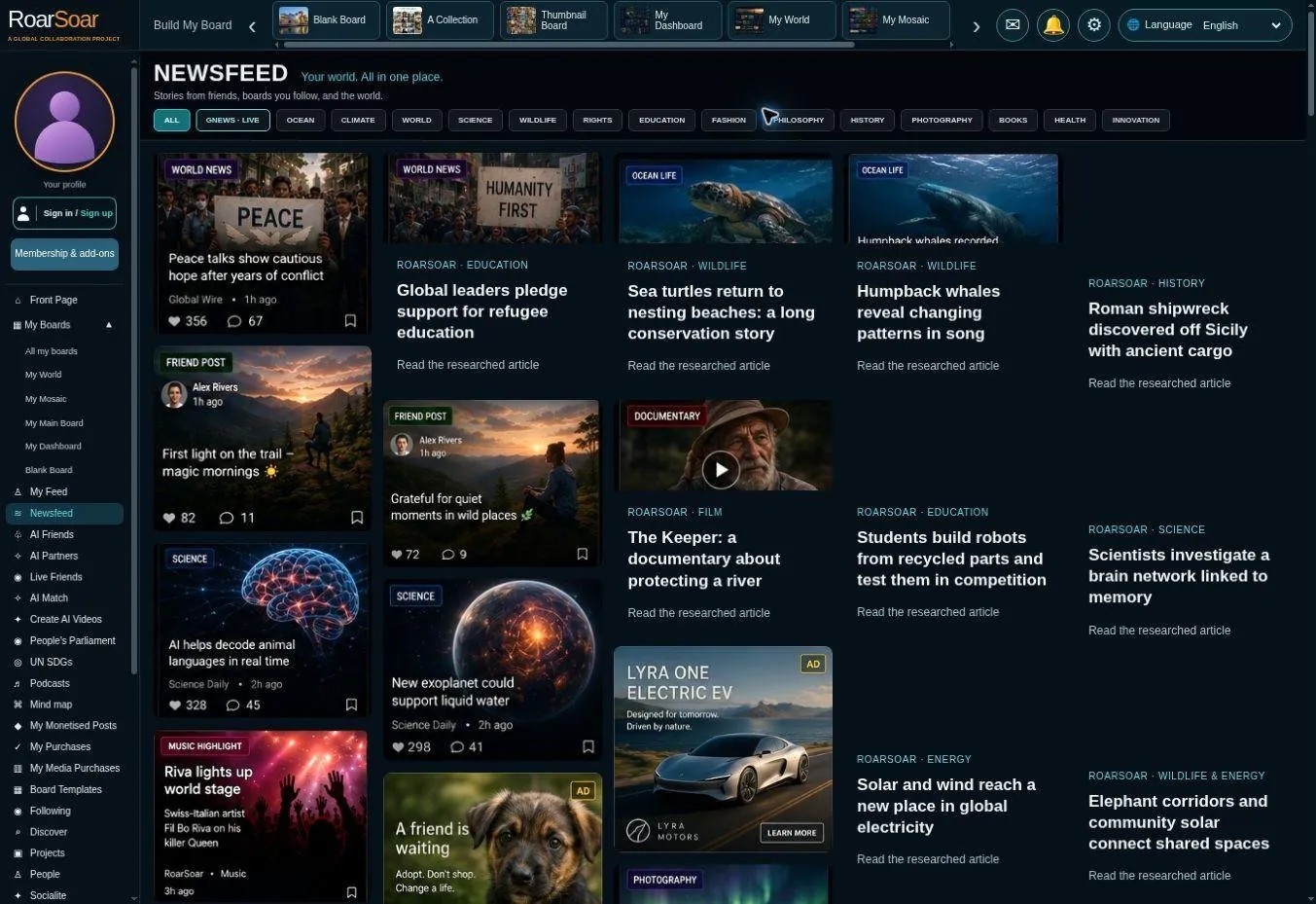
Figure A25 Newsfeed and editorial discovery
Newsfeed presents articles and stories as a visual discovery space. Topic choices and image-led cards help readers move into subjects they want to understand or follow.
This introduces another route into the platform: a visitor may arrive to read an article and then discover related boards, projects, discussions or creators. Members can also use relevant material as a starting point for their own research collections.
Explore stories, follow subjects and add your own contribution to a growing conversation. Local knowledge and different perspectives can help others discover stories they might otherwise miss.
Open this part of RoarSoar ↗Back to the guide ↑Independent voices and stories before the headlines
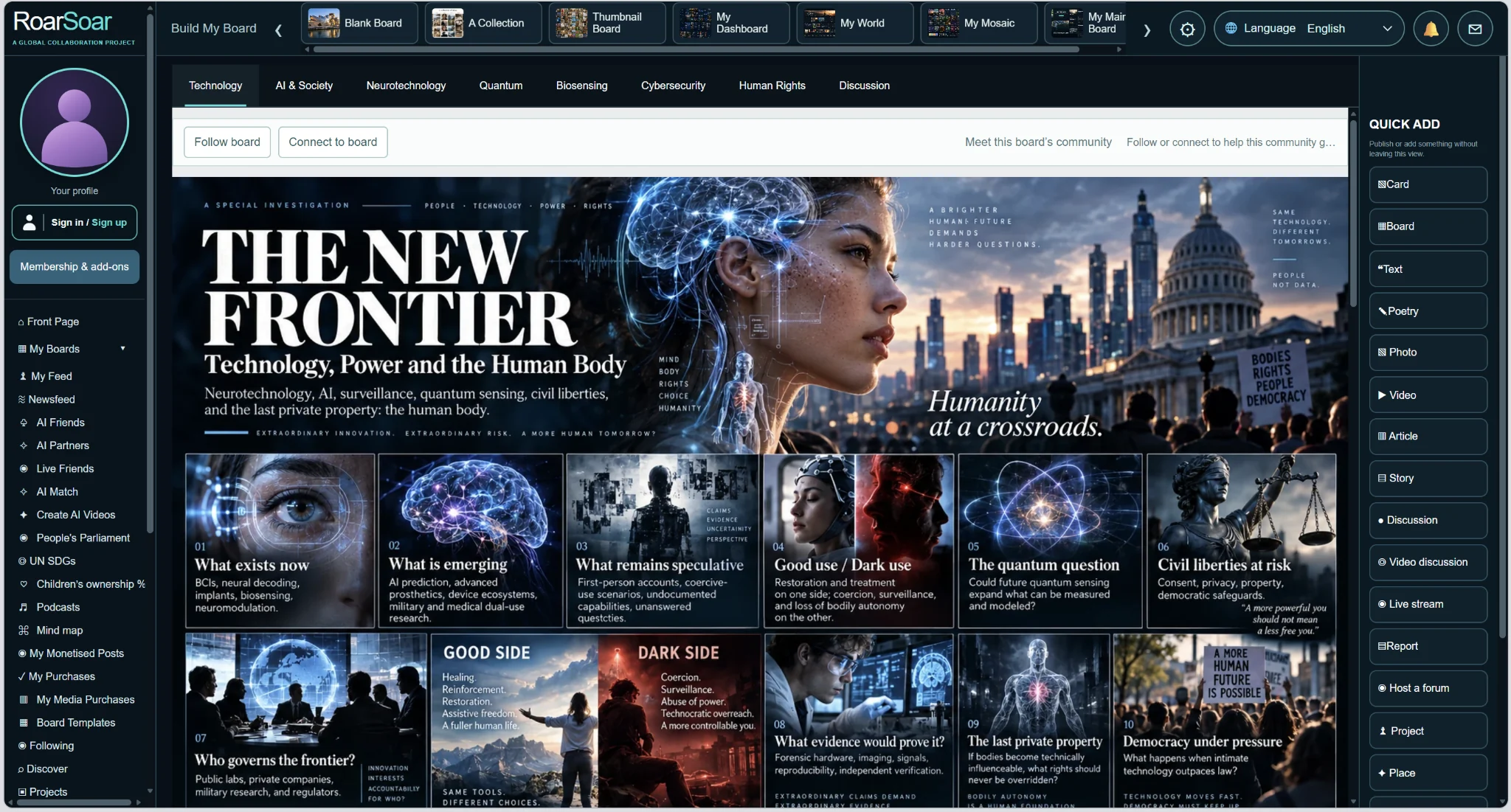
RoarSoar welcomes community journalism, citizen journalism, self-journalism, public commentary, whistleblowers and personal testimony. We are interested in people’s opinions, original investigations and bold ideas that push boundaries and give everyone something to consider and think about.
We want people to uncover emerging stories, explore interesting theories and publish the news before it becomes mainstream news. Firsthand experiences and perspectives from outside established media can open conversations that deserve wider attention.
Contribute an article, evidence, photographs, video, local knowledge or a response to someone else’s work. Help readers follow the discussion by making clear what is documented evidence, personal testimony, opinion or a theory still being explored.
Back to the guide ↑Boards for the Sustainable Development Goals
Live beta subject framework
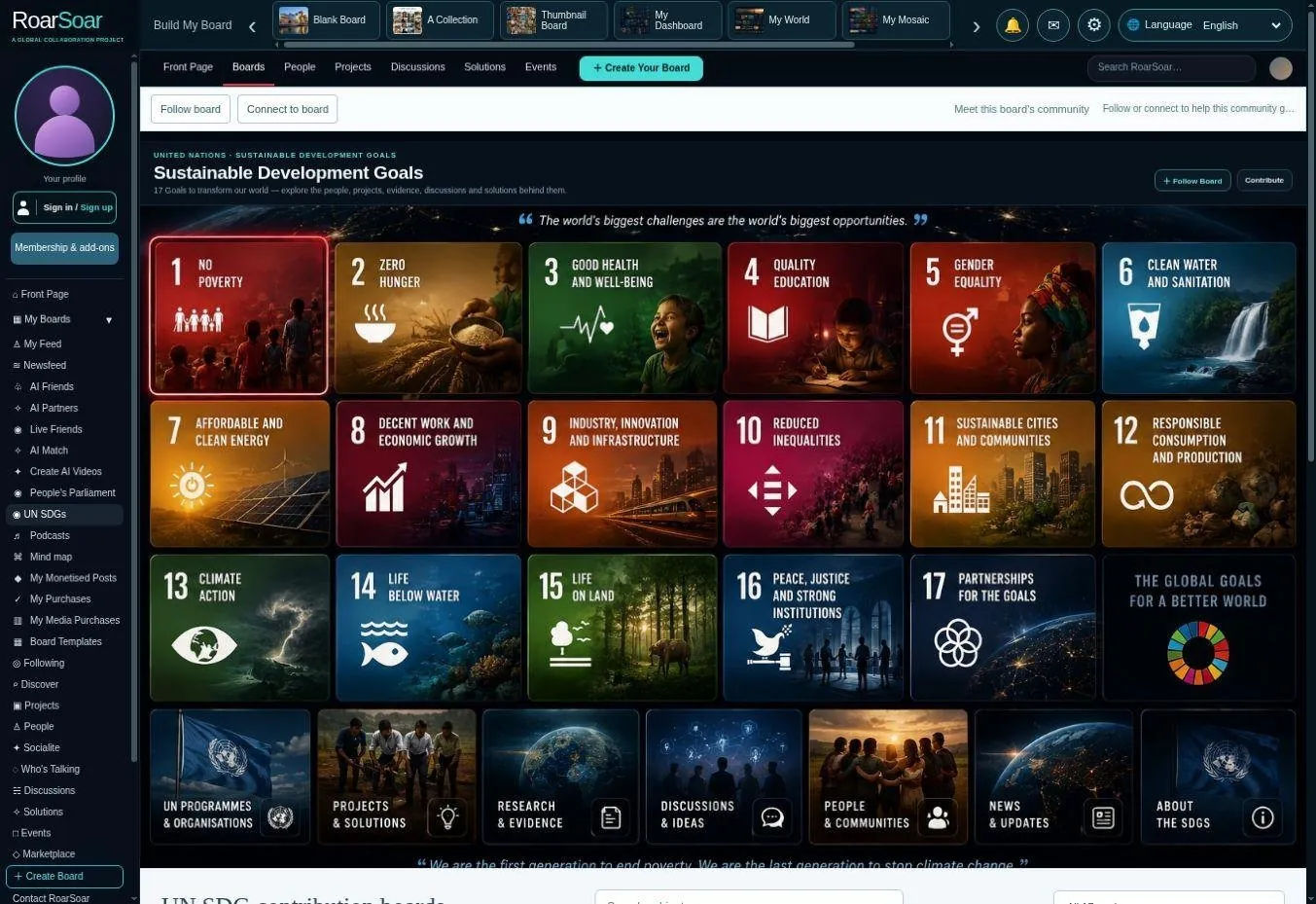
Figure A26 Boards for the Sustainable Development Goals
The Sustainable Development Goals section provides a visual entry point to the seventeen goals and related topics. It illustrates how RoarSoar could support organised information and collaboration around shared social and environmental priorities.
Individual subjects can lead to contribution areas for evidence, ideas, discussion and projects. The approach is relevant to organisations that need a participatory knowledge space rather than a conventional static website.
People can use these subject boards to share relevant information, discover connected issues and find opportunities to contribute towards the Sustainable Development Goals.
Open this part of RoarSoar ↗Back to the guide ↑Subjects and contribution pages for the Sustainable Development Goals
Live beta subject framework
Each Sustainable Development Goal can open into a visual directory of related issues and subjects. The Clean Water and Sanitation example spans access, water quality, pollution, infrastructure and connected challenges, giving people several ways to find the issue they want to work on.
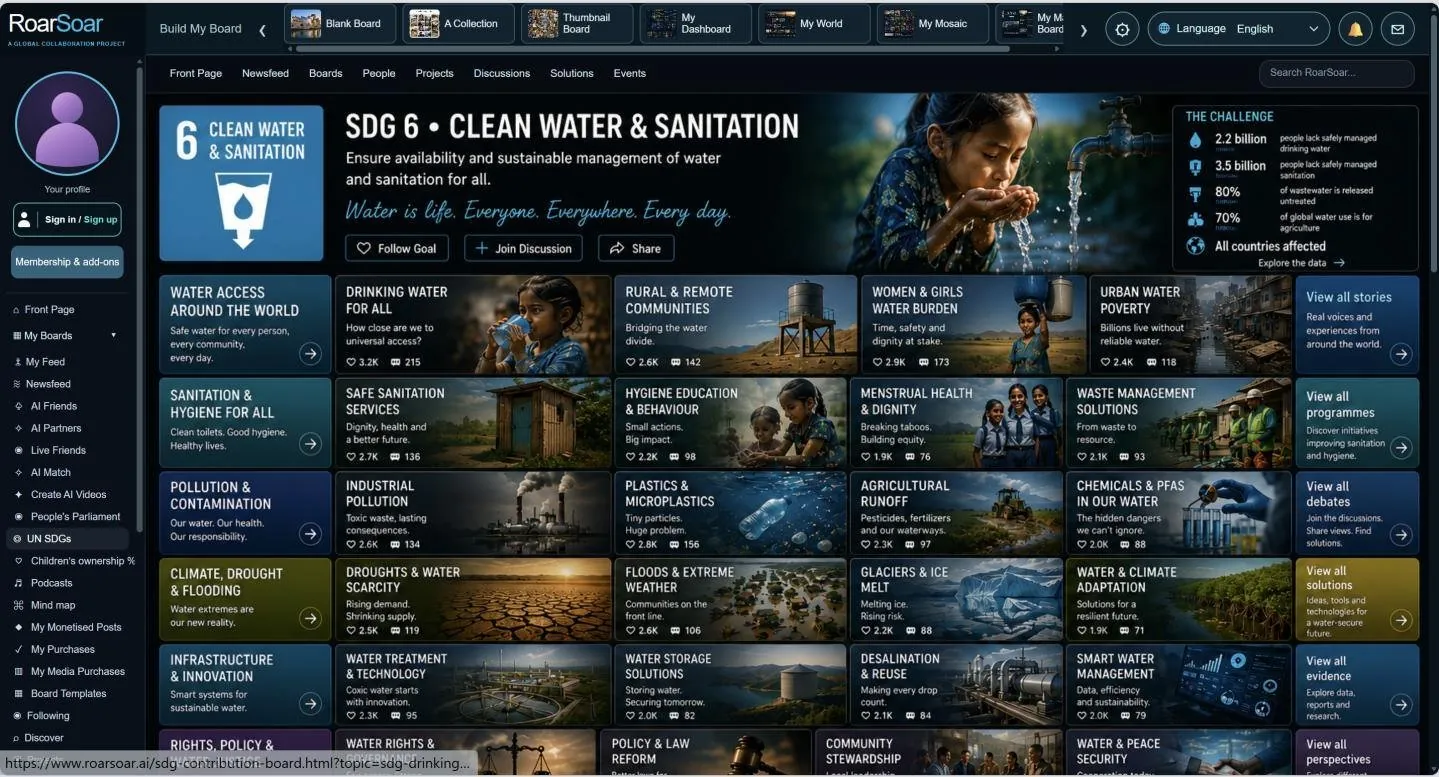
Figure A27 Clean Water and Sanitation subjects
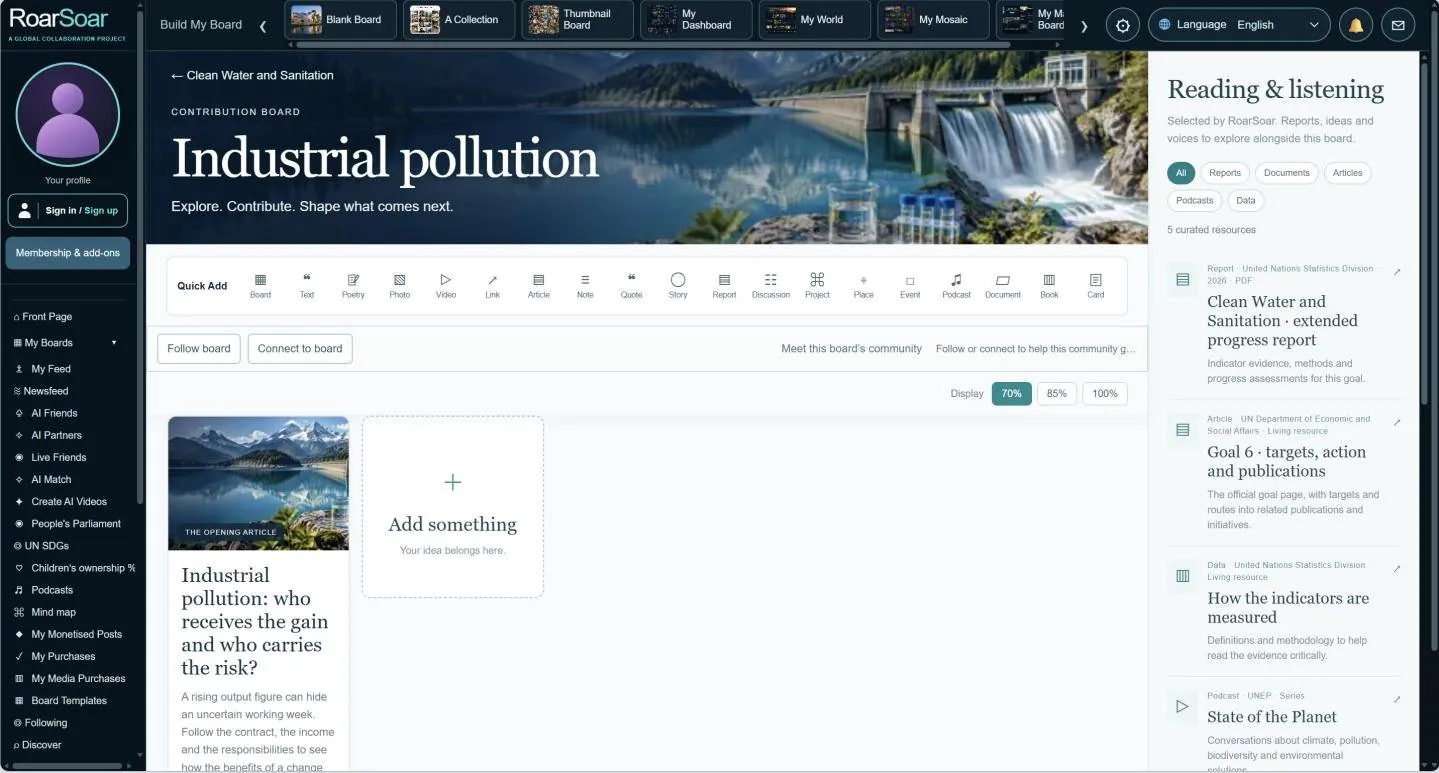
Figure A28 Industrial pollution contribution page
Selecting a subject opens its contribution page, where people can post relevant material, share evidence, start a discussion or develop a project. The directory can expand into further subjects and local questions, building a growing visual knowledge base around each goal.
Back to the guide ↑People’s Parliament
Live video broadcasts, audio discussions and commentary
People’s Parliament is being developed as a place to bring people together for live broadcasts and discussions, with an audience that can take part in the conversation.
- Live-stream video broadcasts with a live audience on screen. Audience members who choose to join by video can appear through their live camera feeds, so you can see the faces of people taking part.
- Live-stream audio discussions. Host conversations where people can listen and speak without appearing on camera.
- Share live commentary on issues. Bring together speakers and members to discuss events, ask questions, share perspectives and explore ideas as they develop.
Live beta interface with illustrative chamber
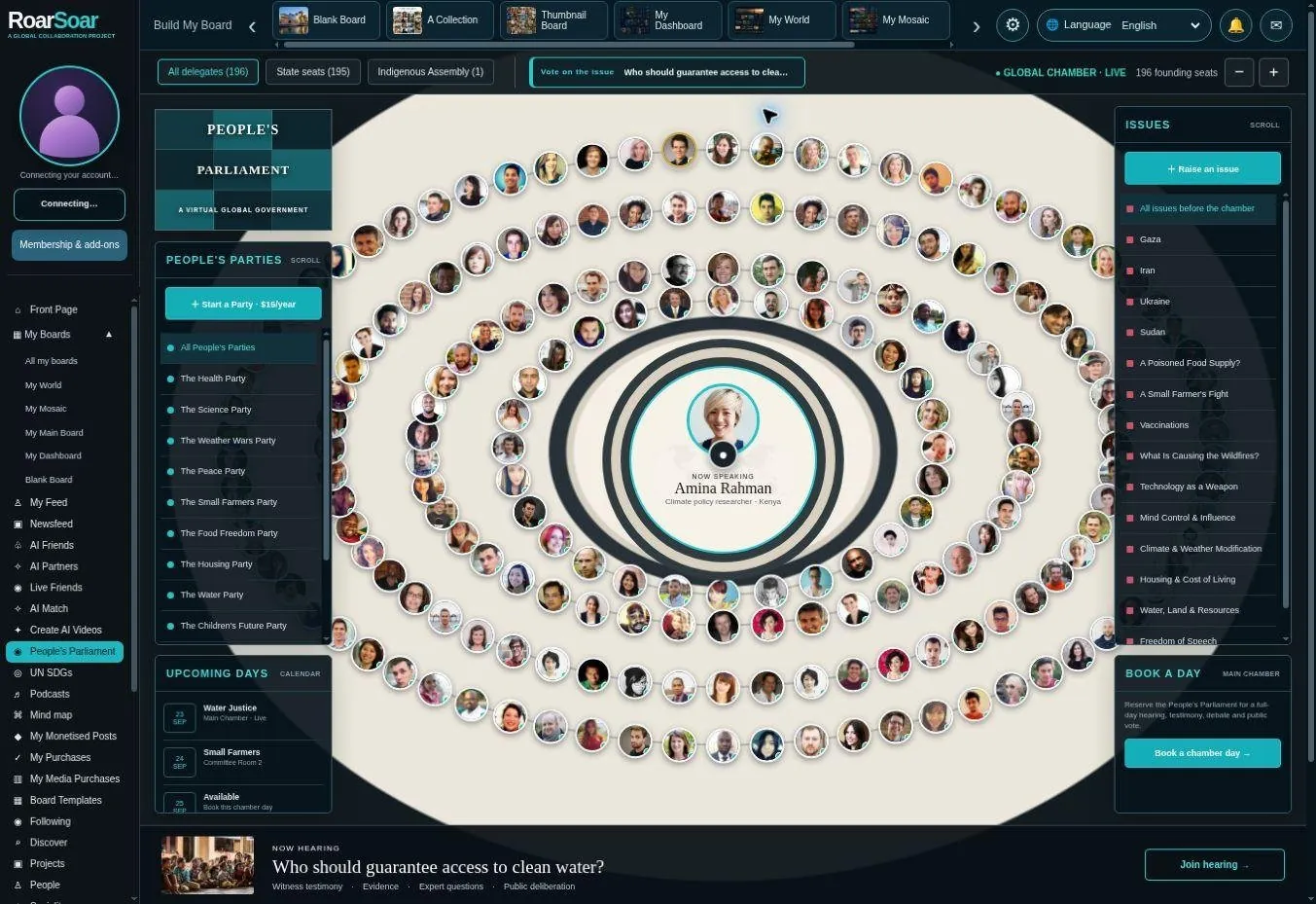
Figure A29 People’s Parliament
The chamber brings issues, party or group profiles, speakers and participants into a shared space for debate, questions and community decision-making.
Members can connect an issue with supporting materials, discussion and people who want to work on it. Start a party for US$15 per year. Live video streams have separate hosting and audience packages, with their own terms and delivery costs.
A US$5 issue-submission option is planned, with a form to explain the issue, add supporting information and guide the discussion. The chamber shown here illustrates how people can gather around a shared question.
Open this part of RoarSoar ↗Back to the guide ↑AI Partner for board design and online content
AI interface in beta
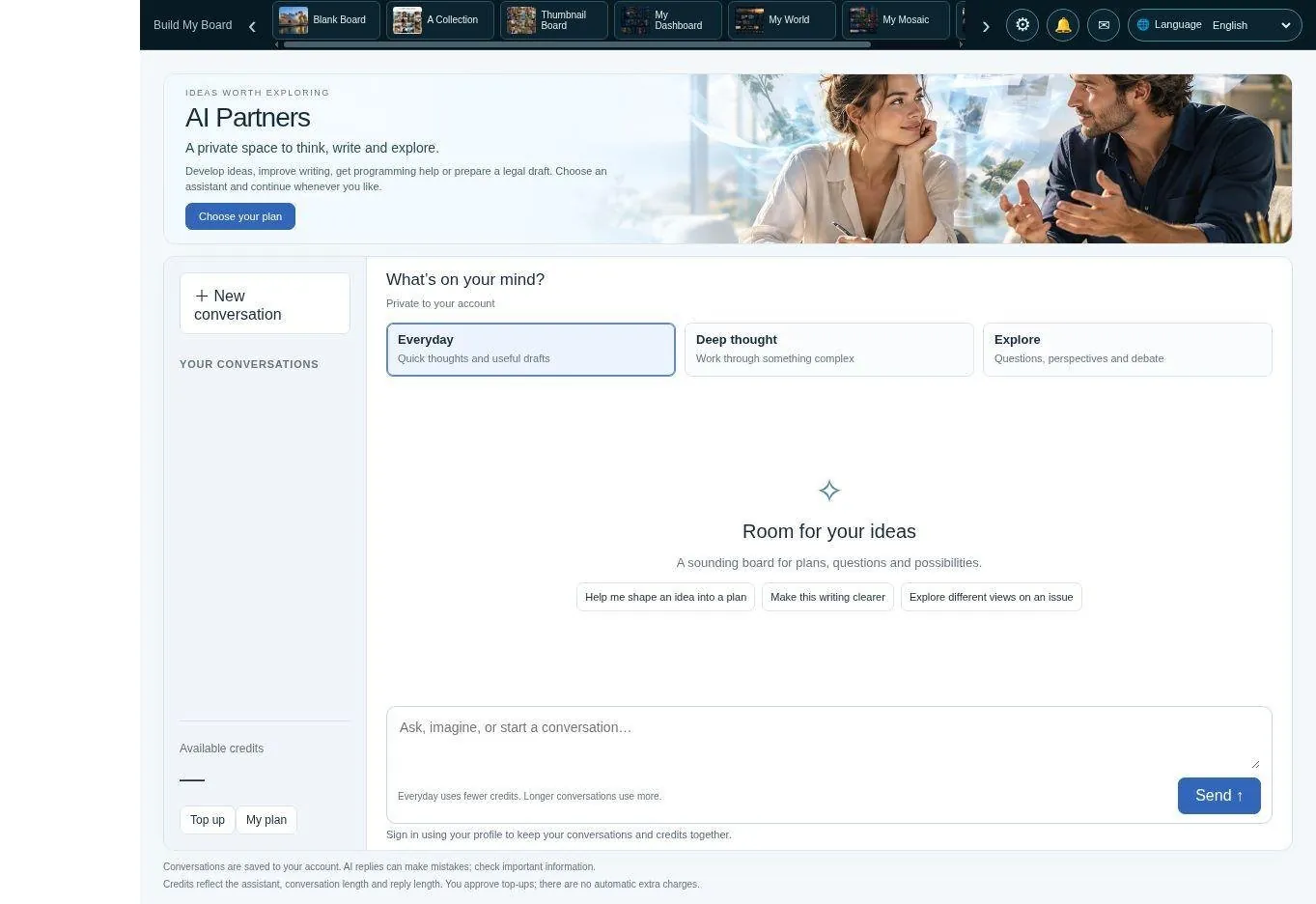
Figure A30 AI Partner for board design and online content
AI Partner helps members develop their RoarSoar presence: shape ideas for new boards, create content for posts and organise the information they want to share. It can help write titles, descriptions, articles, captions and plans, turning an initial thought into material for a card or page.
For new board imagery, AI Partner can help develop image-design concepts, visual directions and image-generation prompts. It can also help plan a series of posts, organise subjects, improve existing writing and maintain a consistent voice across your RoarSoar content. Direct image generation and automatic board publishing are planned capabilities, rather than functions demonstrated by the current text-chat interface.
Use a conversation to work through an idea, refine a draft or plan what to publish next. You can review, adapt and organise the material into your own voice before adding it to a board.
You can get stock trading advice, poker tips, legal drafting, general advice, etc, through conversational assistance
Open this part of RoarSoar ↗Back to the guide ↑AI Video Chat for video conversation
Conversation interface and offers in beta
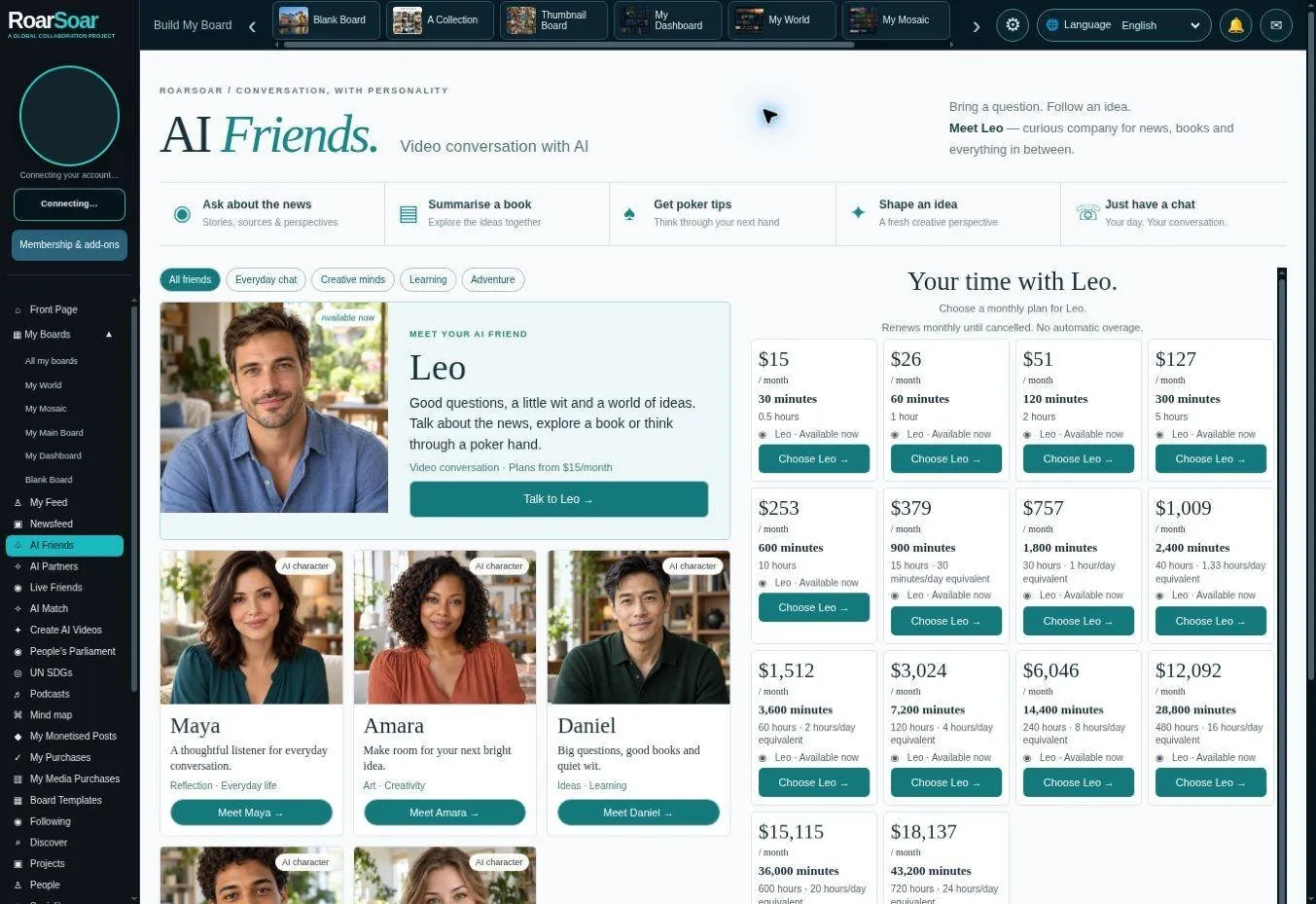
Figure A31 AI Video Chat for video conversation
AI Video Chat offers a more personal conversation format through AI characters presented for video interaction. The interface introduces characters and conversation plans rather than treating every AI interaction as a text-only task.
The intended uses include conversation, companionship and guided interaction within the product’s age and safety rules. Paid conversation time needs explicit allowances and a clear record of usage.
Explore the characters and conversation options, then choose the experience and time allowance that suit you.
Open this part of RoarSoar ↗Back to the guide ↑AI Match for relevant connections
In development

Figure A32 AI Match for relevant connections
AI Match is designed to analyse your profile and what you are looking for, then suggest appropriate people for your desired reasons: friendship, adult relationships, work, business connections or project collaboration.
Choose the kind of connection you want. AI can consider participating members’ profiles, interests and preferences to help identify people who may be relevant to that purpose—for example, collaborators for a project or people who share a personal interest. Participation and profile use follow members’ permissions.
AI Match is in development. Suggestions depend on suitable members opting in and are not a guarantee of compatibility.
Open this part of RoarSoar ↗Back to the guide ↑Create AI Videos
Video studio interface in beta
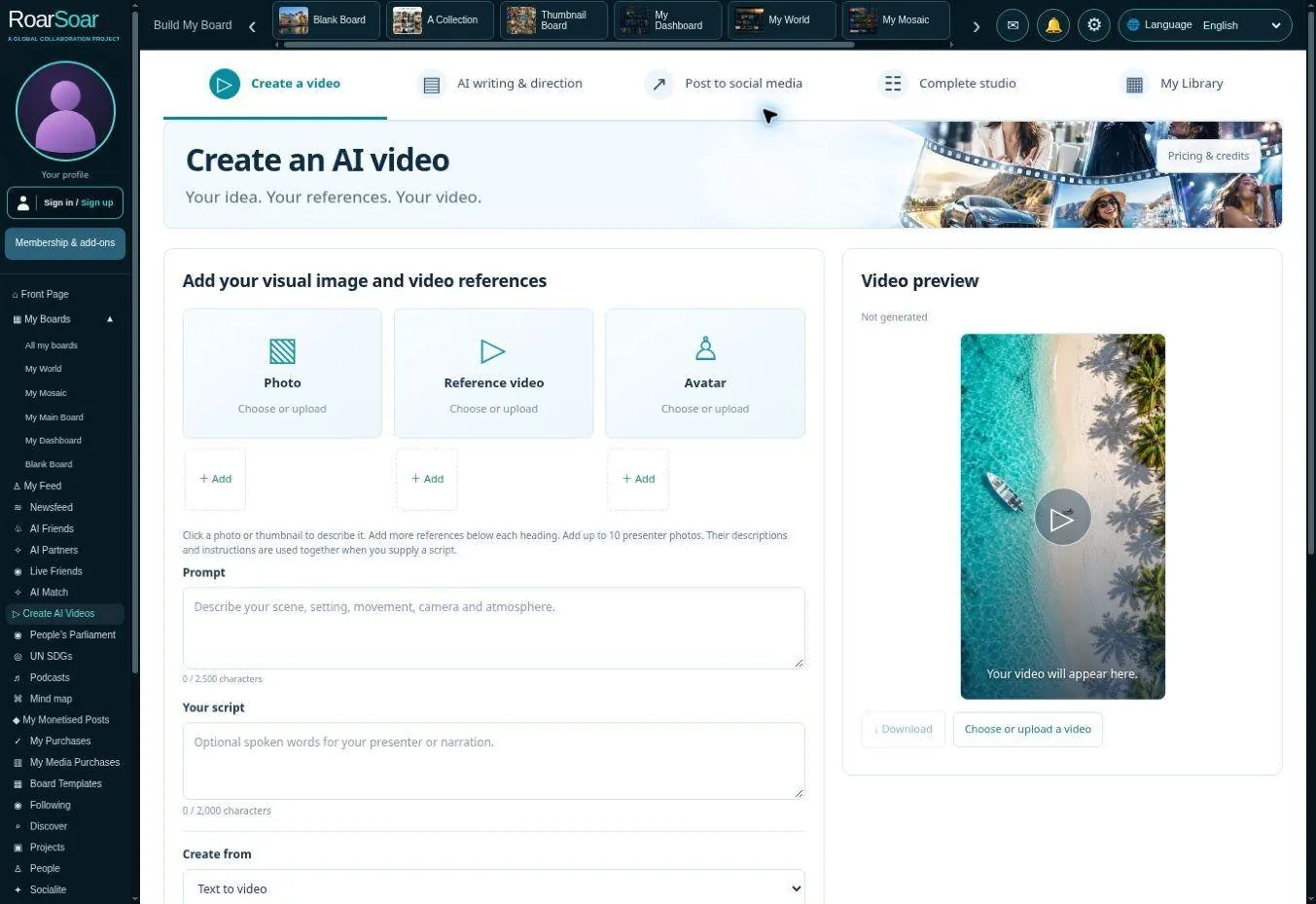
Figure A33 Create AI Videos
The video studio brings reference media, a script, creative direction and output handling into a working interface. It is intended for promotional material, stories and other content a member wants to publish or share.
The video workspace brings together creative planning, AI-assisted scriptwriting, reference images, generation, saved work and posting. Members can develop the subject, style and story they want to communicate, then prepare their content for their board or a wider audience.
We are developing tools to create short social-media videos, short dramas, music videos, documentaries and movies. The aim is to help members move from an idea or script to scenes, sound and a finished video they can publish and share.
Open this part of RoarSoar ↗Back to the guide ↑Live Friends and human conversation
Preview interface in beta
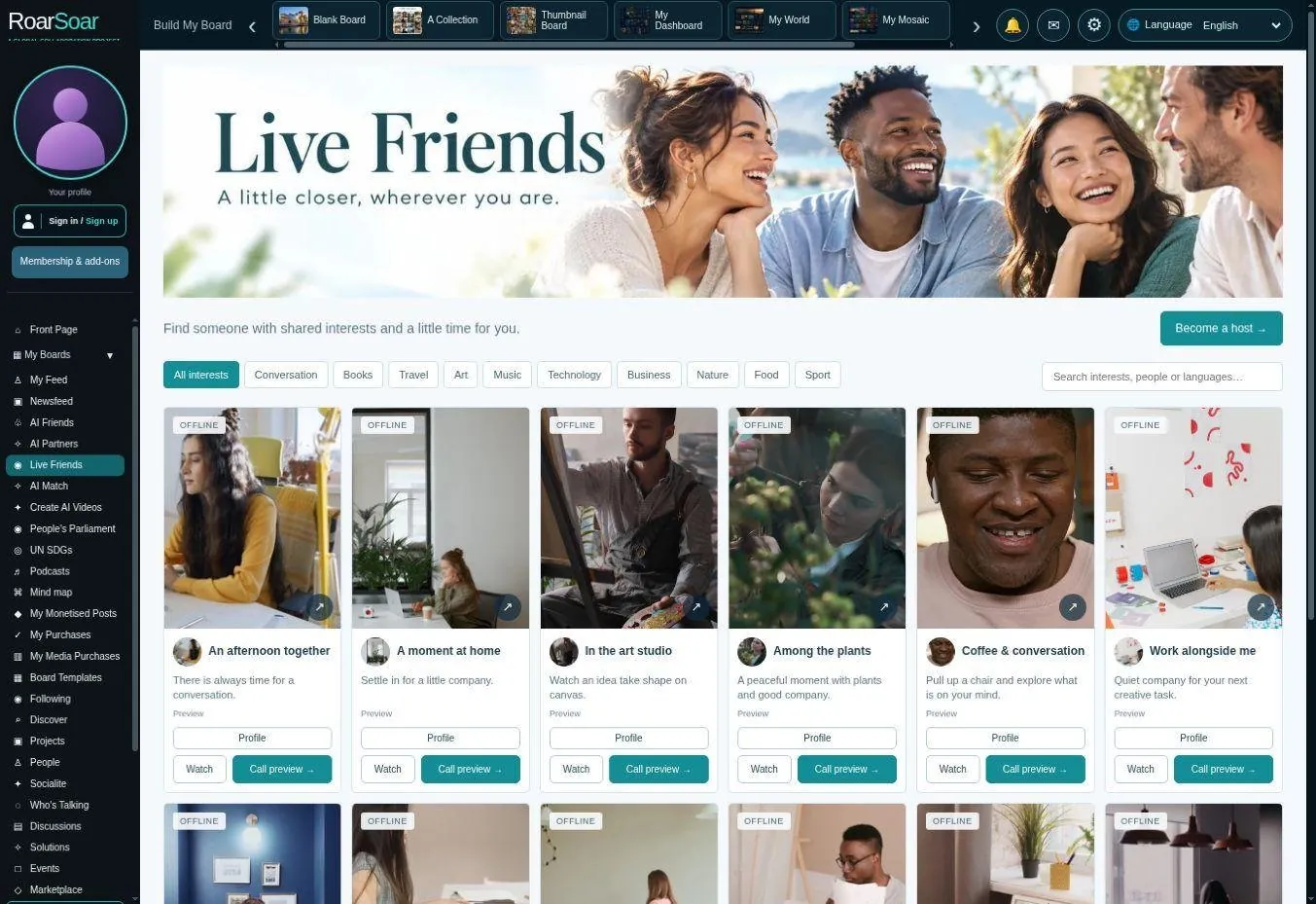
Figure A34 Live Friends and human conversation
Live Friends is designed around real people choosing what they share and when they accept a conversation. It is separate from the AI-character experience.
Explore profiles and preview material to discover people you may like to speak with. The experience brings together a host’s interests, conversation options and availability, helping members choose a conversation that suits them.
Open this part of RoarSoar ↗Back to the guide ↑Podcasts and independent voices
Live beta discovery interface
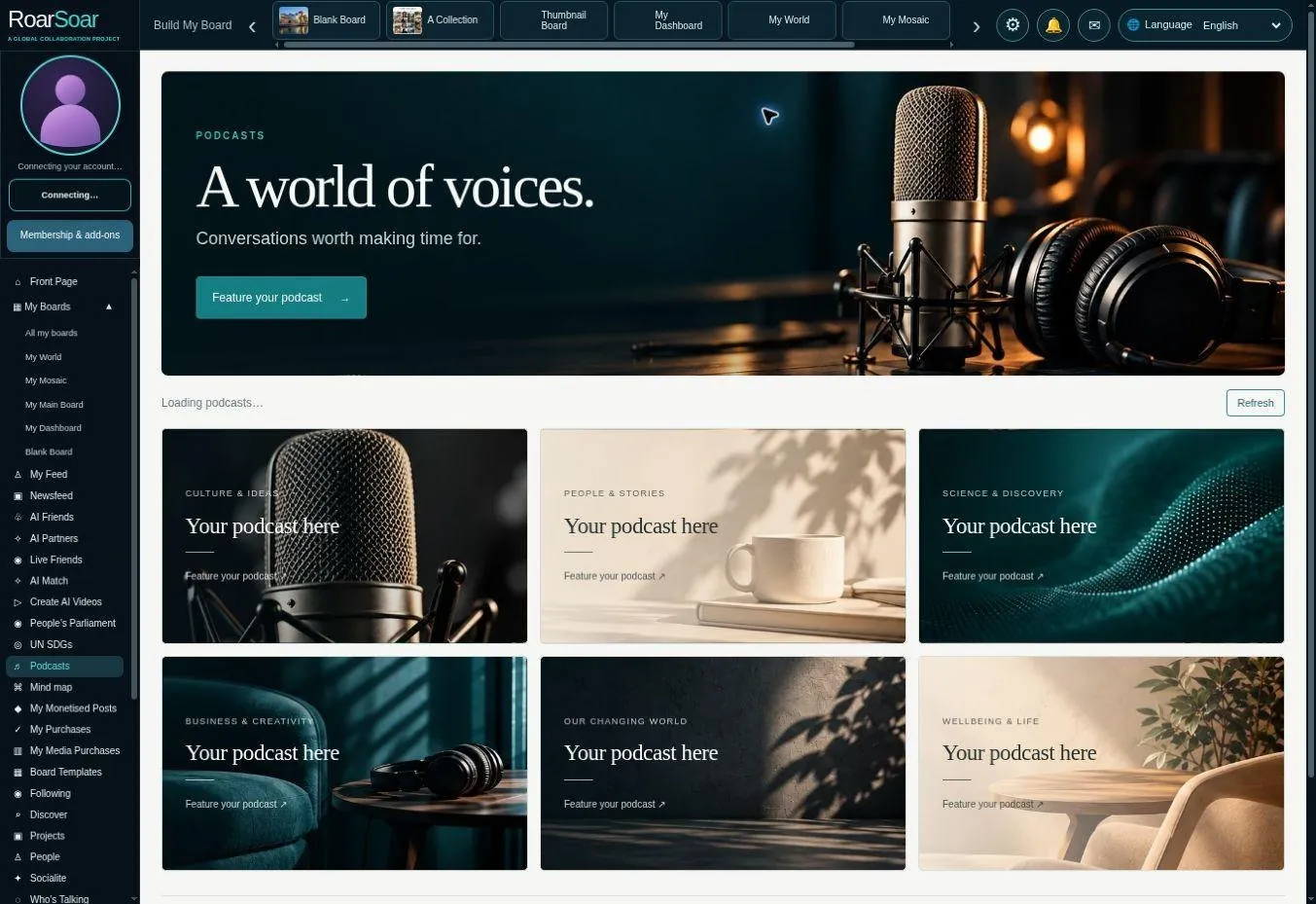
Figure A35 Podcasts and independent voices
The podcast section gives audio and video conversations a designed home. It is intended to help independent voices introduce a programme and connect episodes with listeners and relevant subject communities.
A show can be part of a wider board, cause or personal profile rather than a disconnected media link. Upload, storage, processing and any paid promotion or publication journey require the relevant funded allowance and permissions.
The screen includes example placement spaces. It illustrates the product’s presentation and intended workflow rather than demonstrating a completed paid upload or a measured audience.
Open this part of RoarSoar ↗Back to the guide ↑Marketplace
Marketplace interface in beta
Figure A36 Publishing selling and requesting support
The marketplace connects discovery with eligible creator content and products. It extends the platform’s purpose from presenting information to helping members earn from work or request support for a cause.
Supported publishing routes can offer eligible paid content or donations. Sellers need an appropriate payment setup, and physical-product fulfilment and returns require clear responsibility. New Blank Board and Collection surfaces do not yet have every commerce option connected.
Creators can present their work with photographs, descriptions and relevant background, so people can discover an offer within the subject or community that gives it meaning.
Open this part of RoarSoar ↗Back to the guide ↑Discussions and shared questions
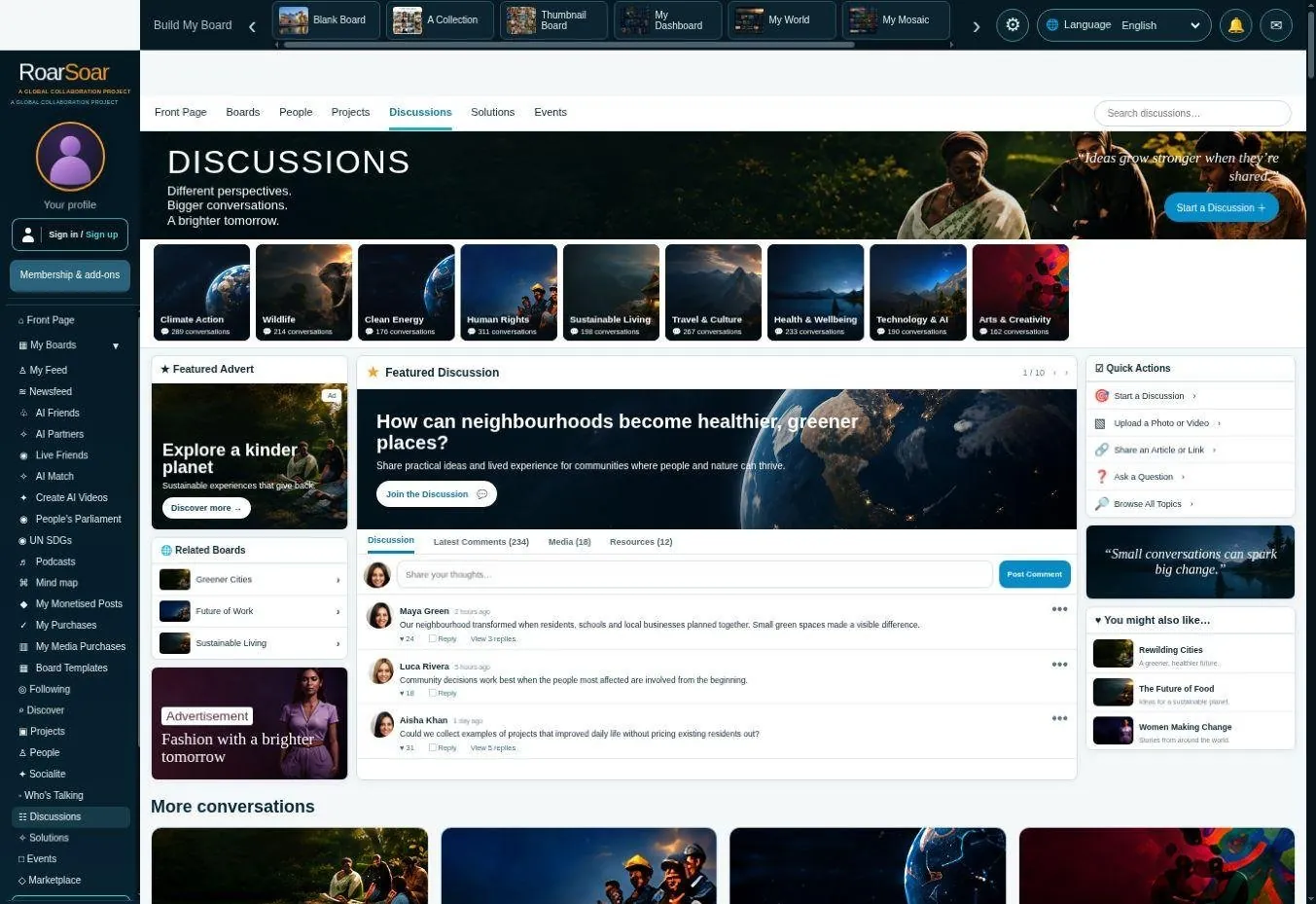
Figure A37 Discussions and shared questions
Discussion pages give a question or subject a recognisable place for conversation. A designed overview can introduce different themes and direct people into the exchange most relevant to them.
Members can develop a topic through comments and further contributions, subject to account and moderation controls. This complements card publishing by giving readers a route to participate rather than only view.
Start with a question, share a perspective or add useful context. A discussion can grow into a collection of knowledge, a shared project or a community around the subject.
Open this part of RoarSoar ↗Back to the guide ↑Projects and collaborative work
Fundraise for your project or cause
You can fundraise for your project or cause by requesting donations on your project posts. Explain what you want to achieve, show what the support will help make possible, and share photographs, videos, documents and progress updates so people can follow and contribute to the work.
Live beta interface with illustrative examples
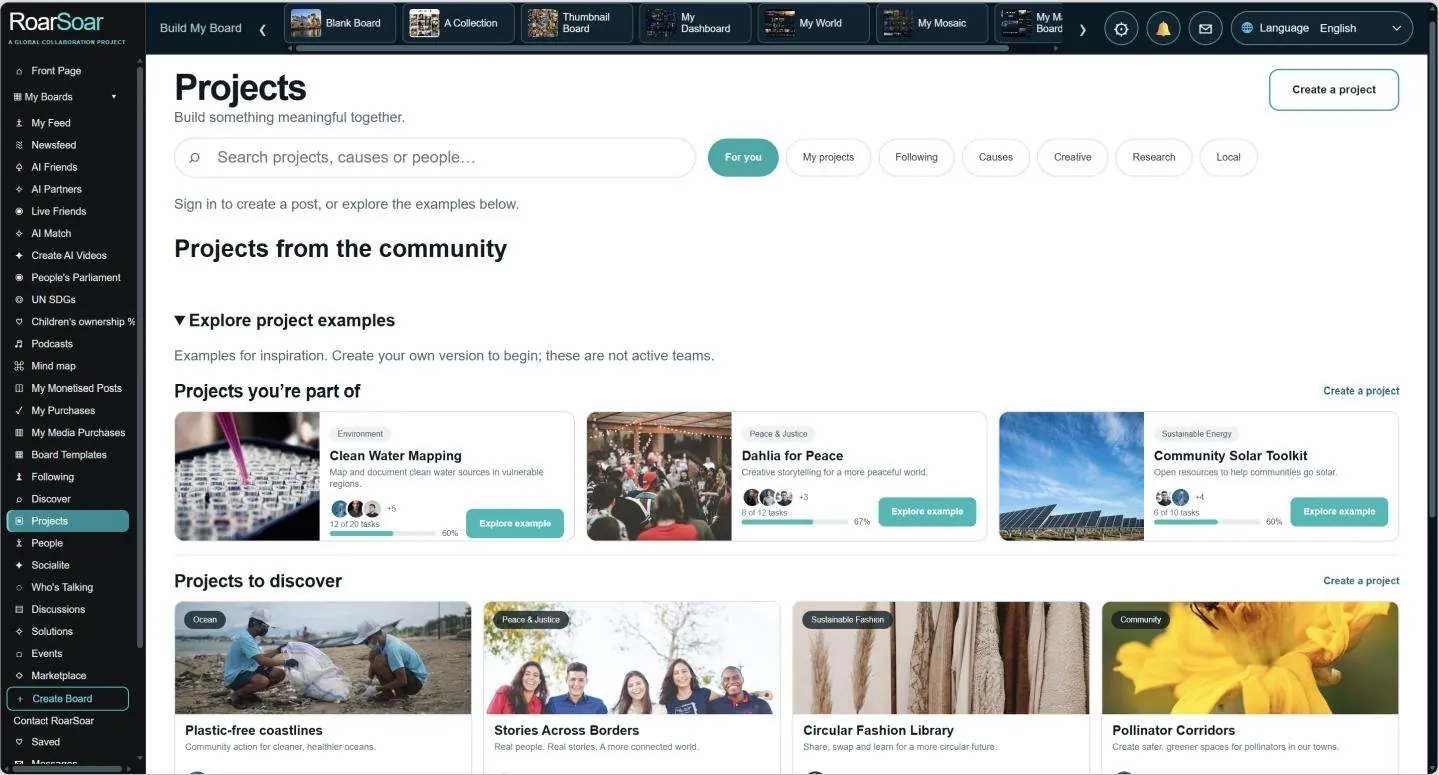
Figure A38 Projects and collaborative work
The project section is designed to bring purpose, supporting information and participation into one place. It can help a project introduce what it aims to achieve and make related work easier to find.
Members and organisations can use project pages to organise updates, references, media and discussion, bringing the people and information behind a project into one shared place.
The visible examples show the intended presentation of projects. Funding progress, example participants and other illustrative details are not reported operating results.
Open this part of RoarSoar ↗Back to the guide ↑Events and participation
Live beta interface with illustrative listings
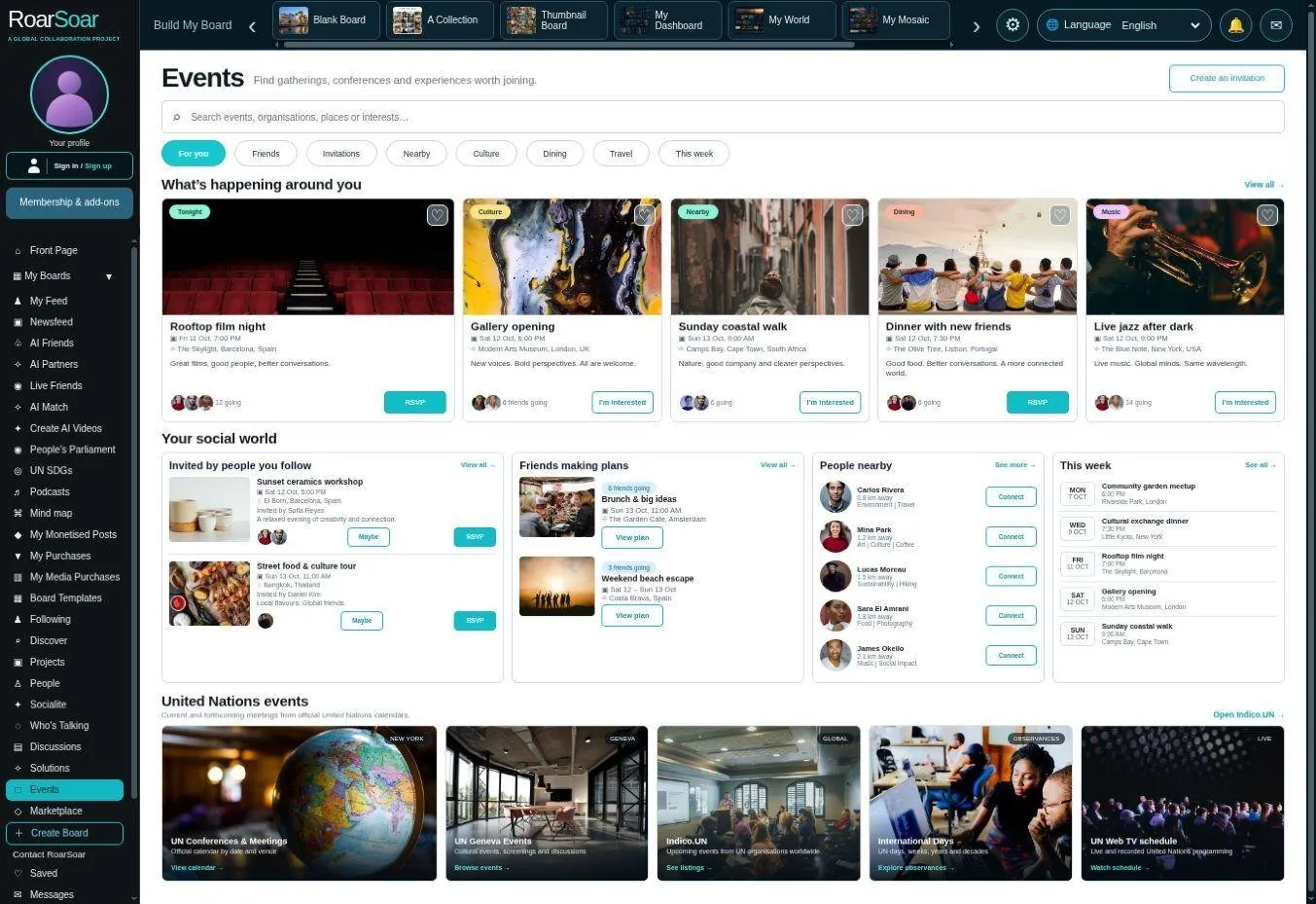
Figure A39 Events and participation
Events provide a place to discover activity and connect it with a wider subject or community. The interface can present event information, host details and relevant content in a visually consistent way.
An event can sit alongside a project, organisation or interest board, giving people a reason to return and participate. Online sessions and separately paid live broadcasts require their own capacity and commercial arrangements.
An event page gives organisers a place to share dates, participation details and updates, while helping people discover activities related to their interests.
Open this part of RoarSoar ↗Back to the guide ↑People and member identity
Live beta directory interface
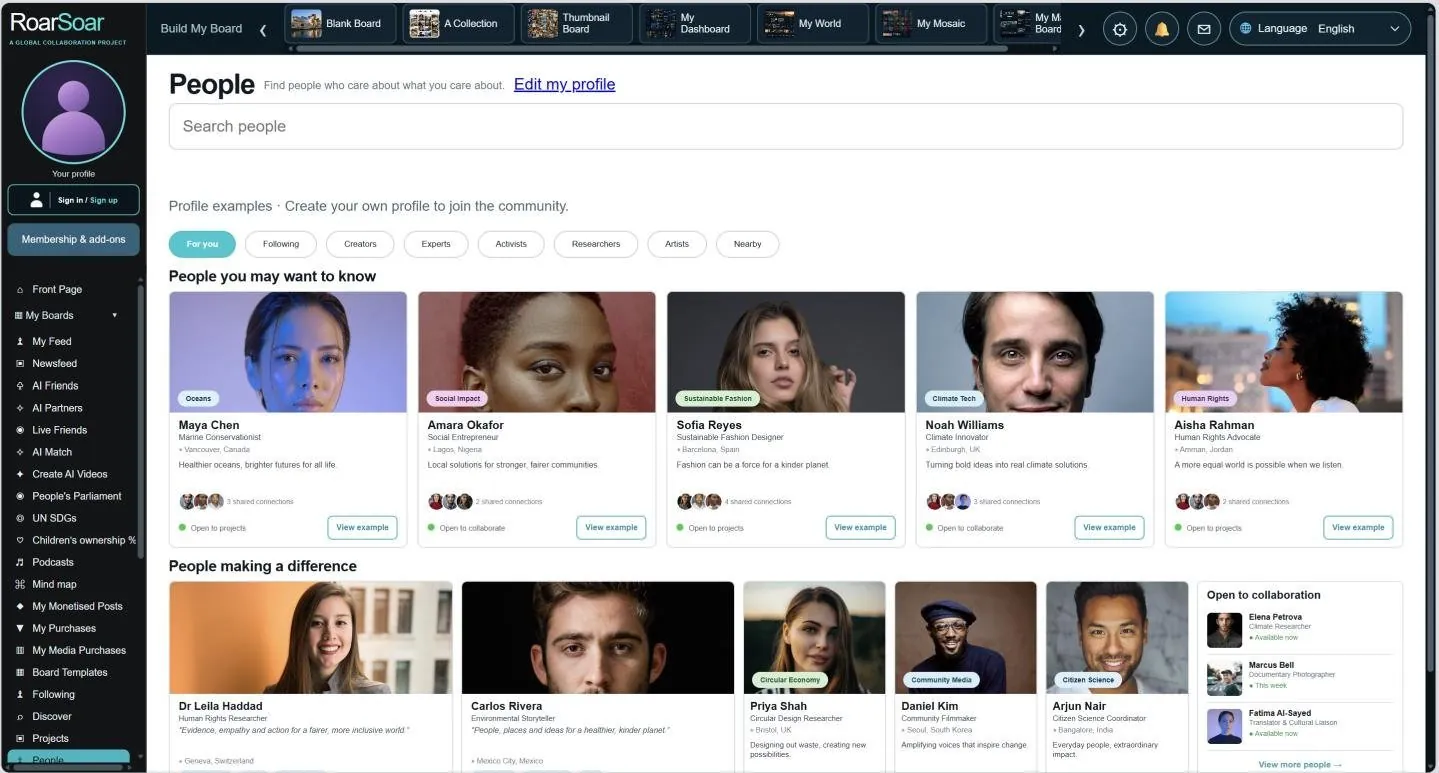
Figure A40 People and member identity
The People section provides a route to discover public member profiles and connect with others. Visibility is a member choice rather than an assumption that every registered person appears publicly.
Profiles, connections and followers give the visual boards a social context. A designed page can therefore become part of a community of people, rather than remaining an isolated personal website.
The guest screenshot shows illustrative profile examples alongside the directory tools. Private profiles, messages and member-owned information are not reproduced. Population, matching quality and public participation will develop through the beta programme.
Open this part of RoarSoar ↗Back to the guide ↑Preserving research and useful links
Research often begins with many open tabs. Useful sources become difficult to remember once the browser is closed. RoarSoar’s aim is to turn that temporary trail into a visual collection that a member can return to, understand and develop.
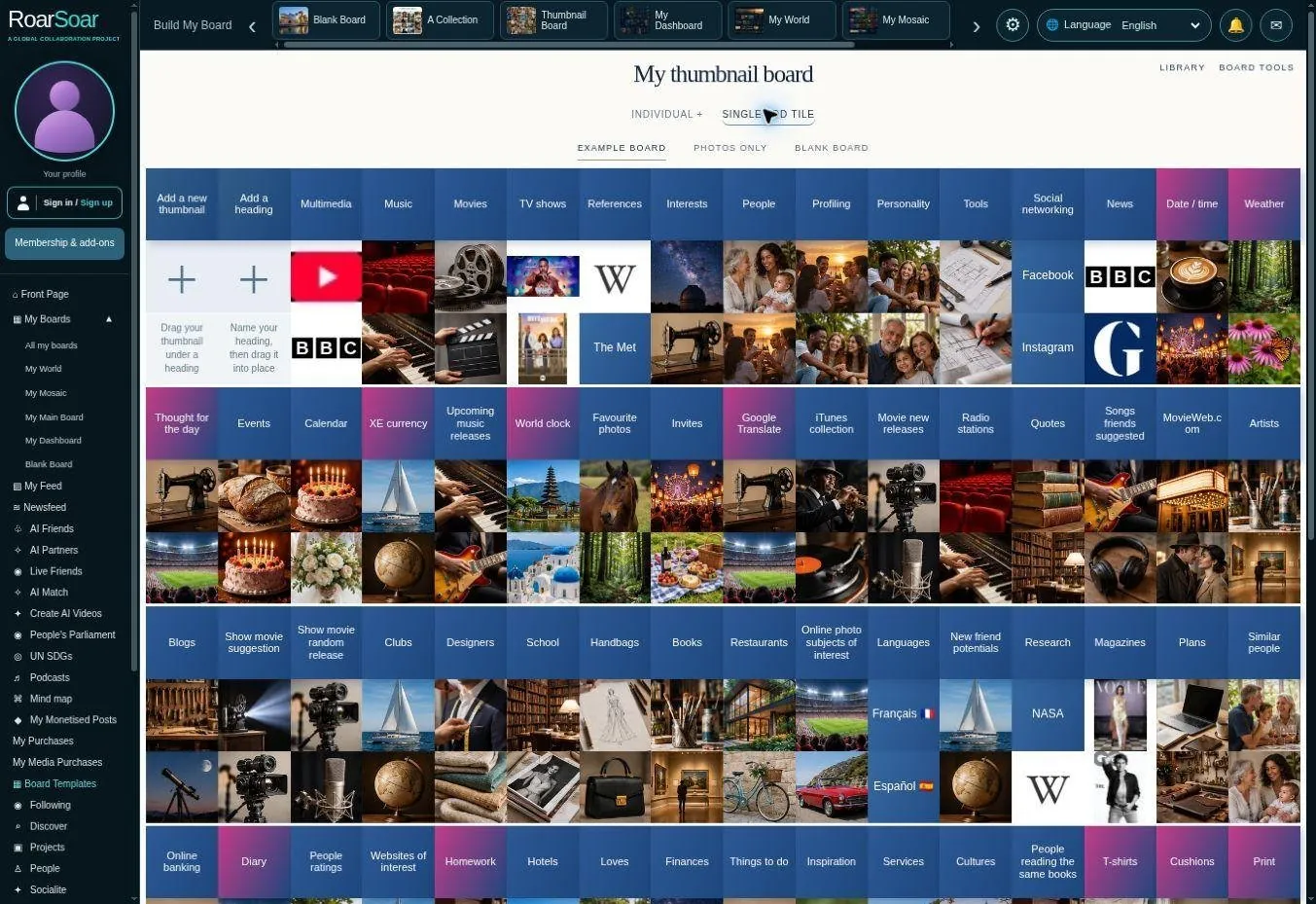
Figure A41 A compact research and interest index with controls for adding thumbnails and headings
Save the source link on a card, give it a recognisable title or image and record why it matters. Group related sources under a heading, add notes or supporting files, and return to the project when the next question arises.
The same method can organise a travel plan, a literature review, an investigation, a purchase decision or a creative brief. Links depend on the source remaining available; member-created summaries preserve context, while uploaded files require permission and the relevant storage allowance.
Back to the guide ↑My Feed
Live beta interface
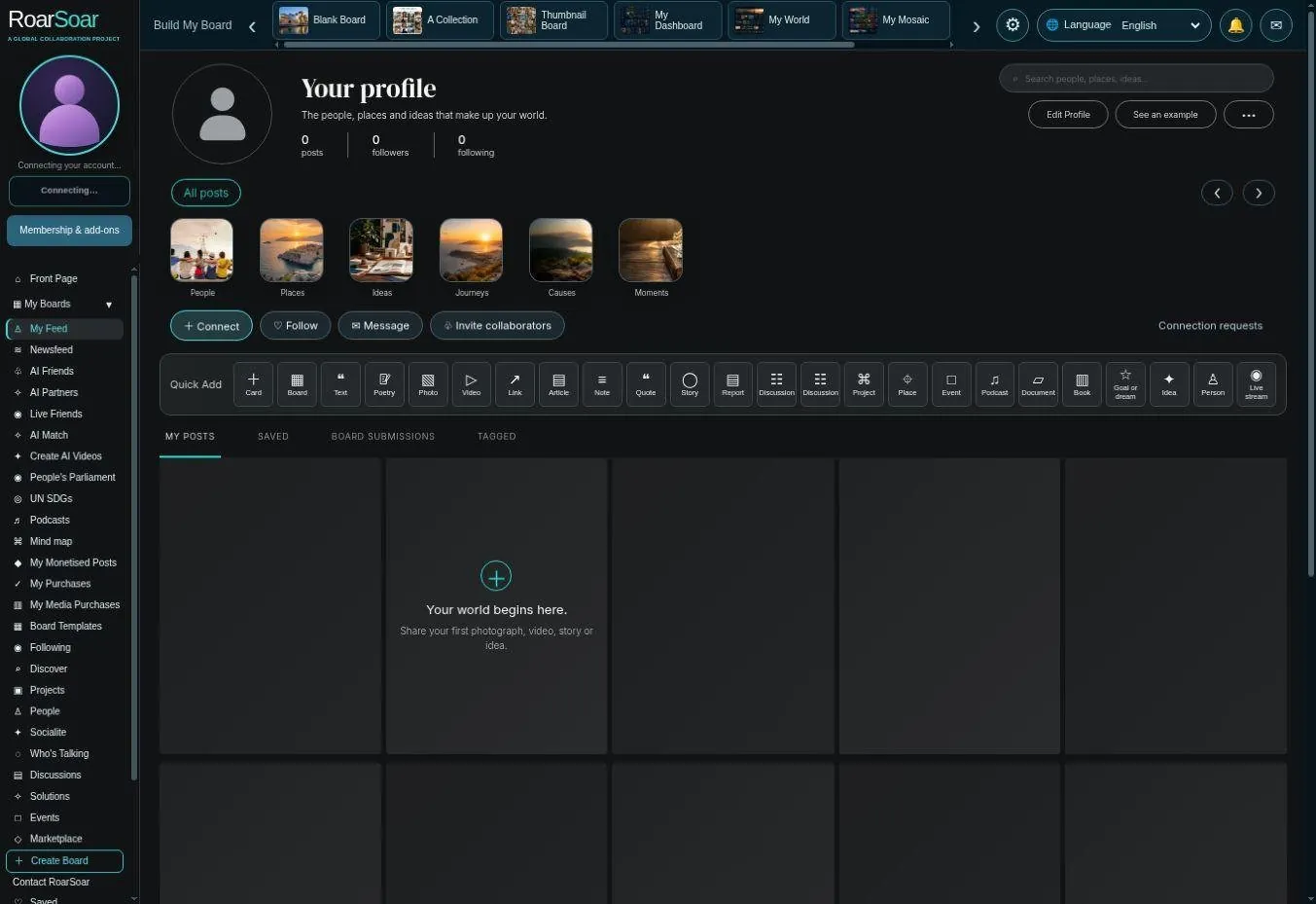
Figure A42 My Feed
My Feed is the member’s publishing home. It brings personal posts, saved material, board submissions and tagged contributions into a familiar card-based view. The screenshot shows the empty starting state rather than a populated member account.
Members can begin with a photograph, video, article, note, quotation or another supported format, then choose the relevant publishing settings. This makes a personal profile useful both as an evolving record and as a public-facing collection of work.
This is close to a tiktok, facebook or instragram feed.
A writer can collect published essays, a photographer can present recent work, and an individual can keep personal observations together. Public visibility, identity and paid-content options depend on the chosen publishing route.
Open this part of RoarSoar ↗Back to the guide ↑The children ownership commitment

An illustrated founder commitment to create a children’s ownership scheme, with formal participation terms still to be established.
RoarSoar has committed that the children of the world will own 20% of RoarSoar. Every participating child will have an equal share of the children’s ownership pool. As more children join, each child’s proportion becomes smaller while their collective ownership remains 20%.
Children will vote each year on how to spend or share any dividends declared for their pool. The intended eligibility is children under 18. Dividends are not guaranteed.
Register now to join. Registration is free. The children’s ownership pool will go live once more than 100,000 eligible children have registered. Shares will be allocated when the pool opens. The page explains the shared pool and how children can participate.
Each child’s share and participation rights belong to that child alone. No other person may take control of or manage them. Helping a child register does not give anyone control over the child’s share, vote or participation rights.
Back to the guide ↑The next stage of the creation tools
We are developing a connected RoarSoar creative studio to help members turn ideas into content, then publish it to their boards, profiles and communities.
| Developing area | What members could create |
|---|---|
| AI content creation | Writing, image concepts, board designs and content for online publishing. |
| Expanded video studio | Short social-media videos, short dramas, music videos, documentaries, movies and continuing episodes. |
| Music tools | Lyrics, performances and accompanying visual stories. |
| Planning and research | Organised material, informed questions and ideas for projects and decisions. |
| Trading and prediction tools | Exploratory ideas for information and decision support around markets. |
| Betting tools | An exploratory area for possible future tools and participation formats. |
| New communication ideas | Exploratory research into additional ways to connect and communicate. |
These areas are in development. The aim is to make it easier to move from an idea to a finished piece of content, with tools that work together around your own creative purpose.
Back to the guide ↑Make RoarSoar your own
Start with something that matters to you: an interest, a project, your work, a cause or the things you want to remember. Choose a board style, add a few pieces of content and let your online world grow from there.
Choose your starting point
- Build a personal website or visual profile
- Collect research, links and ideas you want to return to
- Organise your life, interests, goals and plans
- Publish a story, share knowledge or start a discussion
- Bring people together around a subject, project or cause
- Explore creative tools and ways to support your work
You can build multiple pages, connect them together and develop them over time. Your cards can open more detail, introduce another subject or invite people into a shared posting board.
Start with a Blank Board ↗Explore subjects on the Front Page ↗Back to the guide ↑